Newtec Proprietary
Confidentiality: Unrestricted
V1.0
267/314
Feature Descriptions MDM6000 Satellite Modem
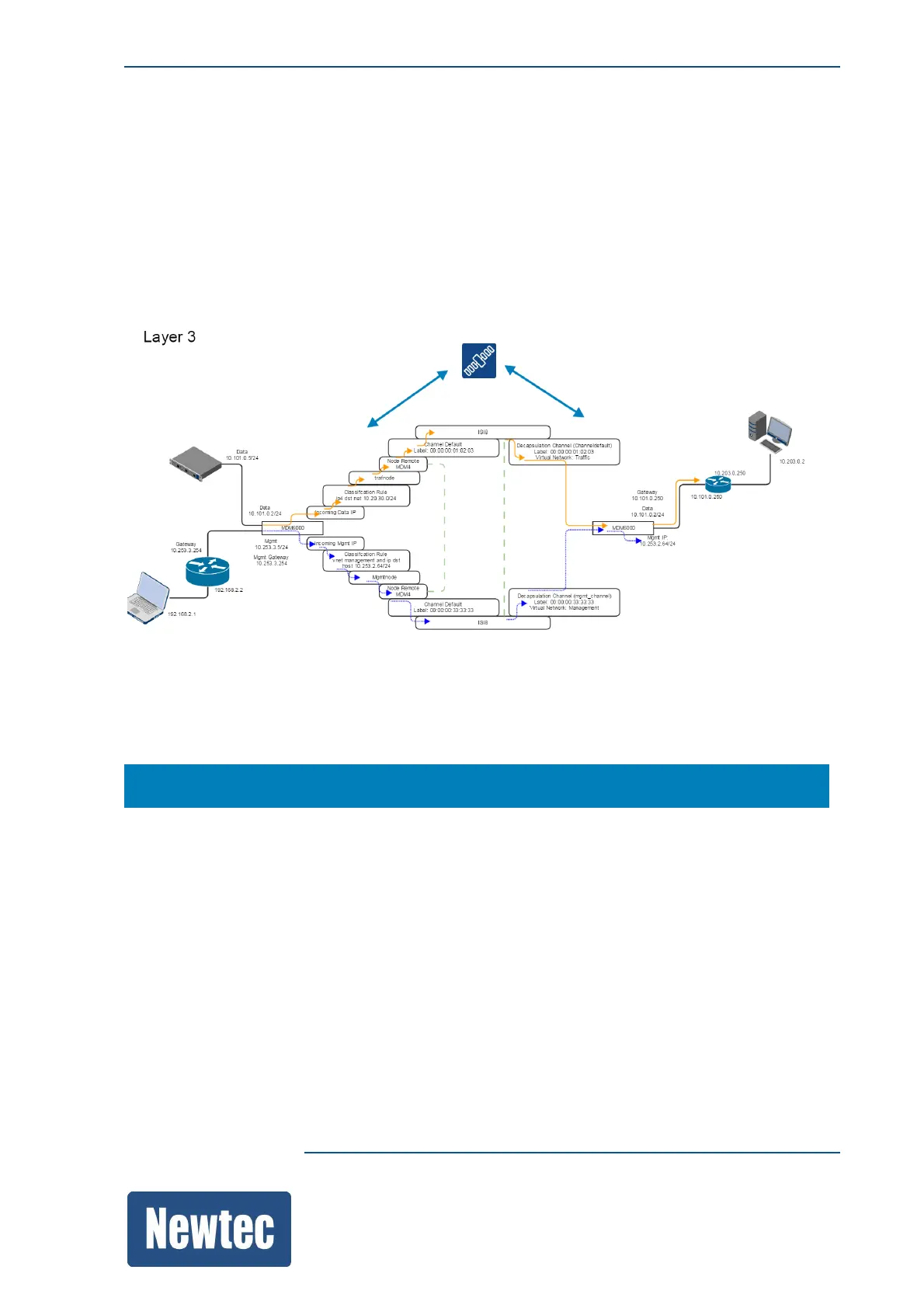
On the remote site
Configure the decapsulator in such a way that the Mgmt IP packets are decapsulated and made
available on the Mgmt port.
To do this the decapsulator must be able to make a distinction between traffic and management IP
packets. Once the distinction is made the Mgmt IP packets are made available on the Mgmt IP port
of the MDM6000
The following figure shows the traffic and mgmt plane.
14.15.2.1 Configure the hub Site
Navigate to:
MDM6000 >> Encapsulation
Settings
» Enable the Encapsualtion block
» Add the Mgmt-channel



 To Next Page