Newtec Proprietary
Confidentiality: Unrestricted
V1.0
20/314
Physical Description MDM6000 Satellite Modem
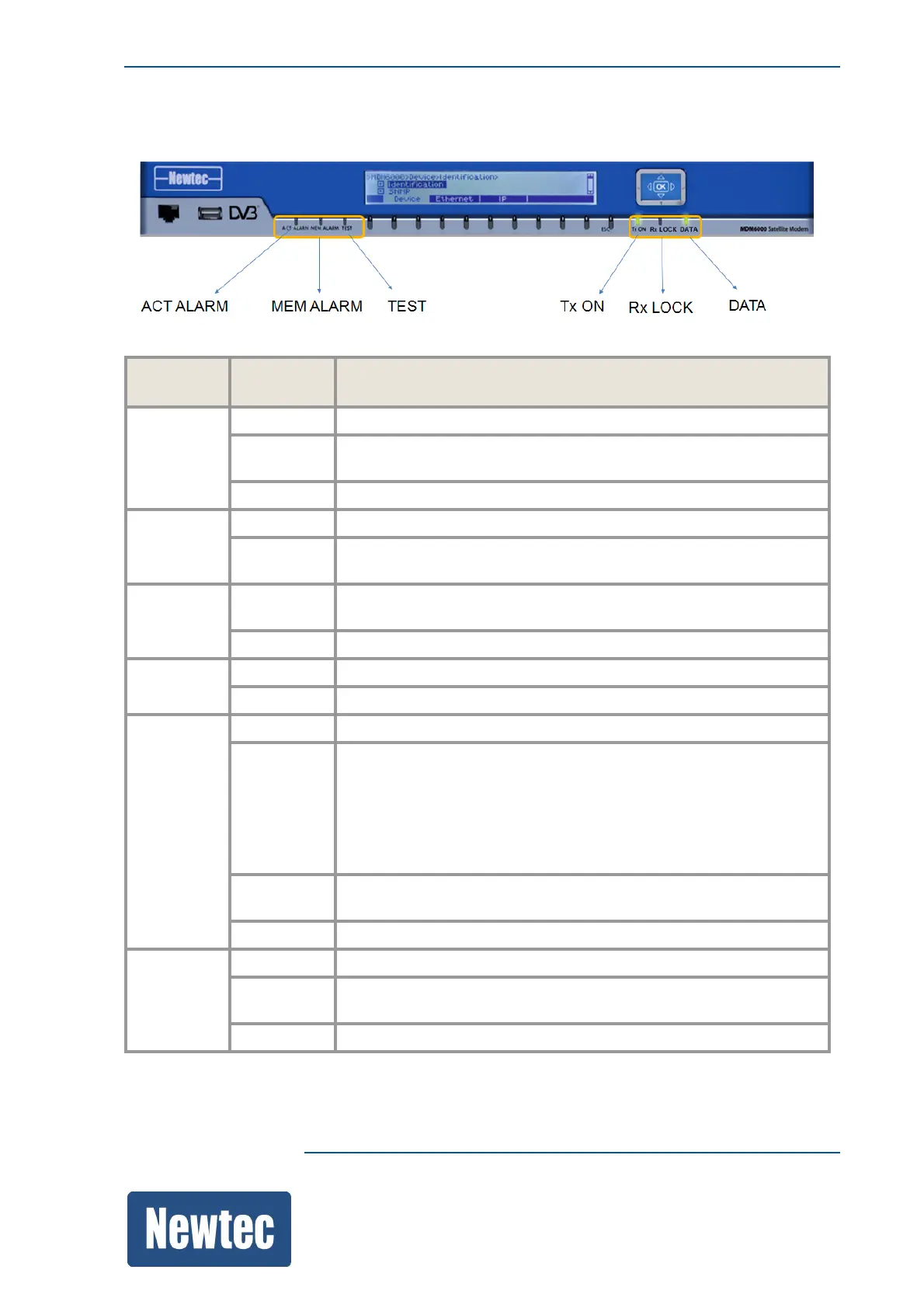
8.1.5 LED Status Indicators
The following table describes the LED status indicators.
LED LED
Color
Description
ACT
ALARM
Green There are no alarms present on the device.
Yellow Alarms other than the general device alarm or interface alarm are
present on the device.
Red A general device or interface alarm is present on the device.
MEM
ALARM
Yellow A memorized alarm is present on the device.
Off Indicates that all alarms are cleared, no memorized alarm is
present on the device.
TEST Green Green Indicates that the internal PRBS generator is activated on
the device.
Off The internal PRBS generator is not activated on the device.
Tx ON Green The device is transmitting.
Off The transmission is disabled.
Rx LOCK Green The demodulator part of the modem is locked.
Yellow The demodulator is in PL lock (Physical Layer lock).
• Physical layer headers are decoded properly.
• An Es/No estimation is available;
• Equalizer is operational.
But no decodable BB frame was received.
Red The demodulator part of the modem cannot lock to the incoming
carrier.
Off The demodulator part of the modem is disabled.
Data Green The incoming or outgoing data signal is valid.
Yellow The input / output data interface is configured but there is no
activity monitored during the last second.
Off The input / output interfaces are not enabled.



 To Next Page