Newtec Proprietary
Confidentiality: Unrestricted
V1.0
52/314
How to Manage the Device MDM6000 Satellite Modem
11.5.5 GUI Pane Description
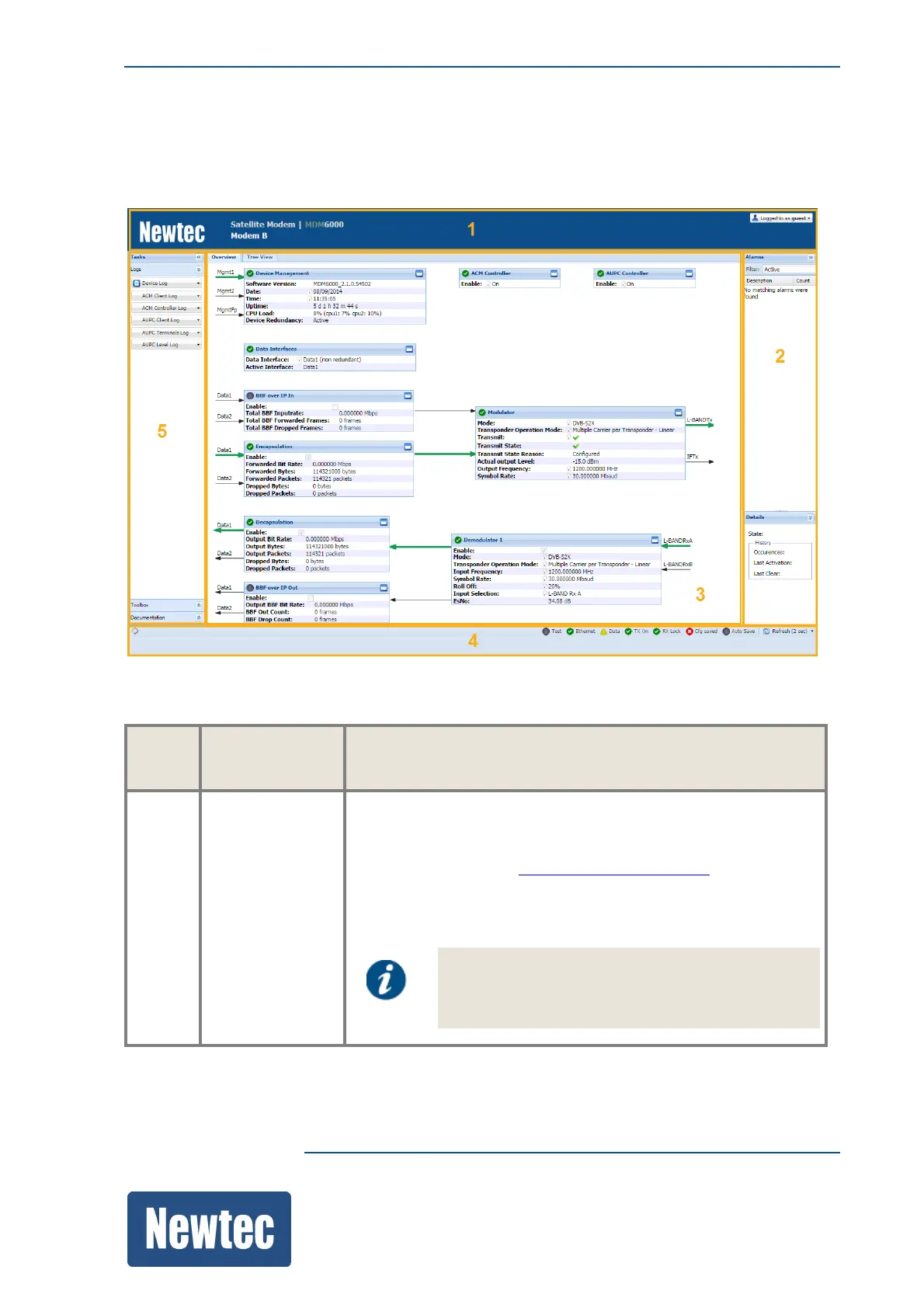
The following screen displays the general layout of the graphical user interface. The different panes
are numbered clockwise and described in the pane description table.
The following table describes the sections numbered in the previous figure.
Pane
No.
Pane name Function
1 Banner The top row of the banner displays the official device description
and type.
The top right row displays the current user profile. (To change
the user profile, refer to SwitchUserProfileonpage50.)
The bottom left row of the banner is editable and can be used to
assign a unique identifier to the device. Do this by clicking on the
label. (In the previous figure, the label is marked: MDM6000).
This name is also shown in the tab of the web
browser and makes it easier to identify different
devices.



 To Next Page