Newtec Proprietary
Confidentiality: Unrestricted
V1.0
17/314
Physical Description MDM6000 Satellite Modem
8 Physical Description
8.1 Front Panel Description
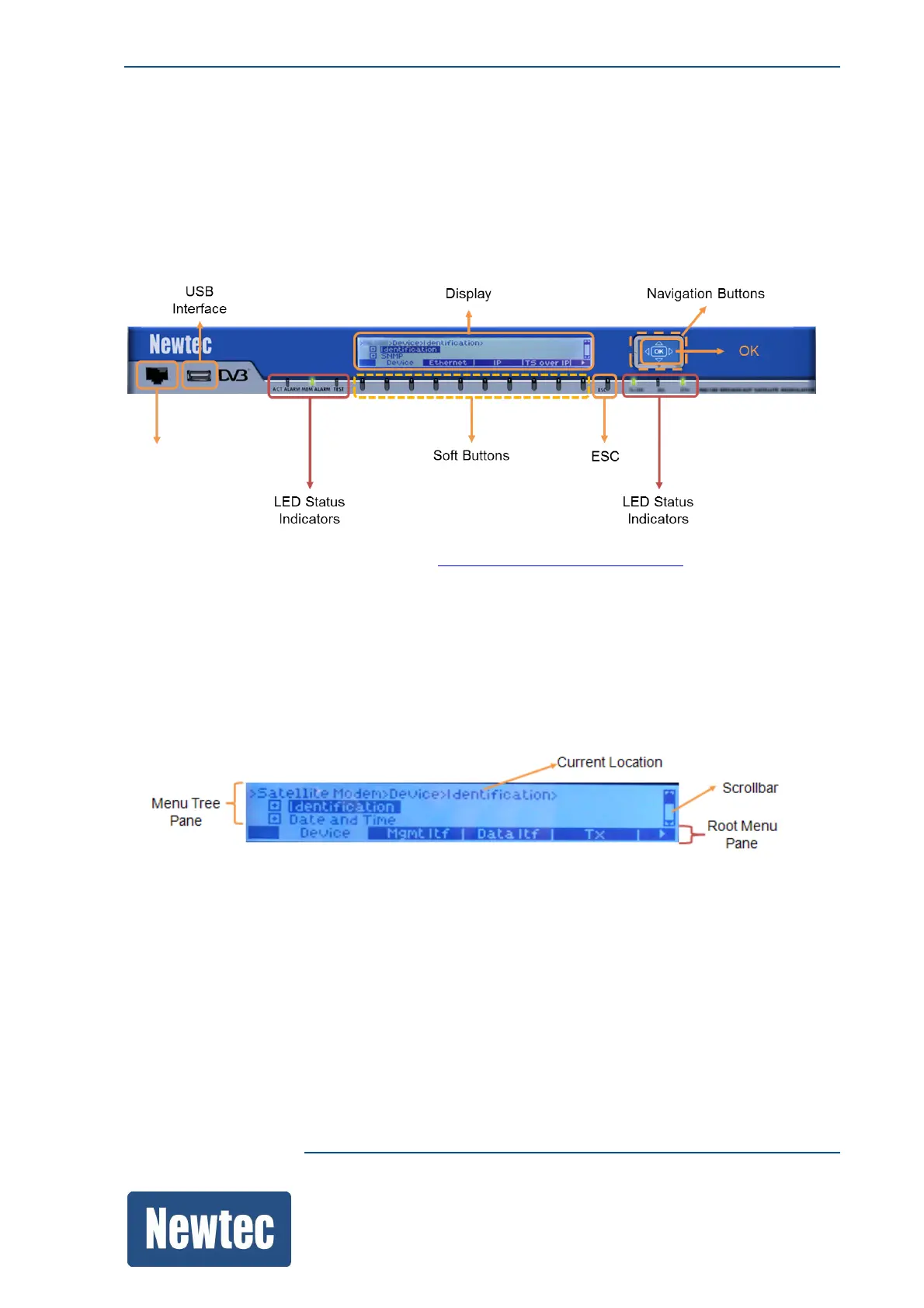
The device can be configured, controlled and monitored using the front panel. The front panel
consists out of the following parts.
For more information please refer to section: HowtoUsetheFrontPanelonpage66.
8.1.1 Display
The display consists of a 32 x 240 pixels LCD screen.
• The top rows indicates the tree menu pane;
• The bottom row indicates the root menu pane.
Menu Tree
The device management model is designed as a menu tree. The menu tree shows the organization
of the parameters in the device. The tree is built up out of a root, branches, sub branches and leafs.
• Root: represents the complete device configuration;
• Branch/Sub branch: represents functional blocks that group leafs/parameters that are closely
related to one another;
• Leafs: the leafs represent the parameters or commands that are used to perform a configuration.



 To Next Page