172 Chapter 4 Use the Océ TDS700 productive scanner
Sections on the scanner operator panel
Sections on the scanner operator panel
Information in the scanner operator panel
When the scanner templates are not active on the system, the scanner operator panel
displays the following sections with an active ‘Custom’ section.
■ The ‘Custom’ section which provides direct access to frequently used settings,
defined by the customer.
■ The ‘Original’ section which provides access to the settings of the scanner input,
the original.
■ The ‘Print’ section which provides access to the settings of the printer output, the
print.
■ The ‘File’ section which provides access to the settings of the scan-to-file output,
the file.
Custom section
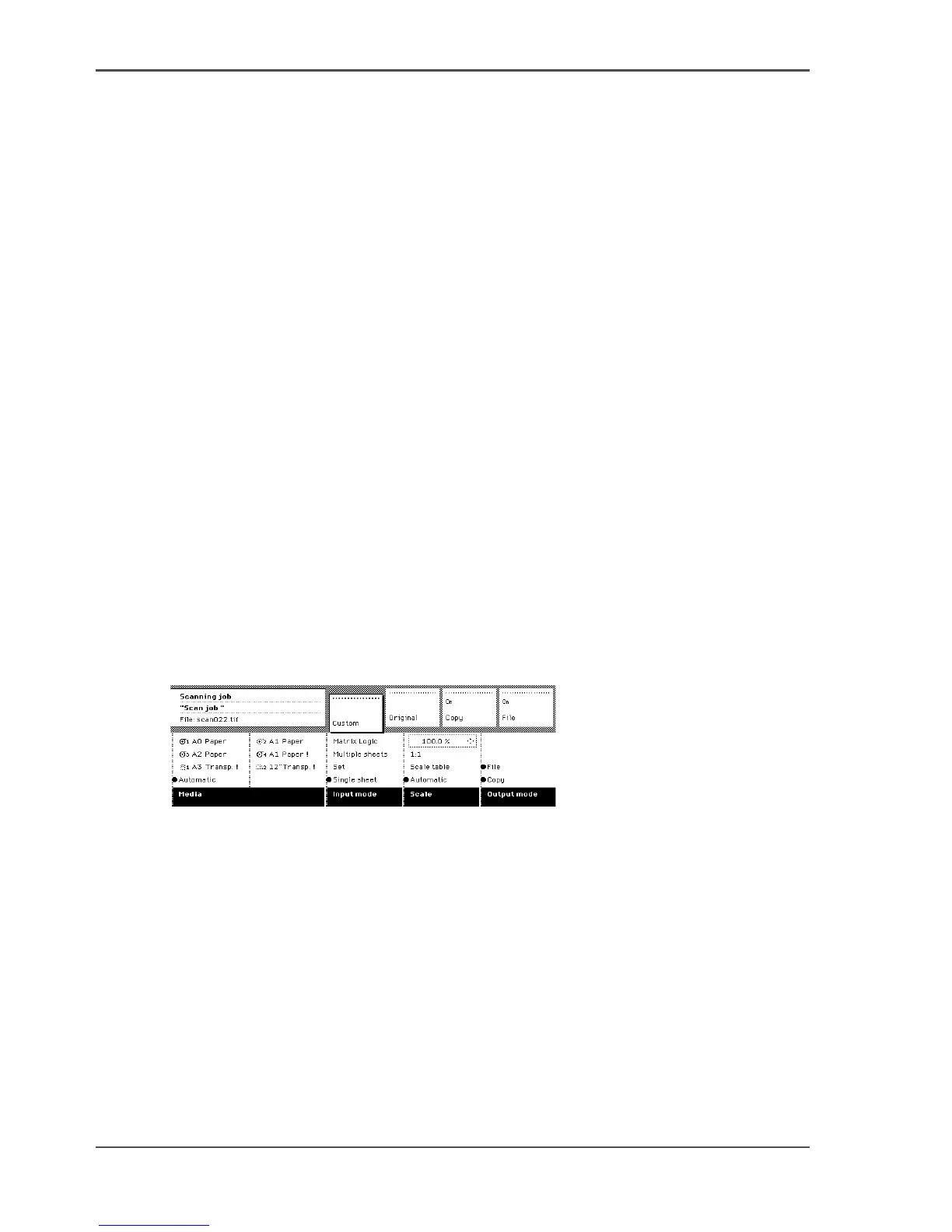
The ‘Custom’ section contains the frequently used settings. The illustration below
shows an example with the following settings.
■ Media
■ Input mode
■ Scale
■ File mode
[100]
[100] Custom section
The key operator defines the contents of the custom section for each template in the
Power Logic
®
controller application. The key operator can change the contents,
dependent on your configuration, for example into the settings illustrated above.
Original section
The ‘Original’ section contains all settings for the scanner input, the original.
The settings are divided over the following cards.
■ Scanner
■ Image
■ Sheet
■ Feeding












 To Next Page