358 Chapter 10 Maintain the Océ TDS700
Use the optional roll loader
Use the optional roll loader
Introduction
In order to help customers and to comply with the international safety regulations as
far as maximum roll weights are concerned, Océ has developed a roll loader for use
with the Océ TDS700.
Use the optional roll loader to load a roll
1. Fully open the roll drawer. Inside the drawer, the roll loaders are installed. The roll
loaders consist of a metal frame with a lever and a green knob in the middle of the
lever.
Note: Do not open more than one roll drawer at a time to prevent overbalance of
the printer.
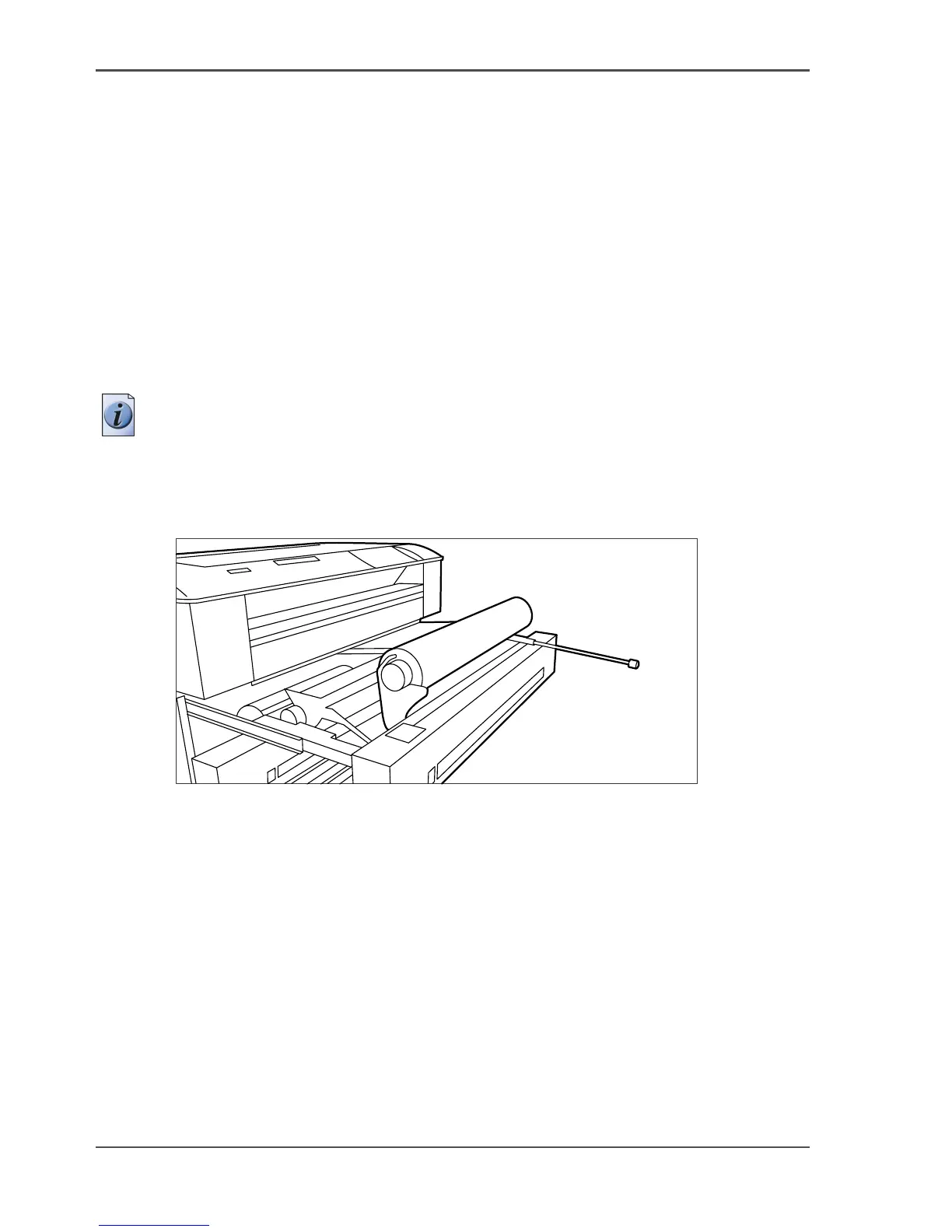
2. Put the appropriate horizontal lever in an upright position by pulling it to the right.
3. Pull the lever completely forward. The roll holder is lifted up, see the illustration
below.
[230]
[230] Roll loader
4.
Remove the roll holder from the paper roll drawer using both hands.
5. Press the green knob inside the roll holder to release the locking mechanism and
remove the core from the holder.
6. Slide the roll holder in the new roll of material while pressing the green knob.
7. Align the roll with the appropriate size indicator on the roll holder and release the
locking mechanism. This line has to be completely visible.
8. Use both hands to place the holder in the roll loader, see the illustration below.












 To Next Page