359
Use the optional roll loader
[231]
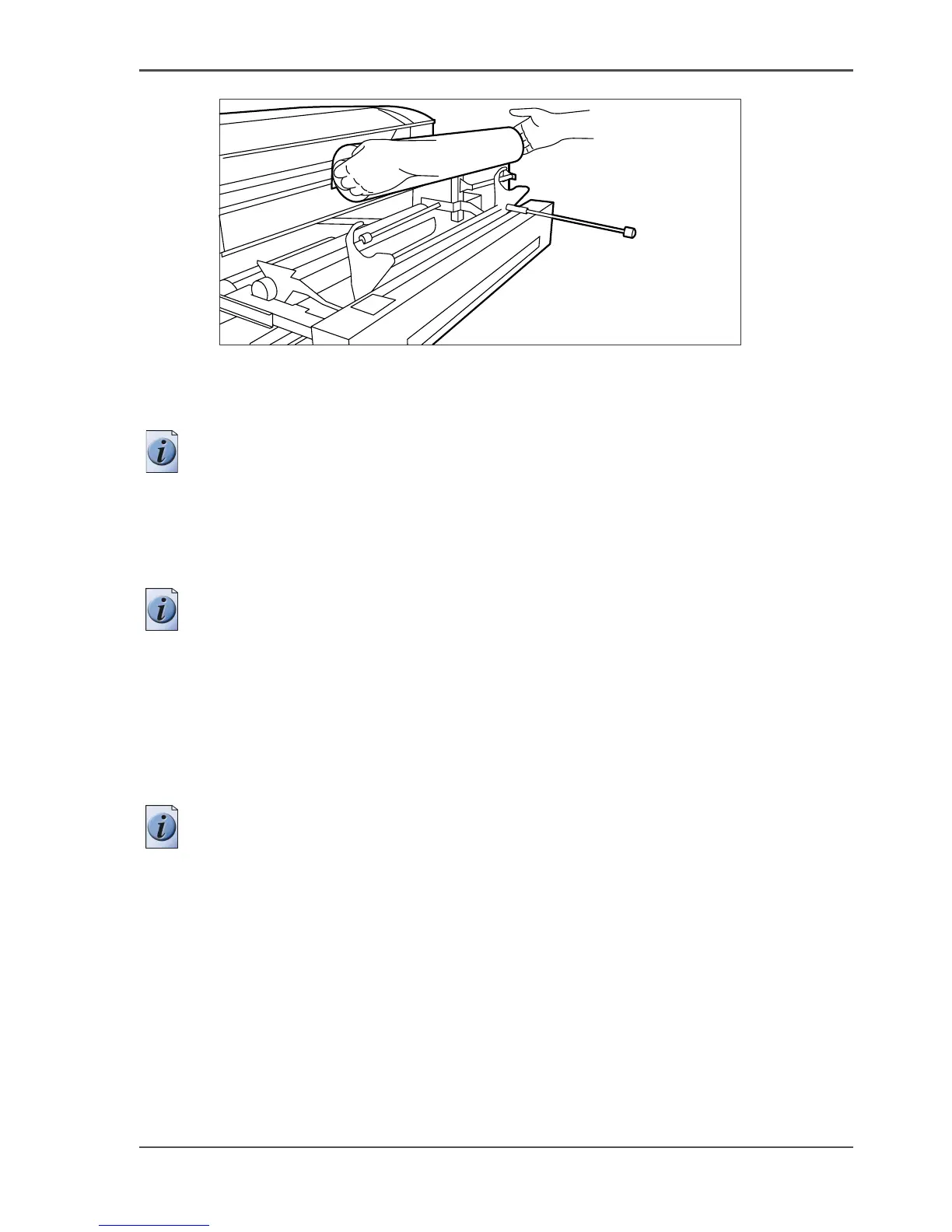
[231] Use both hands
9.
Place the roll holder back in the roll drawer by returning the roll loader lever to its
upright position. The roll will now be loaded.
Note: Be careful when you lift the lever to avoid any possible damage to the roll
drawer.
10. Use both hands to slide the material under the metal paper guide until it makes
contact, as described in the procedure for loading rolls of media.
11. Press the appropriate green key inside the roll drawer. The material will
automatically be fed into the machine.
Note: Also refer to the sticker inside the drawer.
12. Press the green key a second time to cut off the material protruding from the paper
path.
13. Remove the scrap material.
14. Return the roll loader lever to its starting position by pushing it to the left.
15. Close the paper roll drawer.
16. Press the 'On-line' key to put the system off-line.
17. Specify the size and type of material on the printer operator panel.
Note: Both DIN and ANSI paper series are available on the printer operator panel.
18. Press the 'On-line' key again.












 To Next Page