190 Chapter 4 Use the Océ TDS700 productive scanner
Deliver originals after scanning
Deliver originals after scanning
Introduction
You can choose for delivery of the original at the front (rewind) or the back side of
the scanner.
■ ‘On’: Originals are delivered at the front side of the scanner. You have to collect
each original by hand.
■ ‘Off’: Originals are delivered at the back side of the scanner.
Purpose
When you copy thick or very thin originals, originals that are damaged or originals
in a carrier sheet, it is recommended to use the output at the back side of the scanner
to ensure correct delivery (‘Rewind’ function off).
Attention: The ‘Rewind’ function is disabled when the optional original
delivery tray is installed.
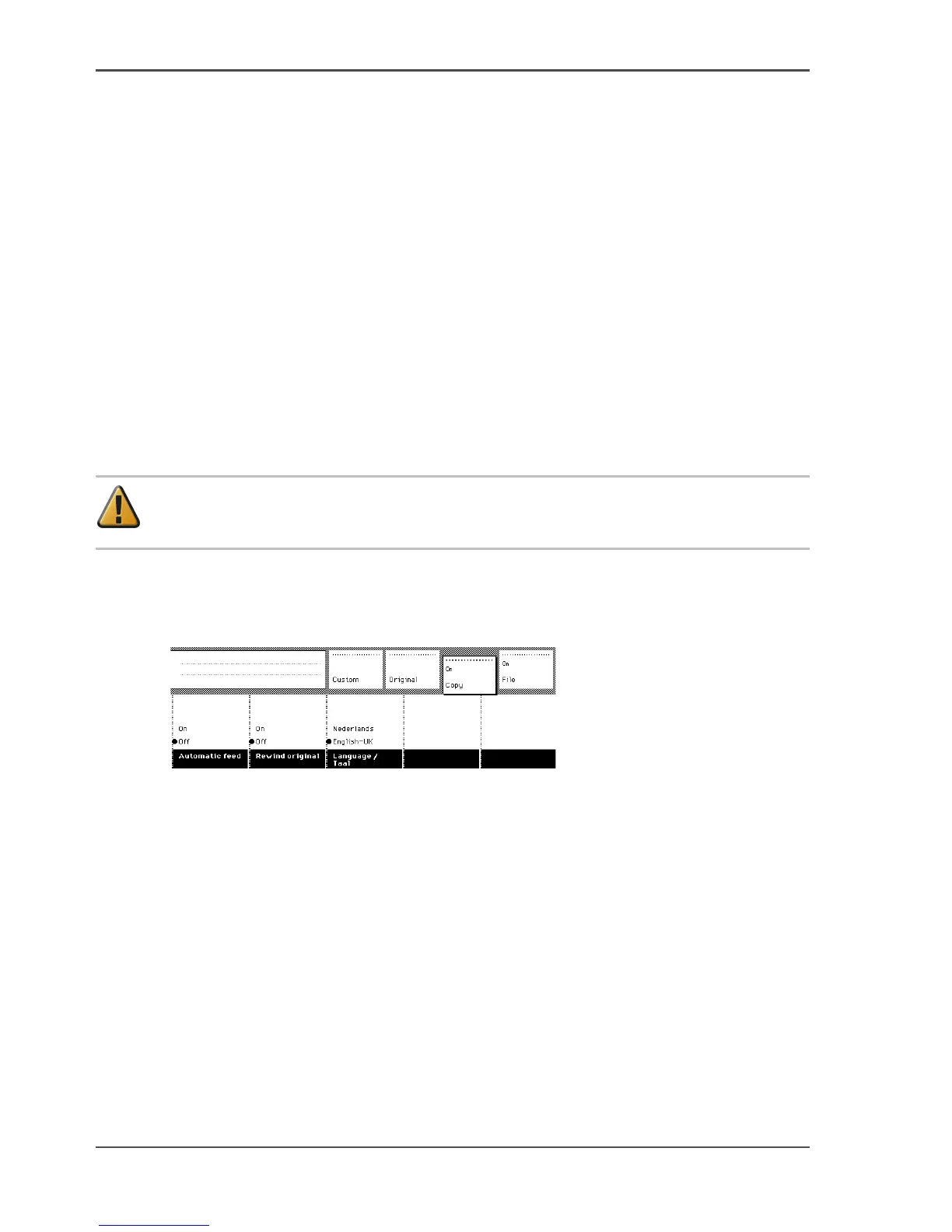
Illustration
[118]
[118] Rewind the original
Select original delivery
1. Open the ‘Scanner’ card in the ‘Original’ section.
2. Press the ‘Rewind original’ function key to make your selection.
3. On’. The originals are delivered at the front side of the scanner. You have to collect
each original by hand.
4. ‘Off’. The originals are delivered at the back side of the scanner.












 To Next Page