207
File type
File type
Introduction
To define the internal organisation of the scanned files, choose between TIFF
(Tagged Image File Format), CALS-I (Continuous Acquisition and Life-Cycle
support), and Adobe
®
PDF (Portable Document Format).
TIFF
Describes image data that typically comes from scanners, frame grabbers, and paint-
and photo-retouching programmes. The purpose of TIFF is to describe and store
raster image data. A primary goal of TIFF is to provide a rich environment within
which applications can exchange image data. This richness is required to take
advantage of the varying capabilities of scanners and other imaging devices. For
example TIFF supports lossless image compression. Though TIFF is a rich format,
it can easily be used for simple scanners and applications as well because the
number of required fields is small.
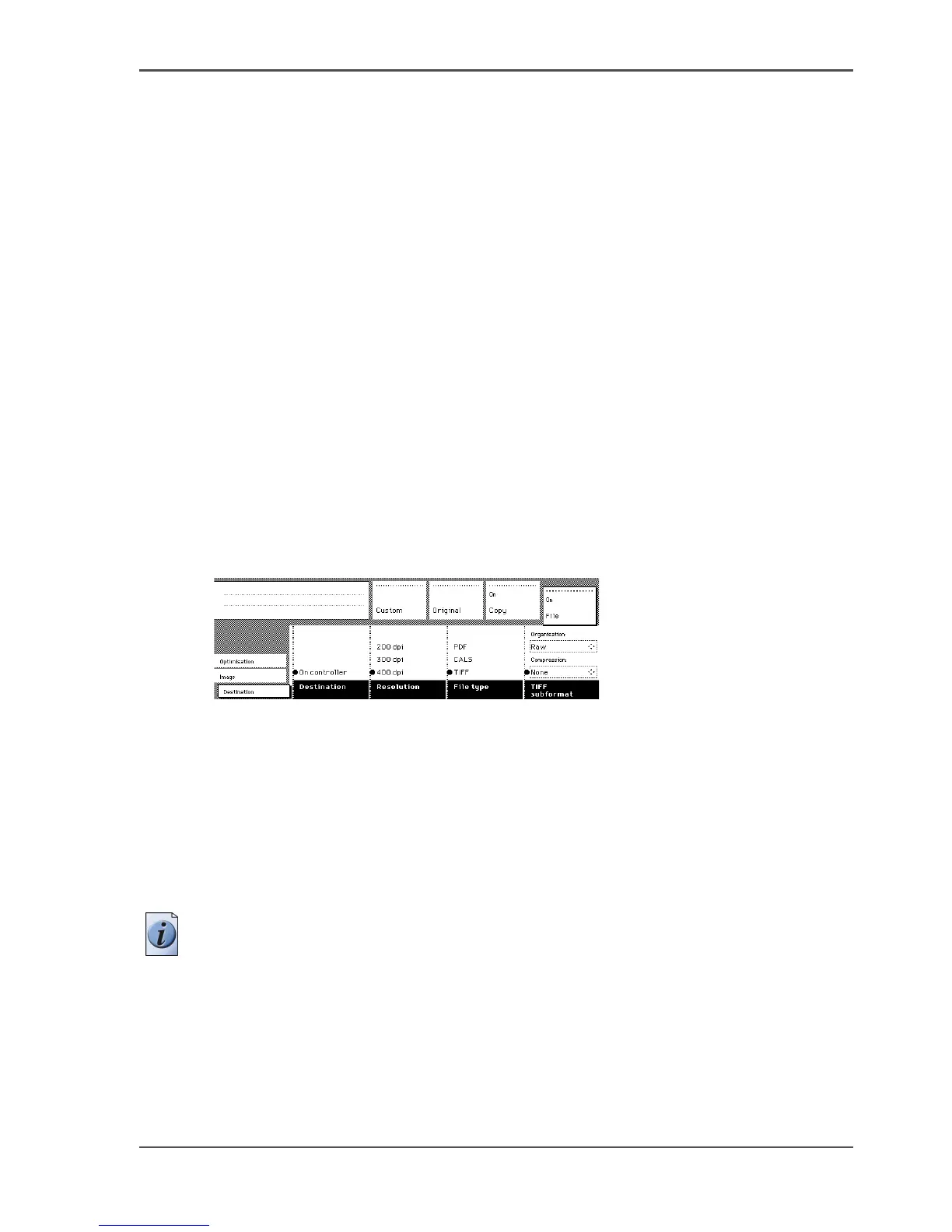
TIFF subformat
[130]
[130] TIFF subformat settings
Within the ‘TIFF subformat’ option, you can define the ‘Organisation’ and
‘Compression’ of the file.
Choose one of the following Organisation options (select with the arrow keys).
■ Striped
■ Tiled
■ Raw
Note: Only choose ‘Striped’ or ‘Tiled’ when you are sure you can use these
organisations afterwards. Choose ‘Raw’ in any other case.
Choose one of the following Compression options (select with the arrow keys).
■ Group 4
■ Group 3
■ None












 To Next Page