306 Chapter 9 The finishing options
Set the standard folding settings
Set the drawing method
1. Press the ‘Feeding’ card in the ‘Original’ section.
2. Press the function key ‘Drawing method’.
3. Select ‘Standard’, ‘Ericsson’ or ‘Afnor’.
Illustration
[169]
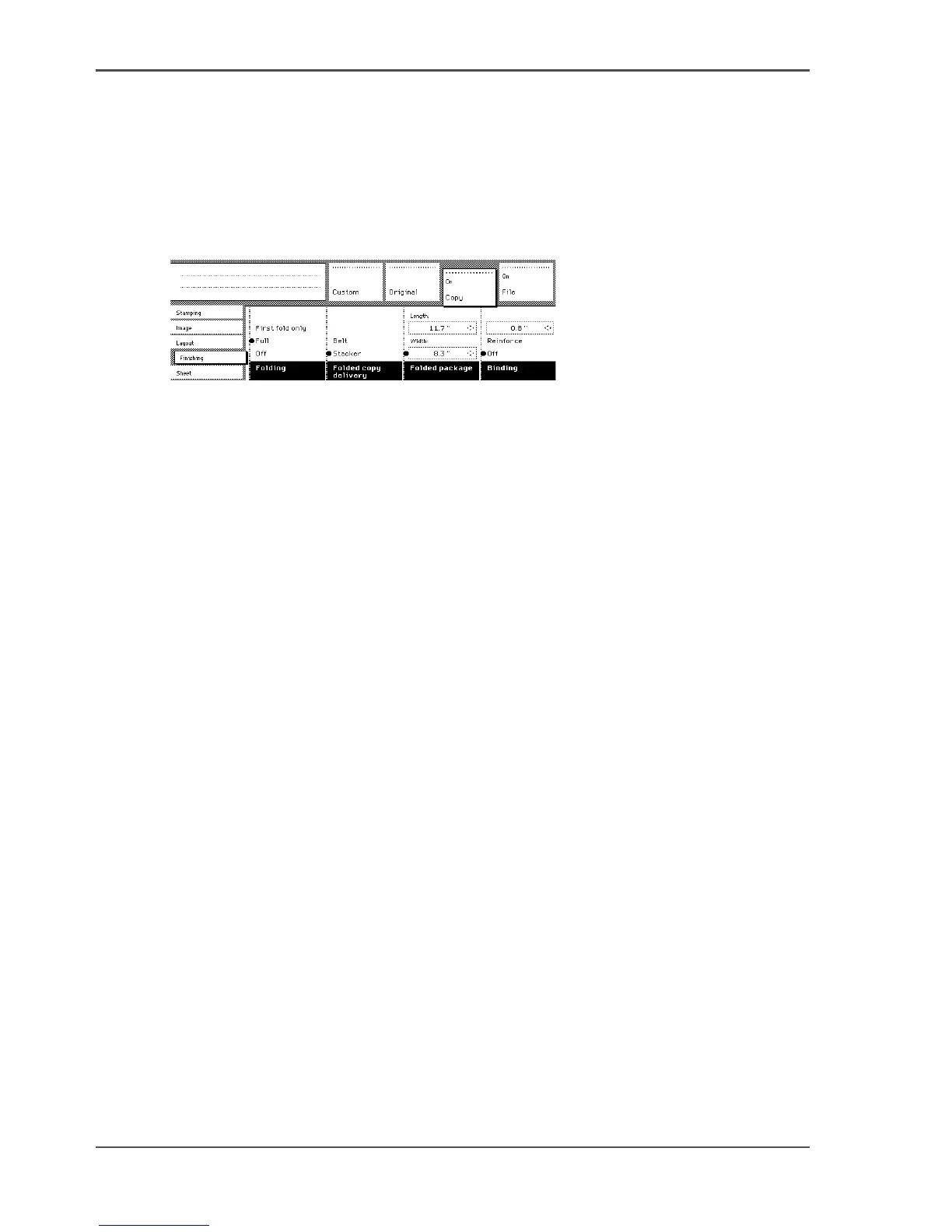
[169] Folding settings of the print
Set the folding method
1. Press the ‘Finishing’ card in the ‘Print’ section.
2. Press the function key ‘Folding’.
3. Select 'First fold only', 'Full', or 'Off'.
Set the folded print delivery
1. Press the ‘Finishing’ card in the ‘Print’ section.
2. Press the function key ‘Folded print delivery’.
3. Select ‘Stacker’ or ‘Belt’.
Set the folded package width
1. Press the ‘Finishing’ card in the ‘Print’ section.
2. Press the function key ‘Folded package’.
3. Select ‘Width’. Enter a range between 186 - 230 mm in steps of 1 mm; default 210
mm.
Set the binding strip
1. Press the ‘Finishing’ card in the ‘Print’ section.
2. Press the function key ‘Binding’.
3. Select binding enabled or disabled.
4. If you selected enabled enter a range between 15 - 30 mm in steps of 1 mm; default
20 mm.












 To Next Page