351
Clean the scan area of the productive scanner
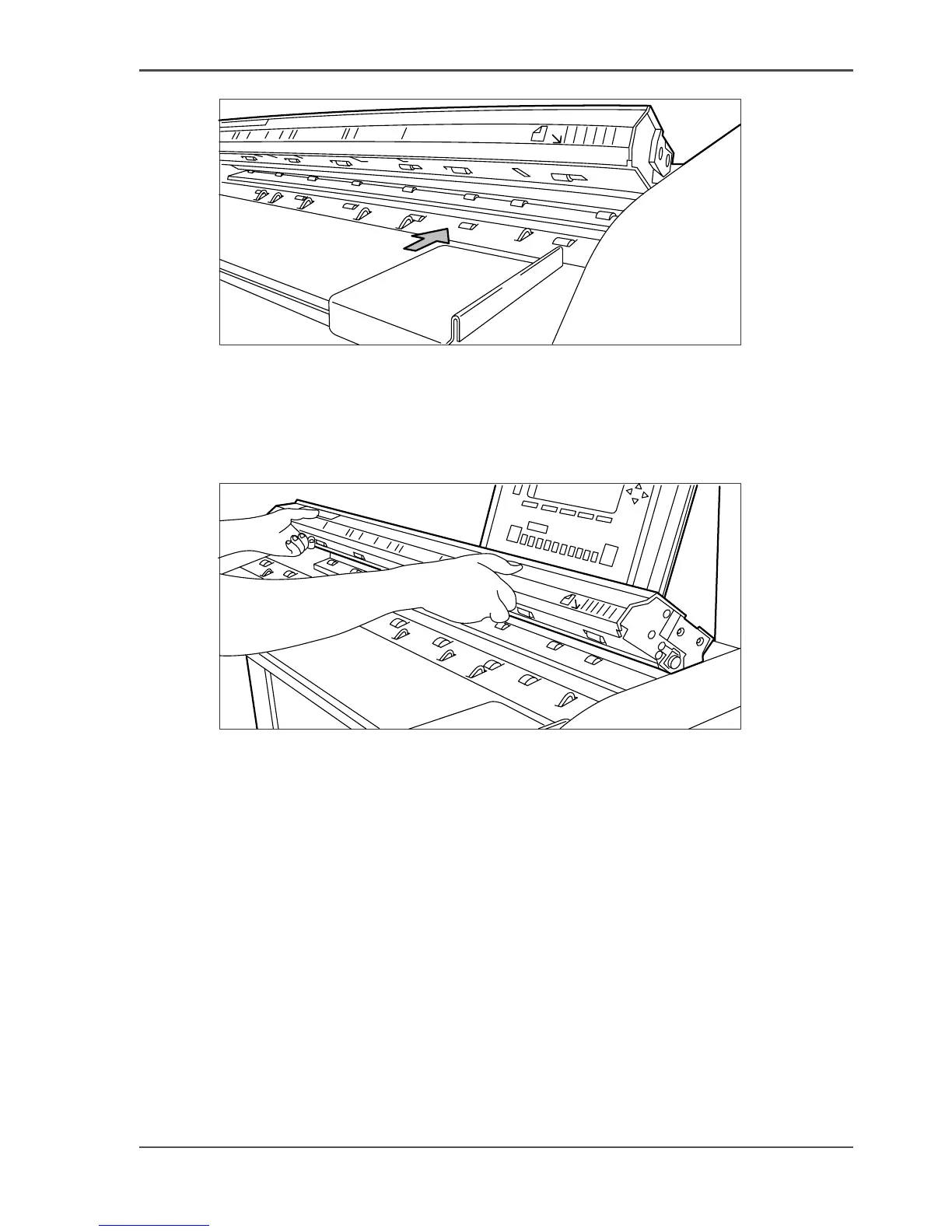
[220]
[220] Do not damage the sensor at the right side in front of the glass plate.
4.
Clean the white reference roller with soft cloth moistened with a small quantity of
Cleaner A
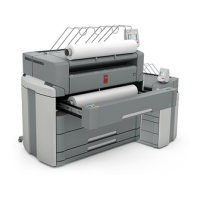
5. Lift the top cover of the scanner to release the lock of the hinge, and close the cover,
see the illustration below.
[221]
[221] Close the top cover of the scanner
6. Turn on the scanner.




 To Next Page