361
Load cut sheet material
[233]
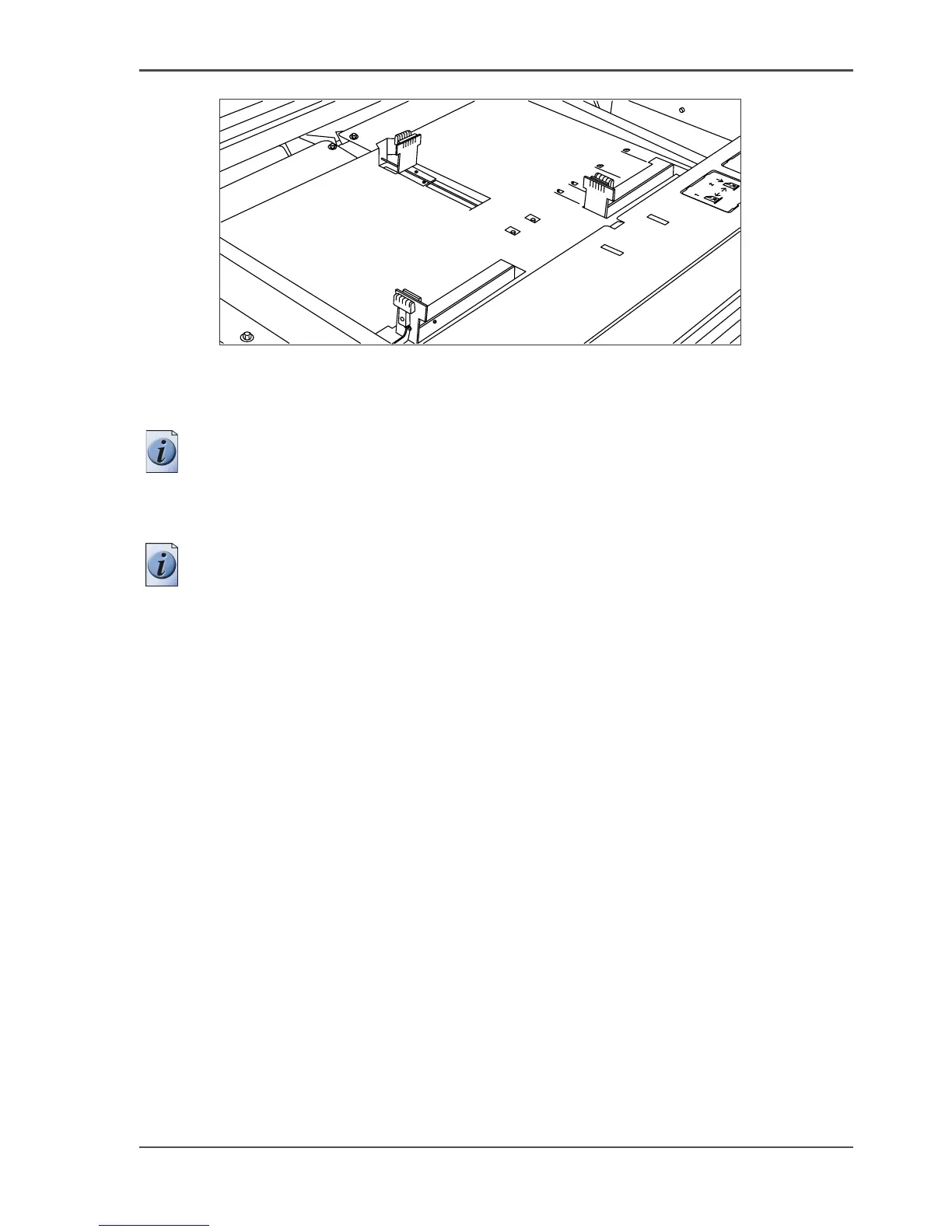
[233] Adjust the position of the right-hand guide
3.
Remove the packaging of the media. In case of wrapped paper, also remove the top
and bottom sheets.
Note: If you use polyester as media you have to fan the sheets before you load them
to avoid that they stick together.
4. Position the media in the drawer against the front plate. The side to be printed should
be facing downwards.
Note: You can check if the material is properly loaded by looking through the view
holes in the drawer, see the illustration above.
5. Adjust the right-hand guide. Carefully place the media in the drawer to avoid
damage to the media.
6. Slide the two other guides into position. Also refer to the sticker inside the drawer.
7. Close the drawer.




 To Next Page