Transport and Navigation : Navigation
6 - 126
Time Signature and Bars
The bottom left panel displays a list of blocks of bars in the order they appear in the ‘song’. The following settings
apply to the currently selected entry in the list.
Time Signature Use the combo boxes to set the Time Signature
Number of Bars Type a value or choose Infinite from the combo box dropdown list.
Snap Grid Combo box offers a choice of Off or values between Note and 1/64 Note .
Add Bars
Click to add a new block of bars to the list above.
Remove Bars
Deletes the selected entry from the list above.
Metronome
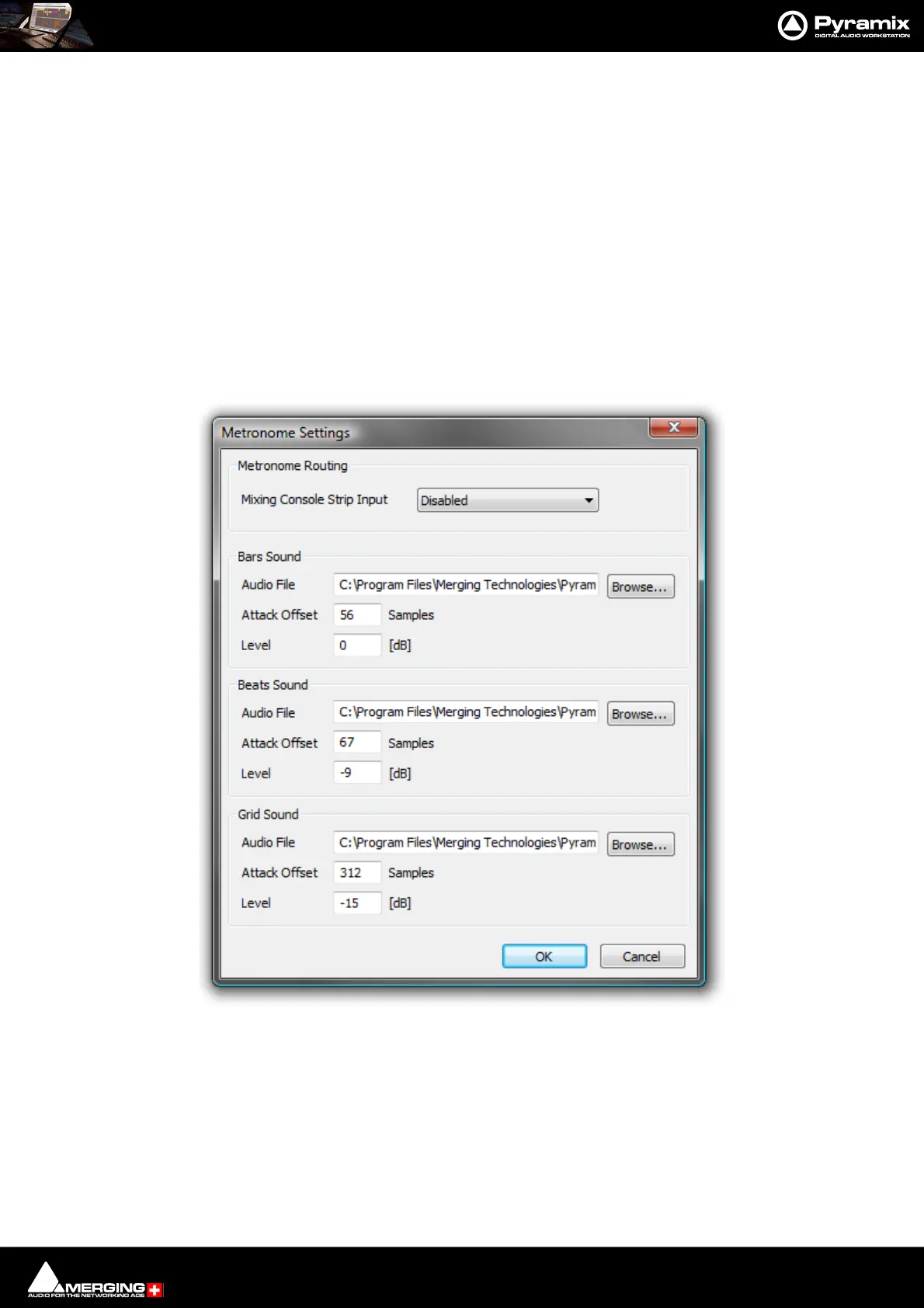
Metronome Settings...
Temp o
The bottom right panel displays a list of currently defined Tempos in the order they appear in the ‘song’. The fol-
lowing BPM, Frames & Perfs, Smoothing, Start and End fields reflect the values for the highlighted (selected)
Tempo.
BPM Allows you to pick a tempo from the common values in the drop-down list, to
increment or decrement in 1BPM steps with the up and down buttons or to
directly type a value in the box.
Metronome Settings dialog



 To Next Page