Mixer : Groups / VCA
10 - 235
Groups / VCA
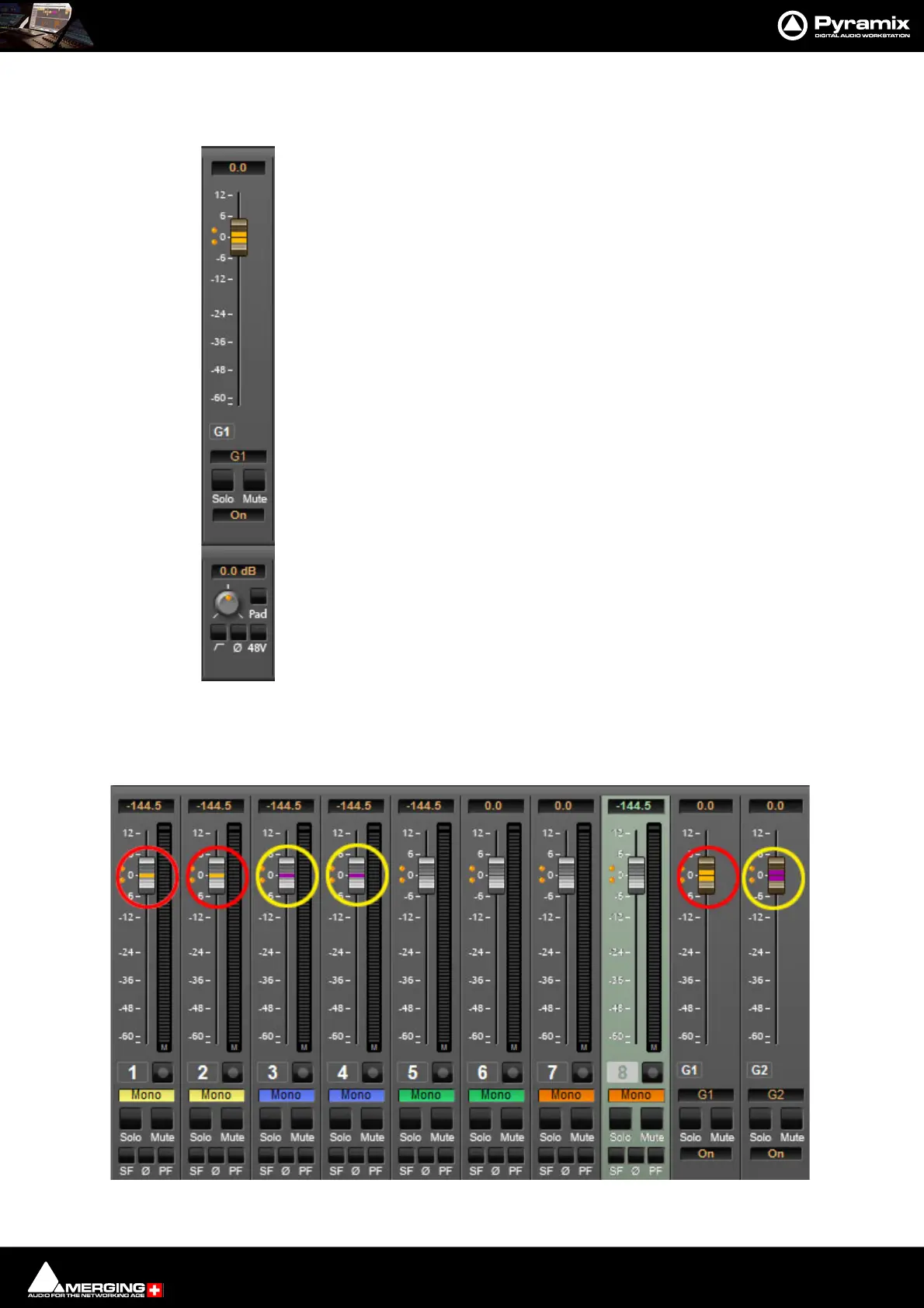
•Master Group Strips - allow the grouping of faders of several mixer strips. Analo-
gous to VCA grouping. When a group or groups are added (from the mixer con-
textual menu Strip > Add Strip > VCA/Group) A group button for each group
created will appear above the I/O section on each input strip. When selected, the
associated Group strip will control the grouped input strips if the On button is lit
on the Group strip.
Pressing and holding the Ctrl key when moving a VCA master fader disables the
delta between the faders in the group.
Note: If an input Strip with Horus/Hapi Preamp controls is added to a VCA Group
then Preamp Controls will appear under the VCA Master Fader section.
Each VCA group is assigned a color automatically. When the GC button is lit (on the right-hand edge of the con-
sole) the VCA Group fader knobs and the knobs of faders in strips belong to the groups are colored accordingly.



 To Next Page