Settings : Remote Control
29 - 768
Virtual Transport 2
General
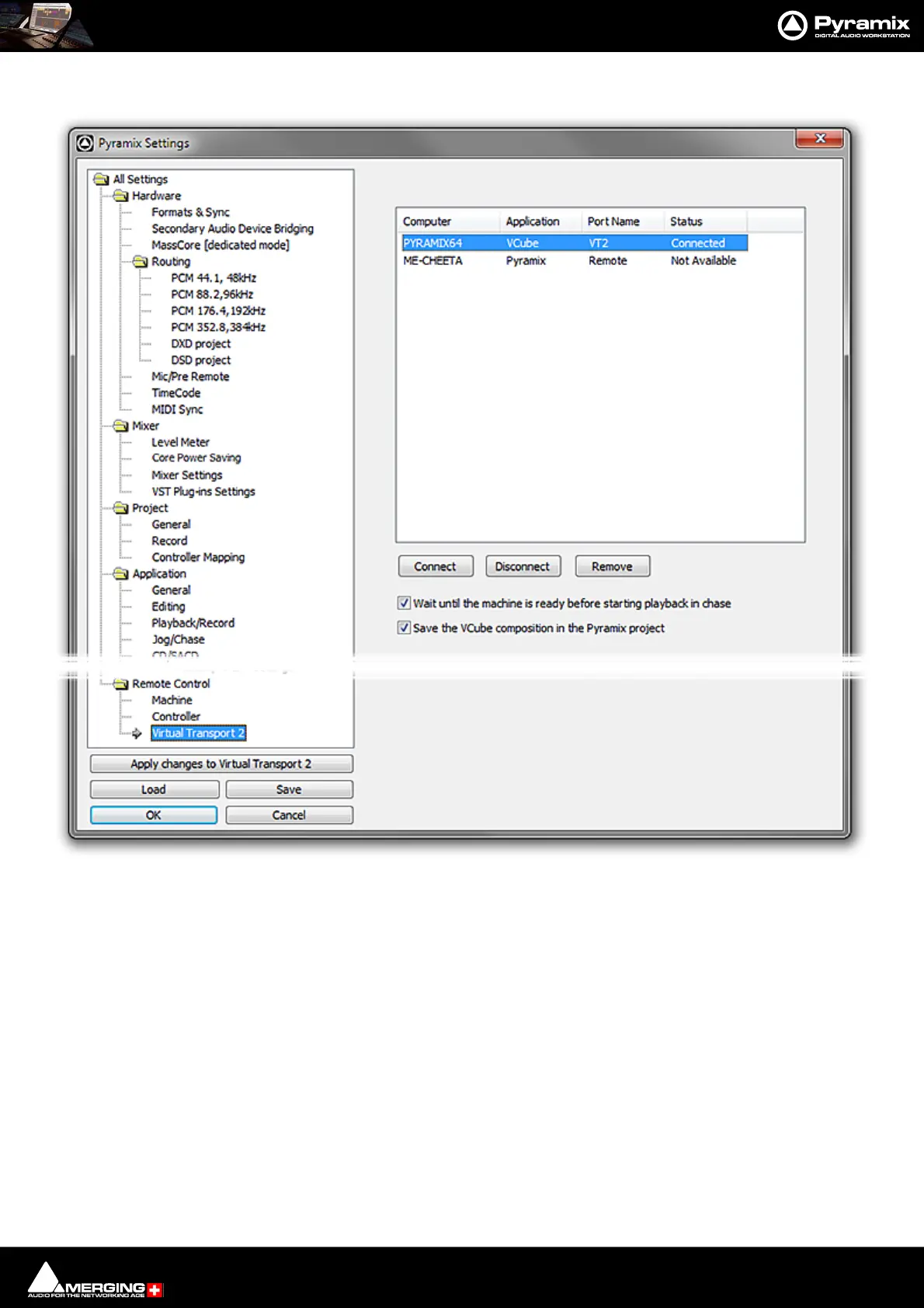
Connect
Click on a machine name in the list. Click Connect to connect to a local or remote VCube. Or a remote Pyramix set
up as a slave using the Sony 9-pin protocol over IP. Please see also: Configuring Pyramix for Control by
another Pyramix using P2 over IP / VT2 on page 579
Disconnect
Click to disconnect the selected client.
Remove
Click to remove the selected client from the list.
Wait until the machine is ready for use before starting playback in chase When box is checked.
Save the VCube composition in the Pyramix project When box is checked. Use this option
when importing Video clips into a Pyramix Project so that the video Clips will load
automatically when the Project is re-opened and the VCube is active.
All Settings Remote Control Virtual Transport Page



 To Next Page