Menus : Video
28 - 694
view, simply double-clicking on the control will update the Automation Track Versions
window.
Automation Settings Opens the Settings > All Settings > Application > Automation page which allows
automation parameters and settings to be defined.
Video
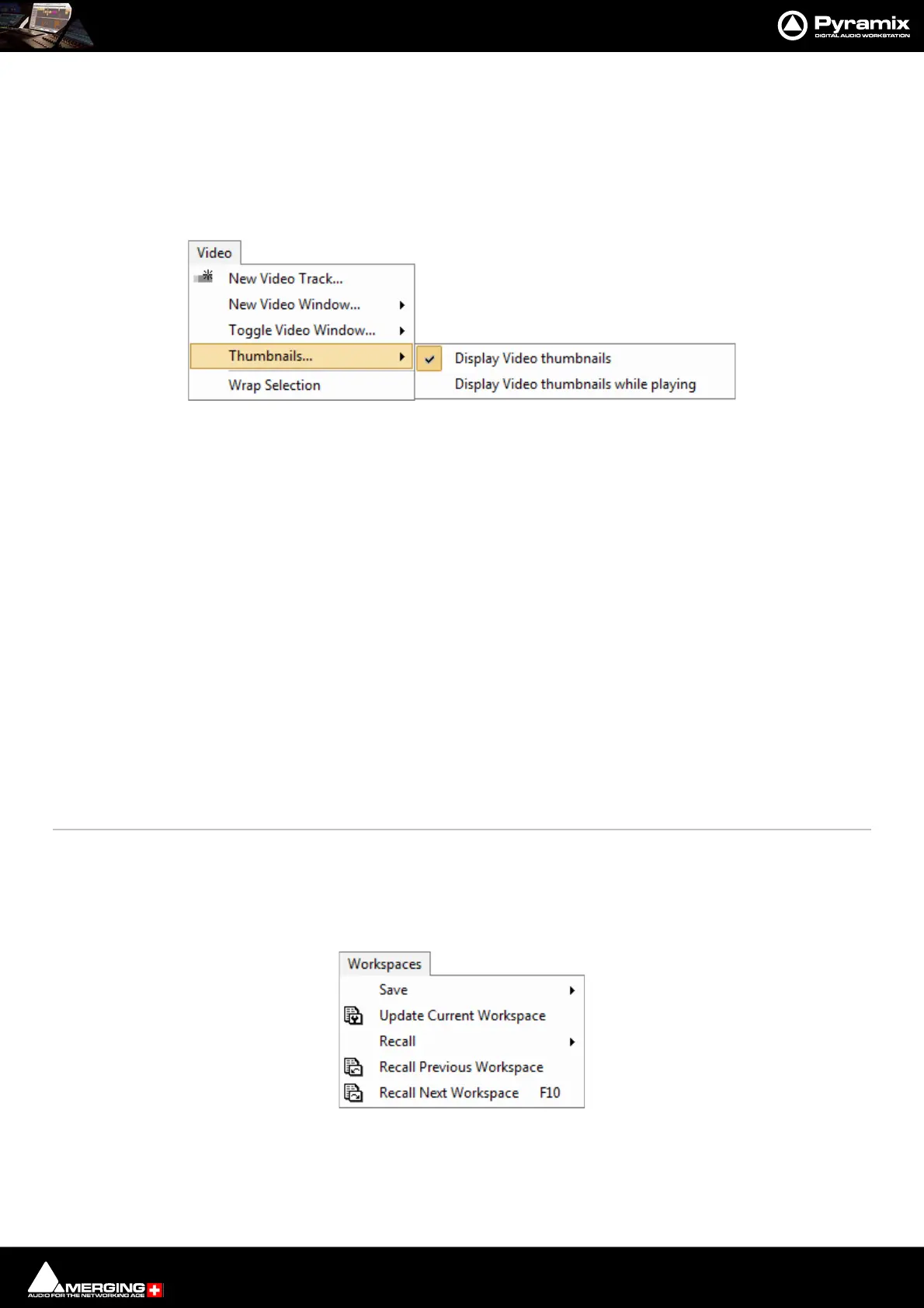
New Video Track... Adds a Video Track above the Track selected currently. If no Track is selected adds a Video
Track at the top of the Timeline.
New Video Window... Opens a sub-menu with the choice of opening floating windows displaying:
New Video Window Output 1
New Video Window Output 2
New Video Window Output 3
New Video Window Output 4
Toggle Video Window... Opens a sub-menu with the choice of toggling Video windows open/closed:
Toggle Video Window Output 1
Toggle Video Window Output 2
Toggle Video Window Output 3
Toggle Video Window Output 4
Thumbnails... Opens a sub-menu with the choice of:
Display Video thumbnails
Display Video thumbnails while playing
Wrap Selection Initiates wrapping of selected Audio Clips into a selected Audio Clip. Please
see: Wrapping Timeline Tracks Files into Video Files using Mixdown on page 525
Workspaces
Save >
Save Workspace 1 Save Workspace 1



 To Next Page