Appendices : Appendix IV 9-Pin connection
31 - 793
Appendix IV 9-Pin connection
PC RS-232 Serial Port to External Sony P2 RS-422 Controller
The RS-232 ports of a standard PC are slightly different from the RS-422 format used for the Sony P2 protocol. We
recommend the use of an external RS-232/RS-422 adapter. One example is the USB Sync option which can be
ordered from your Merging sales partner.
Connecting an RS422 device using a direct cable
(without RS-232 / RS-422 adapter)
For emergency use and for short distances, a direct cable may be used. However, Merging Technologies does not
guarantee the correct function of an external controller if this cable is used. Different cables are required depend-
ing on whether Pyramix is controlled by a master device or is controlling a slave device.
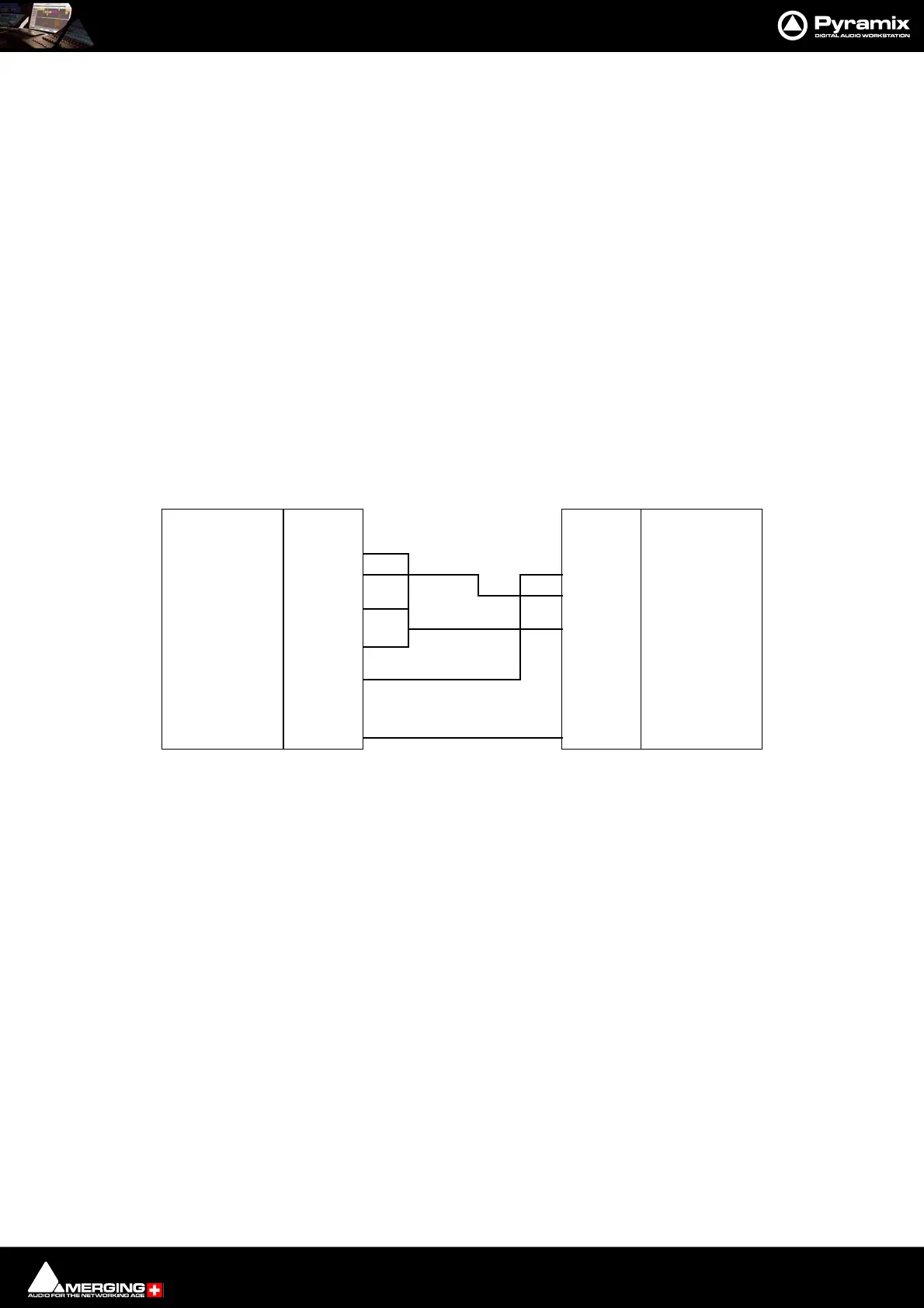
Direct Cable for a Master Device
This pinout should work in most of the cases where Pyramix is controlled by a Master device (check on your con-
troller if the RS422 connector has to be male or female). It has been tested with various mixers such as Sony DMX-
R100, Soundcraft Spirit, Soundtracs DPC II and DS3, and various other Sony P2 protocol capable controllers:
The RS422 standard is not implemented consistently on all devices, so the cable pinouts may differ. Please consult
your controller's user guide for appropriate connector cabling.
Function
GND
Pin #
1
Function
DCD/RLSD
Rx
Tx
DTR
GND
DSR
RTS
CTS
RI
2
3
4
5
6
7
8
9
Rcv -
Xmit +
GND
N.C.
GND
Rcv +
Xmit -
GND
Shield
Shield
Pin #
1
2
3
4
5
6
7
8
9
RS422 Male (or Female) DB9 RS232 Female DB9
RS422 DIrect Cable for Master Device pinouts



 To Next Page