Project Processes : Process Plug-ins
16 - 448
Format The drop-down list allows a choice of output formats.
Settings If options are available for the chosen format, this button accesses them. If no
options are available the button is grayed out.
Waveform The drop-down list offers Waveform generation options. None, Generate AFTER
recording or Generate WHILE recording.
Note: These settings are completely independent of the settings for Recording and Mix-down.
Source Offers a mutually exclusive choice of sources between Whole composition, Between
Marks, Selection or Selection (Split by Groups)
Selection (Split by Groups) splits the rendering process into multiple renders for each selected Clip Group in the
timeline. In this case the Render Name text edit box is ignored and all renders take the name of the first Clip in
time of each group.
Only render solo tracks (one file per track medias and mono processing only)
When checked, only soloed Tracks will be rendered. Only media files with ‘one-file-per-track’ will be processed and
processing will be mono only.
Render Initiates the Render Process.
Cancel Cancels all changes made in the dialog and closes it without rendering.
Process Plug-ins
Glitch Detector
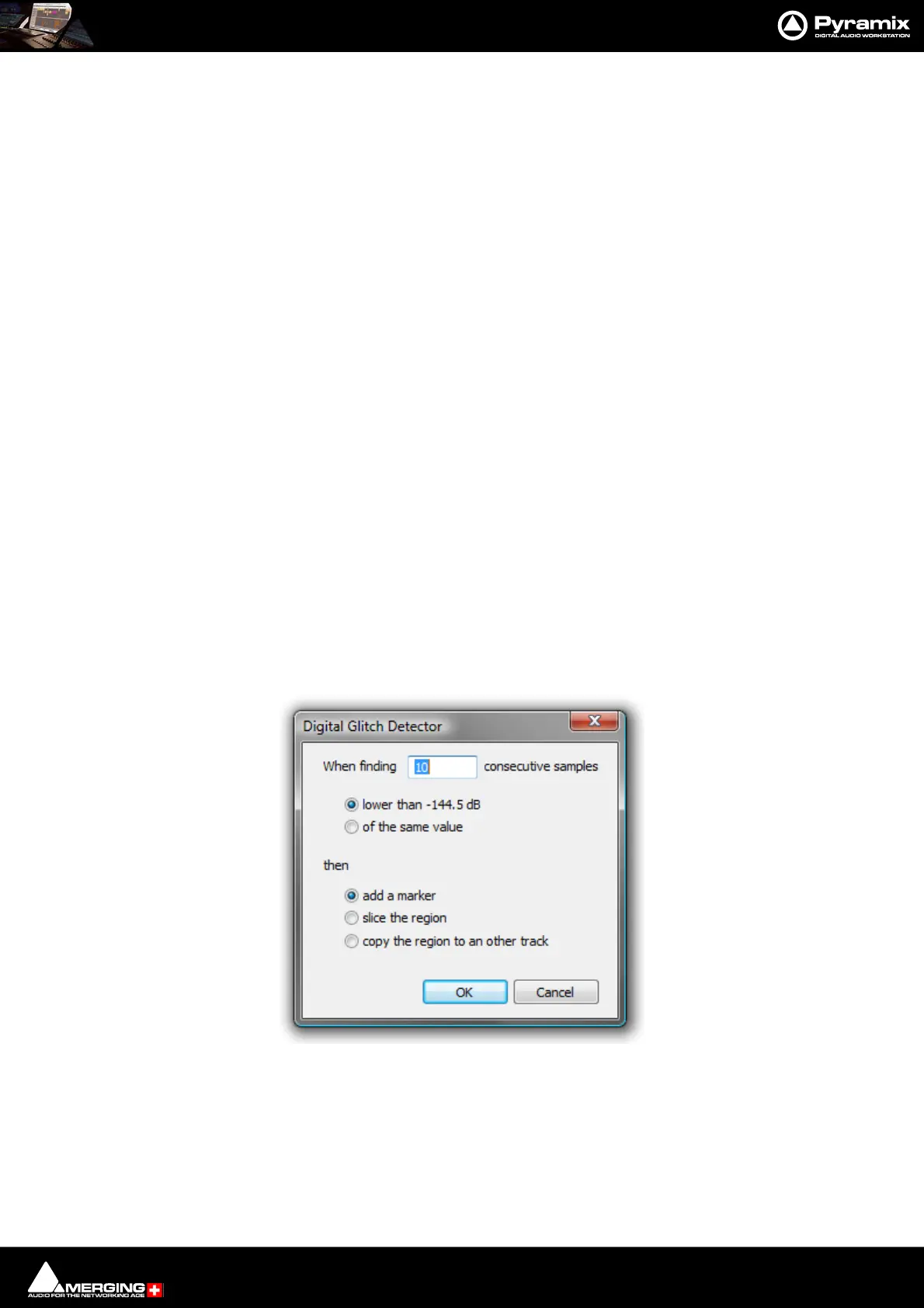
Finds Glitches and Pops. Select Digital Glitch Detector in the Rendering Process list in the Render dialog, make
other settings as required then click on Render to open the Digital Glitch Detector dialog:
Type the number of consecutive samples to detect on in the When finding _____ consecutive samples box.
(Default is 10)
Choose detection method:
lower than -144.5dB
or
Digital Glitch Detector dialog



 To Next Page