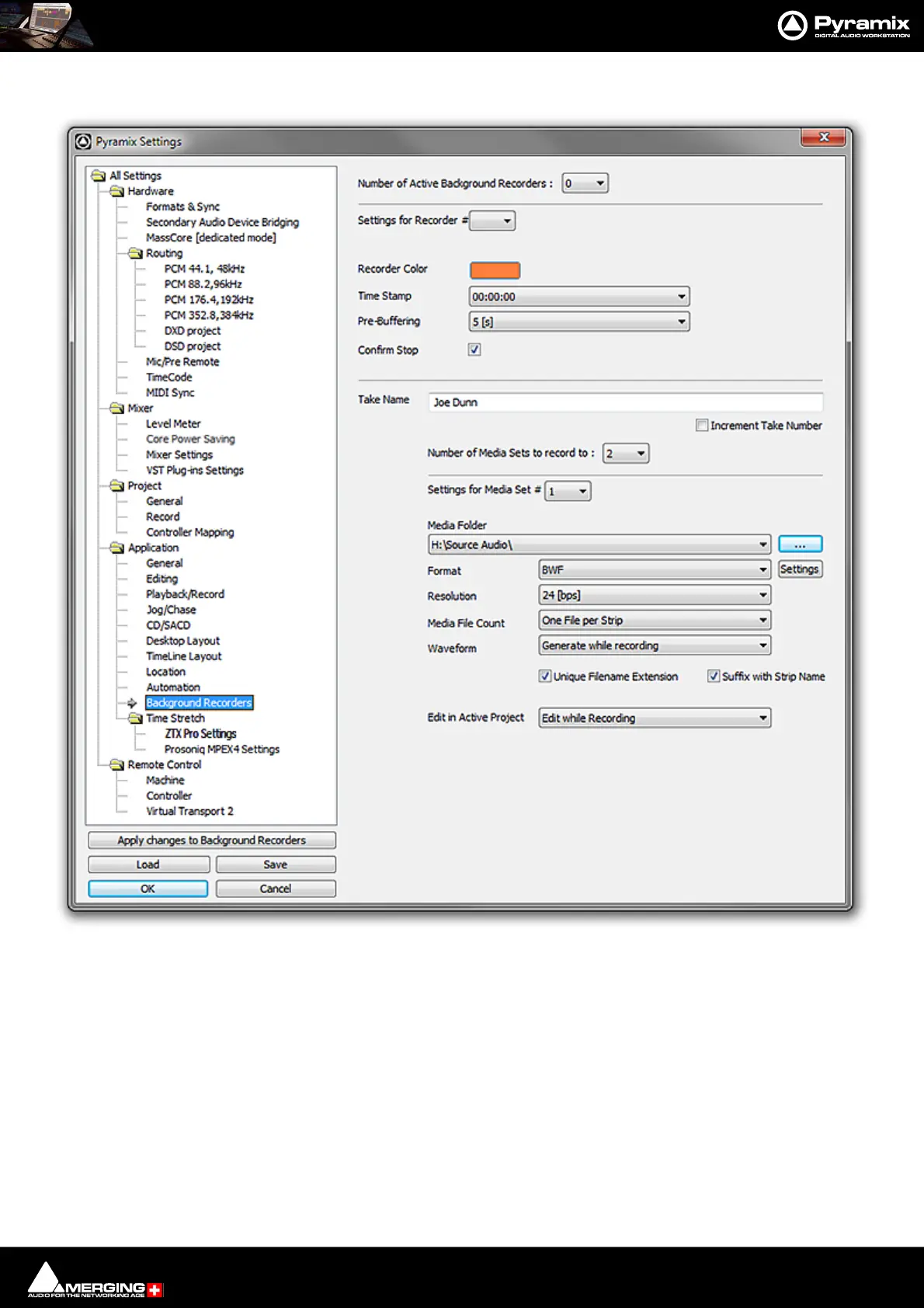
Settings : Application
29 - 754
Background Recorders
Number of Active Background Recorders The drop-down list offers the choice of: 0, 1, 2, 3 or 4.
Settings for Recorder # The drop down list offers the choice of any of the Background Recorders specified
in Number of Active Background Recorders. Settings made in the rest of the
page will affect the Recorder selected here ONLY.
Recorder Color Clicking on the button pops-up a box with four colors and More Color... Selecting
More Color... opens a standard Color Picker dialog. The color chosen for the
Recorder here is reflected in the recorder’s associated Mixer, in the Transport Con-
trol Panel and the color of resultant Clips in the Timeline. (The button displays the
color selected currently.)
Time Stamp The drop-down list offers the choice of 00:00:00 (I.e. the recorded media files will
be time-stamped according to elapsed time from the start of recording.) or with
Time of Day according to the PC internal clock. (Time Stamp will be incoming
TimeCode when in Chase mode.)
All Settings Application Background Recorders page



 To Next Page