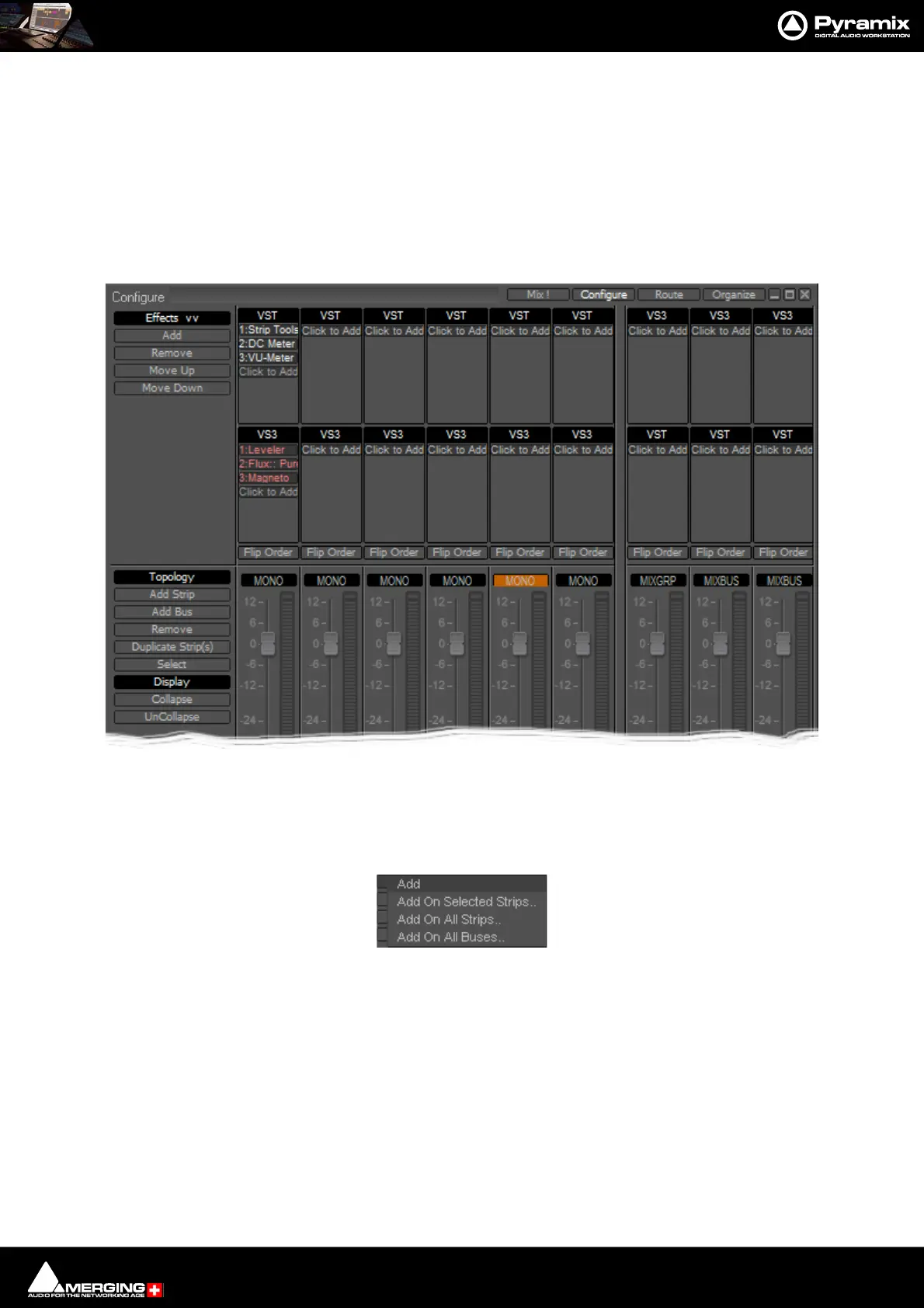
Mixer : Configure Page
10 - 254
Selected Strips can be dragged to a new location in the mixer. The screen scrolls horizontally when you hit the
edges of the Strip panel.
Double-clicking a Strip toggles it’s collapsed/uncollapsed states.
Strip names can be edited by clicking in the name box and typing. Tab moves to the name box of the next strip to
the right, SHIFT + Tab moves to the name box of the next Strip on the left.
Effect Management
Clicking on Effects >> expands the Effects section.
This offers several methods of managing effects on strips and buses.
Configure: Effects Buttons
Add Pops up a sub-menu with options
Add On Selected Strips..
Add On All Strips..
Add On All Buses..
Configure Page - Effects section



 To Next Page