Mixer : Audio Bridge
10 - 286
Secondary Audio Device Host Mode
The Secondary Audio Device is either the built-in sound card or an external ASIO-type device. It is used as a Sec-
ondary Audio Device for Pyramix, in addition to the standard primary MassCore device.
Application
This is used typically as a solution for monitoring the signal coming from a primary MassCore or ASIO based Horus
unit locally. Typically when the primary Horus unit deployed remotely as a stage box through RAVENNA.
Since this Secondary Audio Device Hosting Mode is bi-directional it also provides talkback support for communi-
cation with a person located near the remote primary unit.
Note: The Secondary Audio Device should NOT be used to record from since it uses an always on
SRC (Sample Rate Converter) to maintain perfect sync with the main unit without any external
hardware based sync being required. Recording should only be performed from signal coming
from the primary unit. The secondary unit should only be used for monitoring and talkback.
Configuration
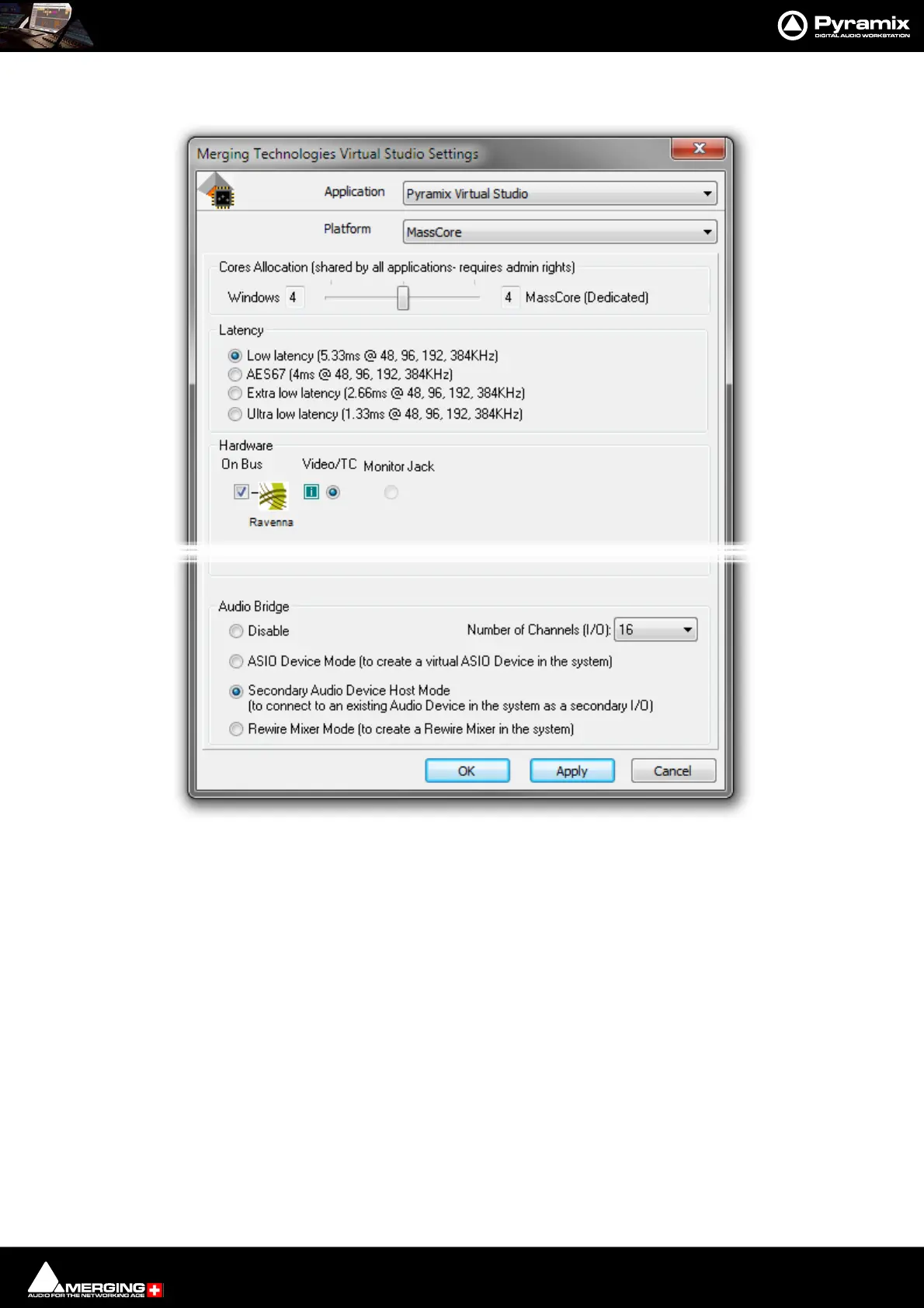
1. Launch the VS3 Control Panel and enable the Secondary Audio Device Host Mode ( bottom)
2. Choose between 8 to 96 I/O channels (depending on the secondary Host capabilities).
Audio Bridge Secondary Audio Device Host Mode - VS3 Control Panel



 To Next Page