Mixer : Legacy Mixer
10 - 303
Stereo Panners
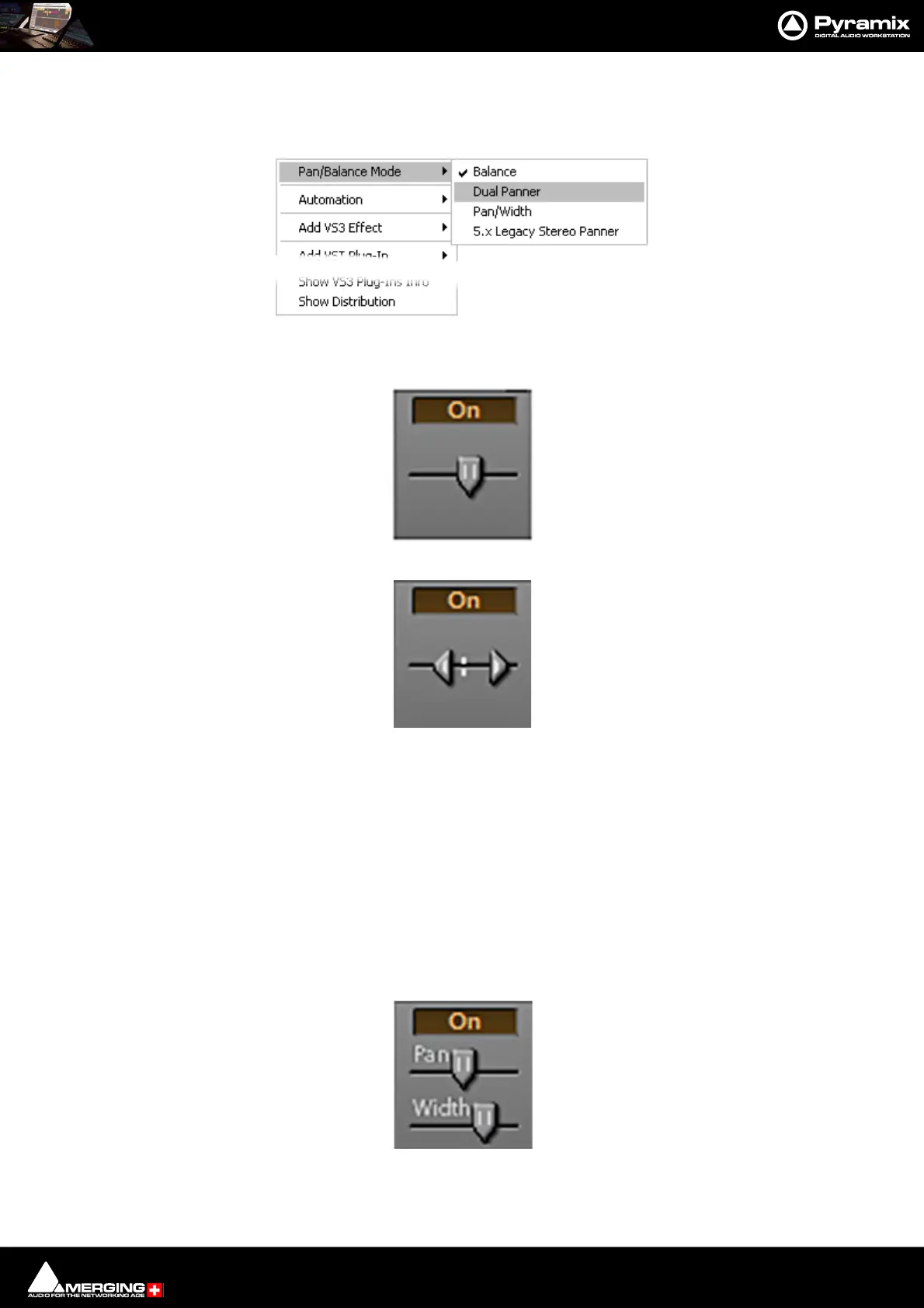
Pyramix offers a comprehensive choice of stereo panners which can be selected by right-clicking over the panner
to open the context menu:
•Mode 1: Balance
•Mode 2: Dual Panner
To adjust the pan (direction), left click and drag to right or left. To adjust the Width, Ctrl + Left-Click and
drag - The distance between the cursors represents the Width value.
Note: The Width value can be negative (-100% to +100% range), and the 2 channels are then
reversed. I.e. Right becomes Left and vice-versa.
Note: Since the Width range of values and Pan range of values are linked, adjusting the Pan can
cause the Width parameter to be updated, but the initial Width value is restored linearly when
moving the pan back to its former position, just like fader grouping on some mixer desks. To
avoid this (i.e. validate the current Width value), Ctrl + Left-Click on the panner to reset the
cached Width value.
•Mode 3: Pan/Width
Pan slider acts like a normal balance control. Width alters the stereo image width from mono to 100%. If
the SHIFT key is held down while moving the Width slider the range is extended to 125%. I.e. Super wide.
This can be helpful with overly narrow images but should be used with caution.
Stereo Panner context menu



 To Next Page