Mixer : Bus Master Strips
10 - 231
Bus Master Strips
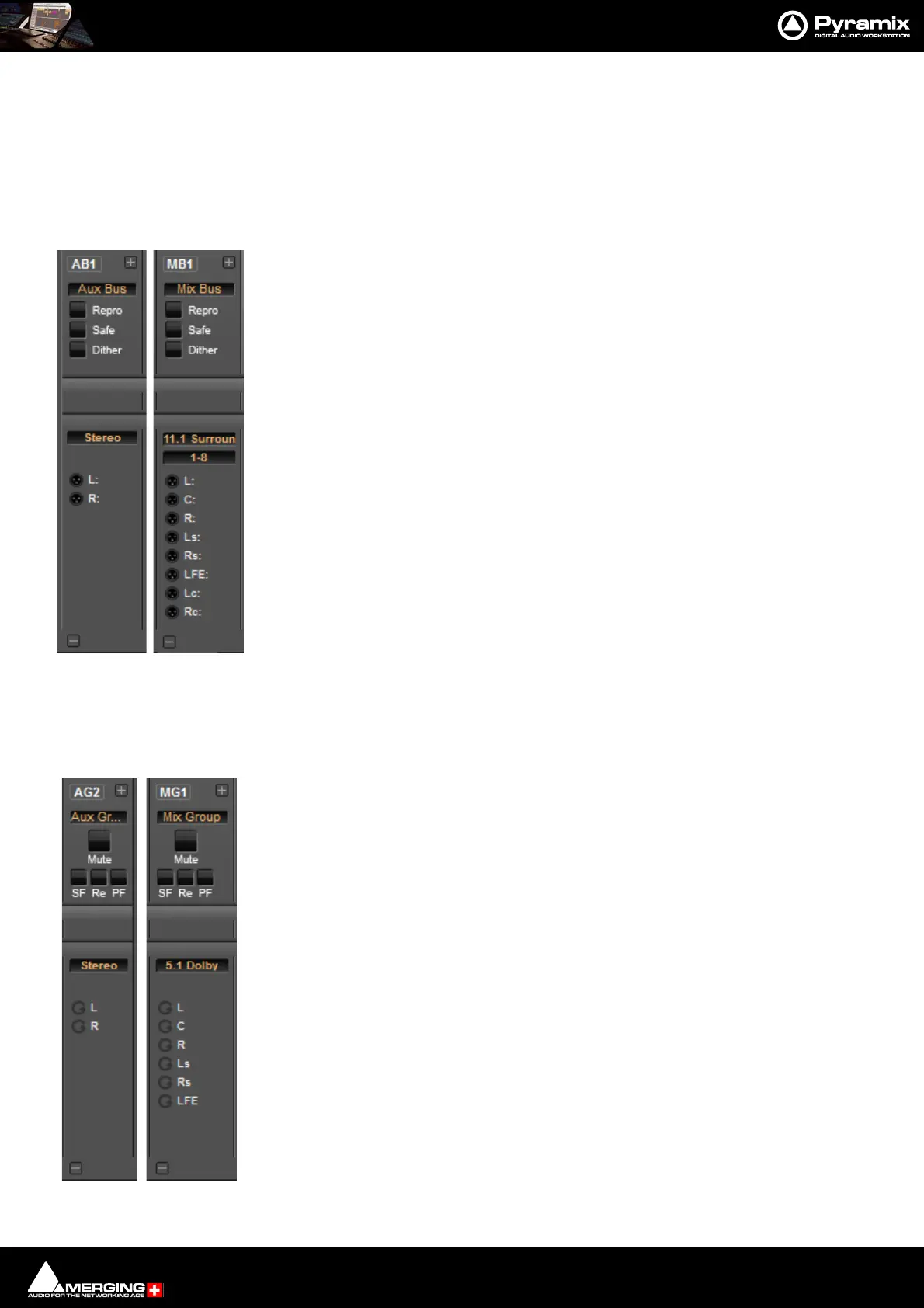
There are as many Output bargraphs as there are Channels in the Bus. The + button to the right of the Bus label
increases the strip width to make the meters easier to see and makes the Channel labels visible.
Mix Bus & Aux Buses
I/O Section:
Mute Section
Repro/Re Mutes the Bus when in Stop to prevent howl round from auto input switching.
Safe/SaFe Prevents the strip being Muted by Solo operations elsewhere.
Dither The button turns Dither on and off. Lit yellow when on. Clicking on the Dither
label opens the ReDithering dialog. Please see: Dithering Options on
page 279
Bus Format Label Stereo, 5.1 Dolby, 30.2 La Totale etc. Clicking on the label opens the
Room Editor window.
1-8 For Buses with more than 8 outputs this box appears. Clicking on the box steps
through the Bus outputs in banks of 8.
XLR icons Route Bus Channels to physical outputs or Internal Buses or MT ASIO Bridge.
(Where these are present.) Right-click to pop-up a list of available destinations.
Mix Group & Aux Group Buses
These Group Buses have the same Mix Bus Send and Panning Options as Input Strips. Aux Groups have Aux Sends,
Mix Groups do not.
Mute Section
Mute Mutes the strip
SF/ SaFe prevents the strip being muted by Solo operations elsewhere.
Re Mutes the Bus when in Stop to prevent howl round from auto input switching.
PF Switches the Bargraph meters to Pre-Fader.
I/O Section
Bus Format LabelStereo, 5.1 Dolby, 30.2 La Totale etc. Clicking on the Bus format label opens
the Room Editor window.
1-8 For Buses with more than 8 outputs this box appears. Clicking on the box steps
through the Bus outputs in banks of 8.
Remix icons A label next to each icon indicates the Channel Type or Number if no Type is
assigned.



 To Next Page