Automation : Dynamic Automation Levels
14 - 398
enabled controls at the current cursor position if their state has changed since the previous
Snapshot.
The Snapshot Range button opens the Filter Automation Tracks to Snapshot Range dia-
log. When OK is pressed automation snapshot key frames of all enabled controls are inserted
at the Mark In and Mark Out cursor positions. In effect, this sets all enabled controls to the
current state throughout the range defined by the marks.
Please see also: Filter Automation Tracks to Snapshot Dialog on page 414
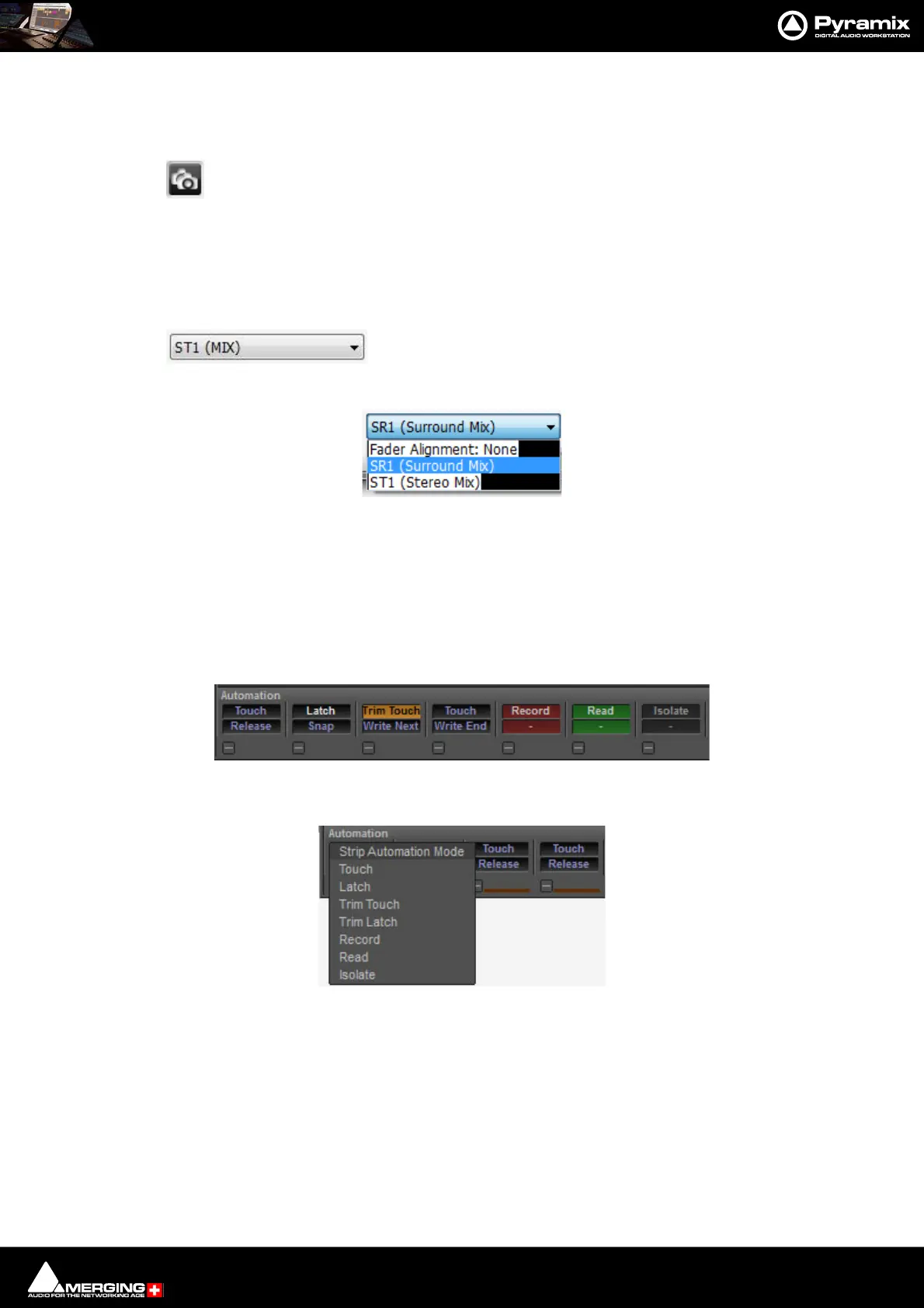
Designated Bus Selector for Fader Alignment
The box shows which bus the automation is aligned with when auto-
matic delay compensation is active. The drop-down list shows all available buses plus the
option of none.
Dynamic Automation Levels
There are two “levels” of automation in the mixing console.
Level 1
The modes as defined per Strip in the section atthe bottom of the mixer:
Clicking on the upper button pops-up the list of available Strip Automation Modes:
•Touch
•Latch
•Trim
•Touch
•Trim Latch
•Record
•Read
Control strips Automation buttons
Control Strip Automation Mode pop-up



 To Next Page