Settings : TimeCode Setup
29 - 714
TimeCode Setup
Networked Audio Interface TimeCode Setup
TimeCode connections to Horus/Hapi are handled by Apple Bonjour.
Apple Bonjour MIDI Connection Discovery
This may be seen in:
Settings > All Settings > Hardware > MIDI Sync
rtp MIDI (Windows third party utility.)
MIDI Network Setup (Mac OSX)
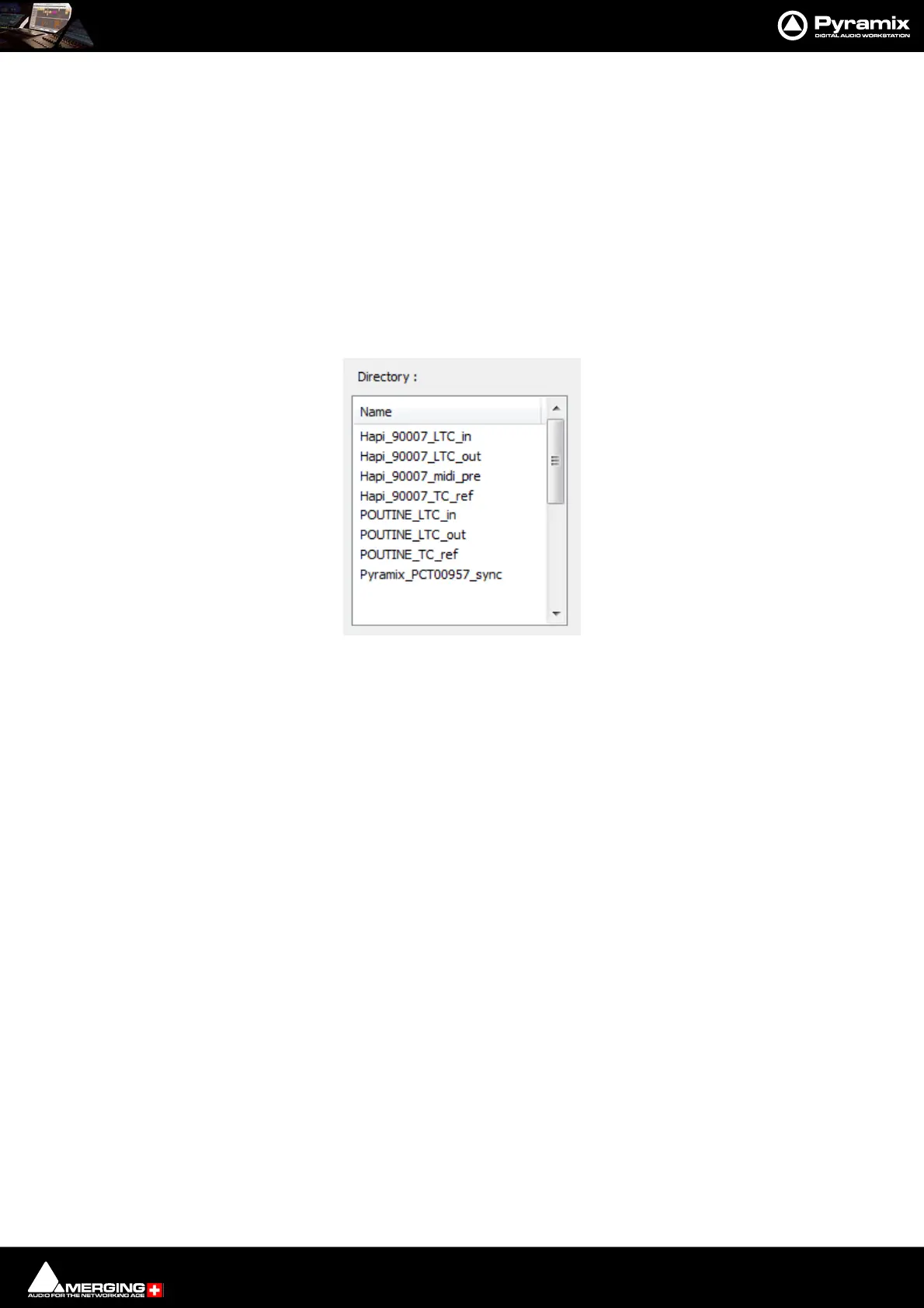
Directory :
The list shows a real-time view of all the Apple MIDI participants discovered on the network.
Naming/Nomenclature
Horus/Hapi_<SERIAL>_LTC_in Physical LTC input (seen as MTC) used to receive Timecode to DAW
Horus/Hapi_<SERIAL>_LTC_out Physical LTC output (seen as MTC) used to send out Timecode to Horus/Hapi
Horus/Hapi_<SERIAL>_midi_pre Used to remotely access the Horus/Hapi MicPre
Horus/Hapi_<SERIAL>_TC_ref Internal connection used to synchronize to a Video ref source
<Computer Name>_LTC_in MassCore virtual LTC input
<Computer Name>_LTC_out MassCore virtual LTC output
<Computer Name>_LTC_ref Internal connection used to synchronize to a Video ref source
Pyramix_<Computer Name>_sync Pyramix shows a MIDI in/out connection for transferring MTC
MIDI Sync Page - Directory section



 To Next Page