Mixer : 3D Panning Control Bus Window
10 - 264
GP Bus Channel Configuration or ‘3D Room’ types
Virtual Room Model
The Virtual Room model uses a Stereo Panning based algorithm using either a Square Root or Sin/Cos panning
law, extended to all 3 dimensions.
The only User parameter is the Square Root - Sin/Cos choice available either in All Settings > Mixer > Mixer Set-
tings : Virtual Room / Stereo Pan Law or Virtual Pan Law in the 3D Panner Window.
Channel/Speaker Types
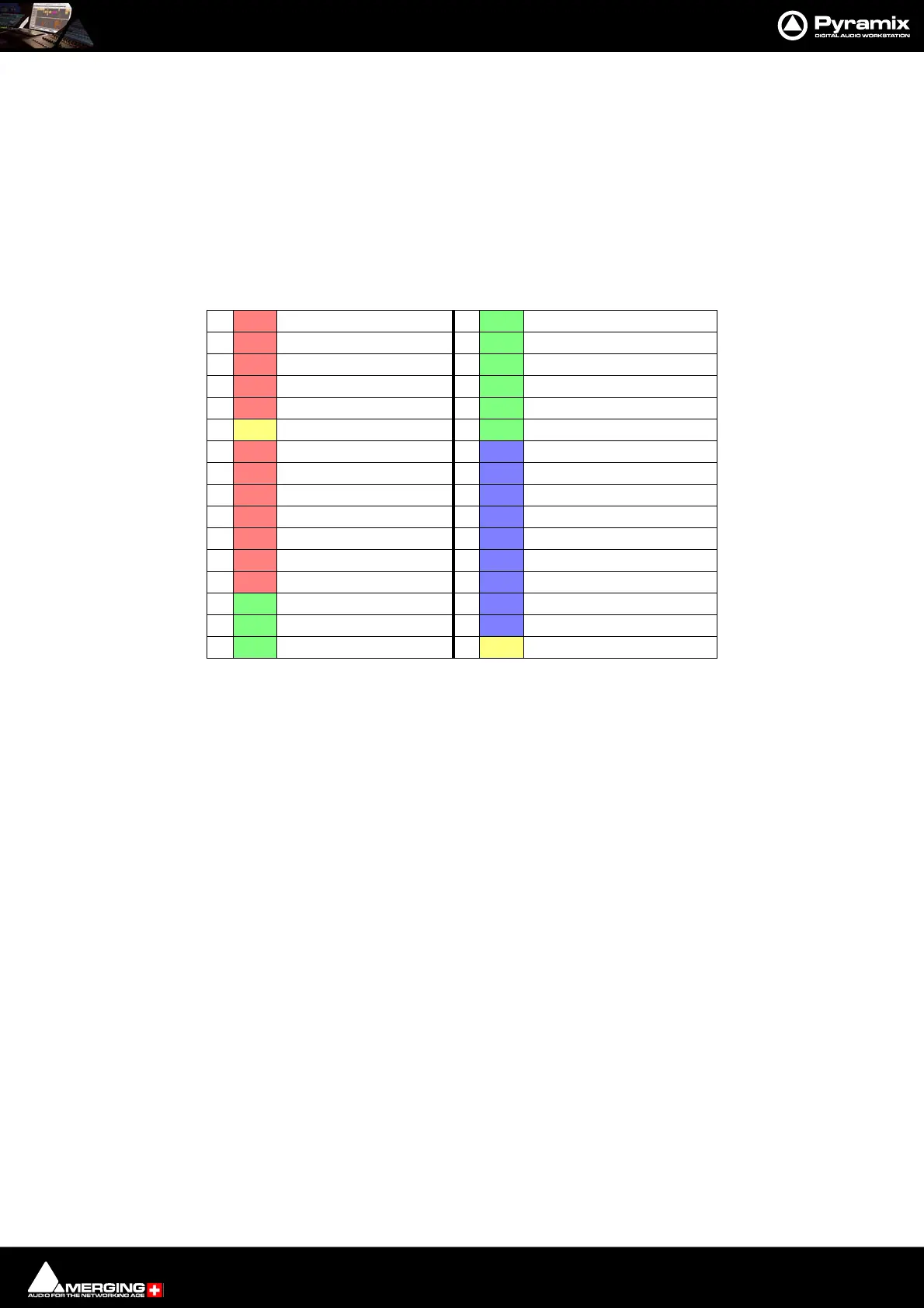
In Virtual Room mode the Channels or Speakers can only be of the 32 types listed below:
Note: Speakers belonging to the three Height Layers and LFE(s) are color coded as in the above
table in the 3D Room Editor window and the Advanced Panning Control Bus window. The
speaker selected currently is colored orange.
• The Channel Type directly defines the position of the Speaker in the Room
• The Room has no real size, the panning algorithm only uses amplitude for computing levels based on the
position of each Speakers/Channels, that is defined by its Channel Type.
• The algorithm ensures that the levels are sharply focused near the closest speaker to the Panner’s coordi-
nates.
• This mode is designed for Film, Post-production or Music where no real-world room definition is needed
or known in advance and precision is needed to focus on a given Speaker.
• The Channel Type directly defines the position of the Speaker in the Room
• The Room has no real-world size, the panning algorithm only uses amplitude for computing levels based
on the position of each Speakers/Channels, that is defined by its Channel Type.
• The algorithm ensures that the levels are sharply focused near the closest speaker to the Panner’s coordi-
nates.
• This mode is designed for Film, Post-production or Music where no real-world room definition is needed
or known in advance and precision is needed to focus on a given Speaker.
1
LLeft 17Tr Top Right
2
CCenter 18Trl Top Surround Left
3
RRight 19Trc Top Surround Center
4
Ls Surround Left 20 Trr Top Surround Right
5
Rs Surround Right 21 Tsl Top Side Left
6
LFE Low Frequency Effects 22 Tsr Top Side Right
7
Lc Center Left 23 Bl Bottom left
8
Rc Center Right 24 Bc Bottom Center
9
Cs Surround Center 25 Br Bottom Right
10
Sl Side Left 26 Brl Bottom Surround Left
11
Sr Side Right 27 Brc Bottom Surround Center
12
Lcs Center Surround Left 28 Brr Bottom Surround Right
13
Rcs Center Surround Right 29 Bsl Bottom Side Left
14
VoG Voice of God 30 Bsr Bottom Side Right
15
Tl Top left 31 VoD Voice of Devil
16
Tc Top Center 32 LFE2 Low Frequency Effects E2



 To Next Page