Mixer : 3D Panning Control Bus Window
10 - 265
Sized Room Model
• Sized Rooms use a Sound in Air propagation/attenuation based algorithm.
• In this mode the panning algorithm uses real distances to compute levels.
• All Speakers output some level, even if very low, wherever the Panner is positioned.
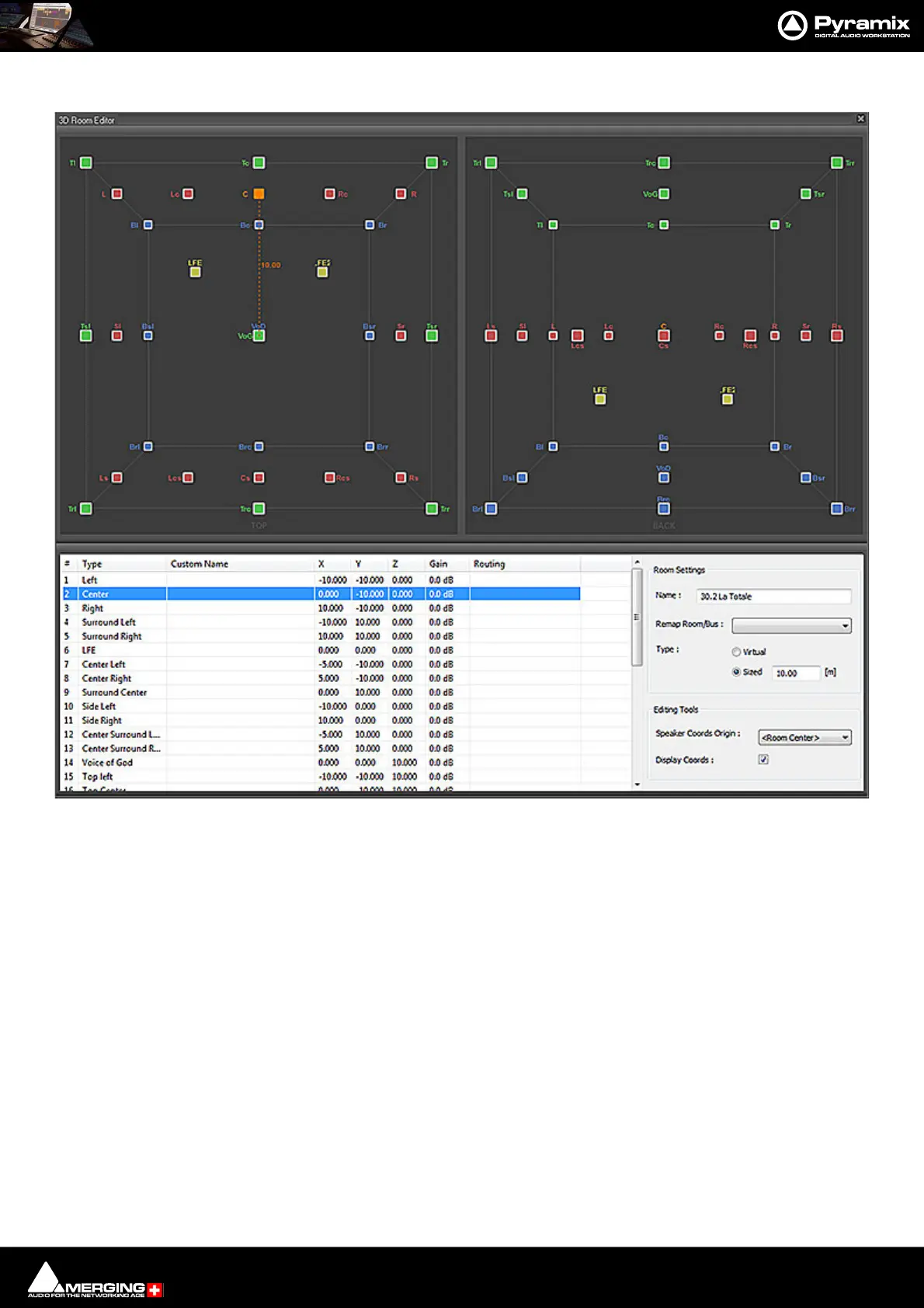
• The position of each Speakers is editable in the Room Editor. The selected Speaker is highlighted in
Orange and its coordinates can be changed using the editor.
• By default the sound attenuation depends on the distance from the panning source to each speakers by
1/d. (One divided by the distance.)
• A parameter called Sized Pan Attenuation in the 3D Panner Window enables the effect of distance on the
attenuation to be exaggerated or reduced by a factor of 5 times.
• Central position means default attenuation is 1/d, moving the parameter to the right exaggerates the
effect of distance, moving the parameter to the left reduces the effect of distance.
• In this mode the Room has a size and the Speakers have a editable position, independently of their Type,
that is only useful in this model.
• The Room Size definition is the Radius of the cubic Room, i.e. half its boundary size. E.g. if 3m is entered
the room is 6m x 6m x 6m.
3D Room Editor - Sized mode



 To Next Page