Transport and Navigation : Transport Controls
6 - 143
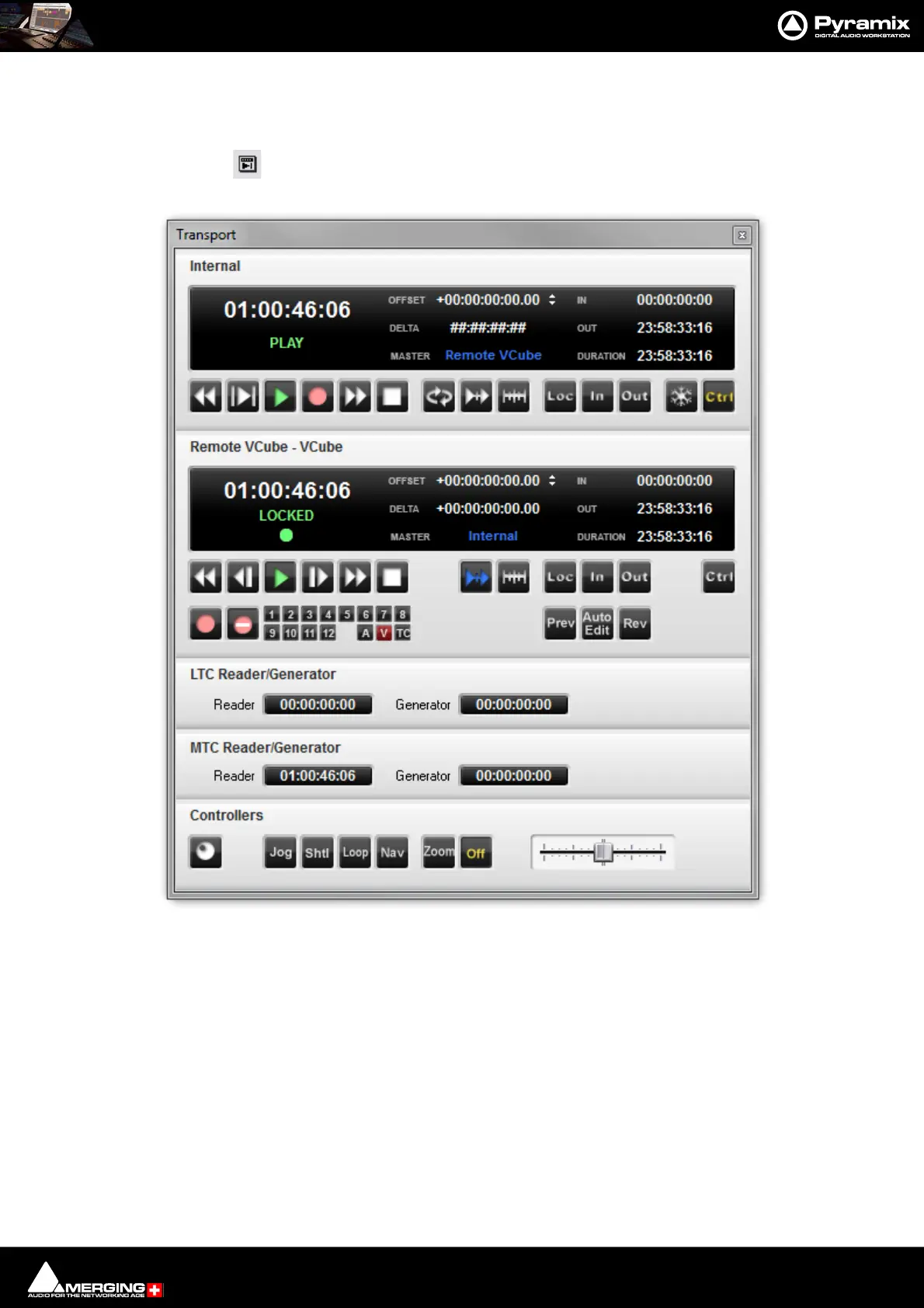
Transport Control Panel
Pressing the Transport Control Panel button or [Alt T], or selecting View > Windows /
Tools > Transport opens a floating Transport Window displaying all available
machines with individual sets of buttons and status indicators.
Note: This Window contains a set of transport controls for each machine installed and enabled
with the Internal Transport (Pyramix) at the top. Below the machines are displays for LTC and
VT2 (and MIDI when applicable) TimeCode Sources and at the bottom of the panel there are con-
trols which indicate and control hardware Remote Controllers Online/Offline (red = Offline), Jog-
Wheel Mode, and Shuttle.
Clicking on the black name bar toggles the individual area between collapsed and full.
Important! For details of machine installation and settings Please see: Machine on page 758
and for details of these Transport Controls Please see: Internal / External Machine panels - Features
on page 569
Transport Control Panel floating Window



 To Next Page