Mixer : Legacy Mixer Surround Components
10 - 307
Legacy Mixer Surround Components
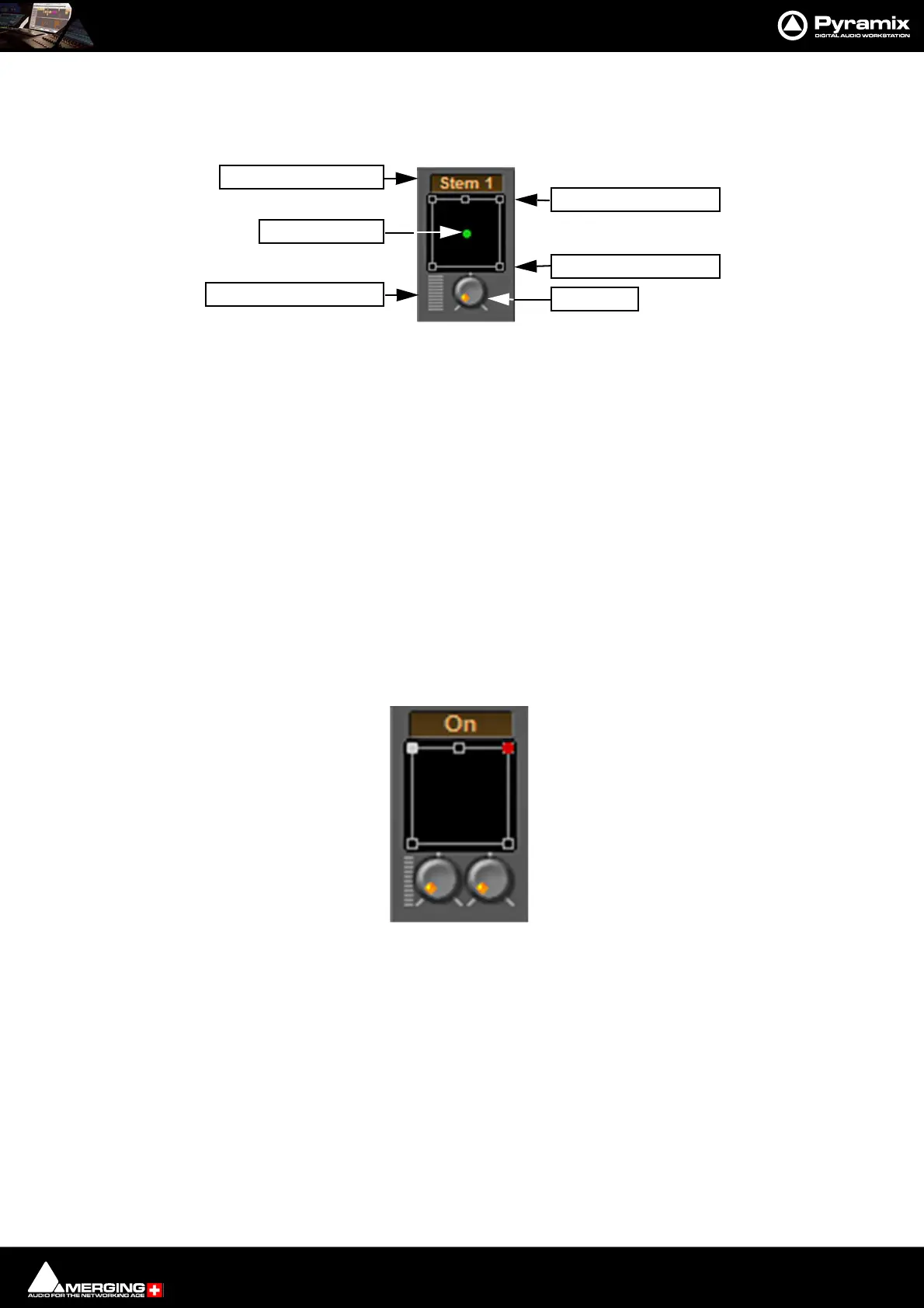
When a Surround Bus is added to the mixer an surround panner appears at the top on the Input Strips
Speaker Controls
Double-clicking on any of the Speaker Controls toggles the mute on/off of the selected surround channel (also
muting any audio routed to that surround channel output). When a channel control is muted, it is no longer dis-
played on the Mixer Input Strip.
Joystick Panner
Determines the position of the source within the surround sound space. To position it, simply left-click on the con-
trol and move it to the desired location. Double-clicking on this control will automatically center it.
LFE Level
Determines the level sent to the LFE (.1) output.
Surround Stem select
If a Multiple Surround Bus has been added to the mixer Stem ‘X’ appears at the top of the strip. Click on the box to
select the stem you wish to route the strip to.
Stereo Input Strips.
The Surround Sound Panner Position control behaves slightly differently in a Stereo Input Strip. Notice there are
now two independent position controls and two independent LFE sends. One for each input channel.
Open Surround Control
The Surround Control window offers far more information and a greater degree of control over all the surround
panning parameters than could be shown on an individual Input strip. It can be opened and closed by Ctrl +
Clicking on the appropriate area on the strip.
LFE Level
Joystick Panner
Surround Stem Select
Open Surround Control
Front Speaker controls
Rear Speaker controls
Strip Surround controls
Stereo strip surround controls



 To Next Page