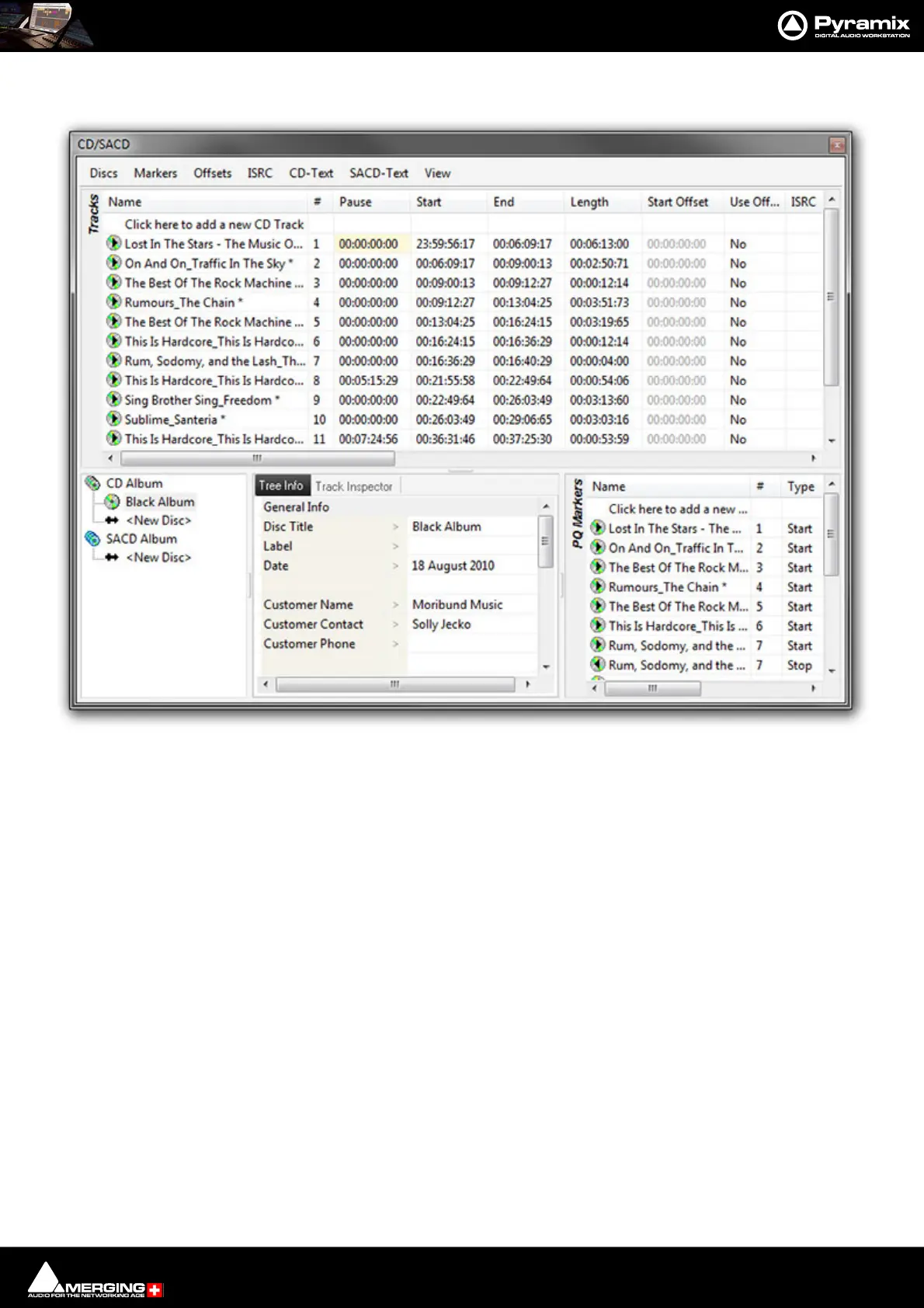
CD/SACD Mastering and Album Production : CD/SACD Tab Window
26 - 596
CD/SACD Tab Window
All the mastering features are grouped in the CD View; in three sections.
The Top Pane is the Tracks list for the current CD/SACD Project.
The lower half of the window is divided into three, the Album area, the Tree Info/Track Inspector section and the
PQ Markers list.
Album, All Markers and Track Inspector
The Right pane shows the track list fields. (see below)
Album Section:
The bottom left-hand pane shows a tree view of CD and SACD Albums and Discs with <New Disc> entries to cre-
ate new Discs. The middle pane Tree info default Tab enables properties and default parameters to be set for the
selected Disc.
Tree Info/Track Inspector Section
Tree Info Tab
(Global – CD Header). In addition, there are similar fields for each track in the CD Track grid.
General Info
• Disc Title CD Title



 To Next Page