File and Project Interchange : Import / Export
18 - 497
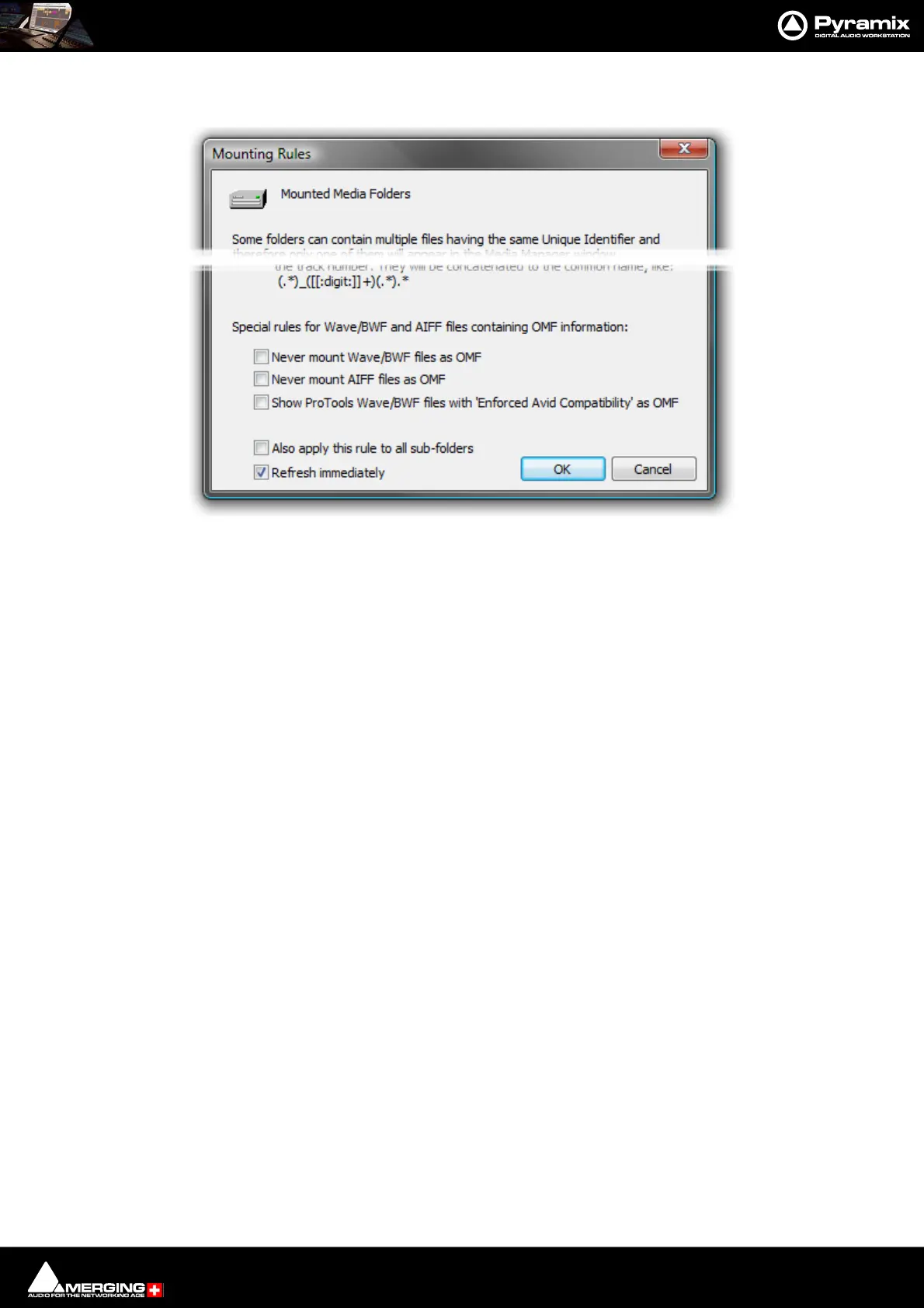
Rules dialog has some special Mounting Rules options for folders containing Wave/BWF and AIFF files that have
an OMF chunk These enable the default behavior to be altered:
• Never mount Wave/BWF files as OMF (for files coming from Avid)
• Never mount AIFF files as OMF (for files coming from Avid)
• Show Pro Tools Wave/BWF files with Enforced Avid Compatibility as OMF (the new default behavior is to
always show BWF files generated by Pro Tools as BWF even if they have the OMF/Avid compatibility chunk.
This option allows forcing these files to be mounted "a la Avid" as in previous Pyramix versions)
Importing Avid and AudioVision bins
Avid and AudioVision bins may be imported as a library. In a library tab window select:
Library > Import OMF library (Avid bin)
Open TL
Straightforward Import and Export in Tascam Open TL format.
Report Printer
(includes EDL, Markers, CD TOC report sheet)
This program really needs a printer. Here is a way to add a printer when no physical printer exists:
1. Start the add new printer wizard. Start > Settings > Printers > add Printer
2. In the wizard choose local printer and deactivate automatically detect
3. Under "Use the following port” choose File
4. Select the printer that you will eventually use to print the file
5. The rest of the installation is the same as a standard printer installation
If you print a page test, a dialog will open and ask you the name of the file. Enter the path where you want to write
the file.



 To Next Page