Effects and Plug-Ins : Flux
13 - 387
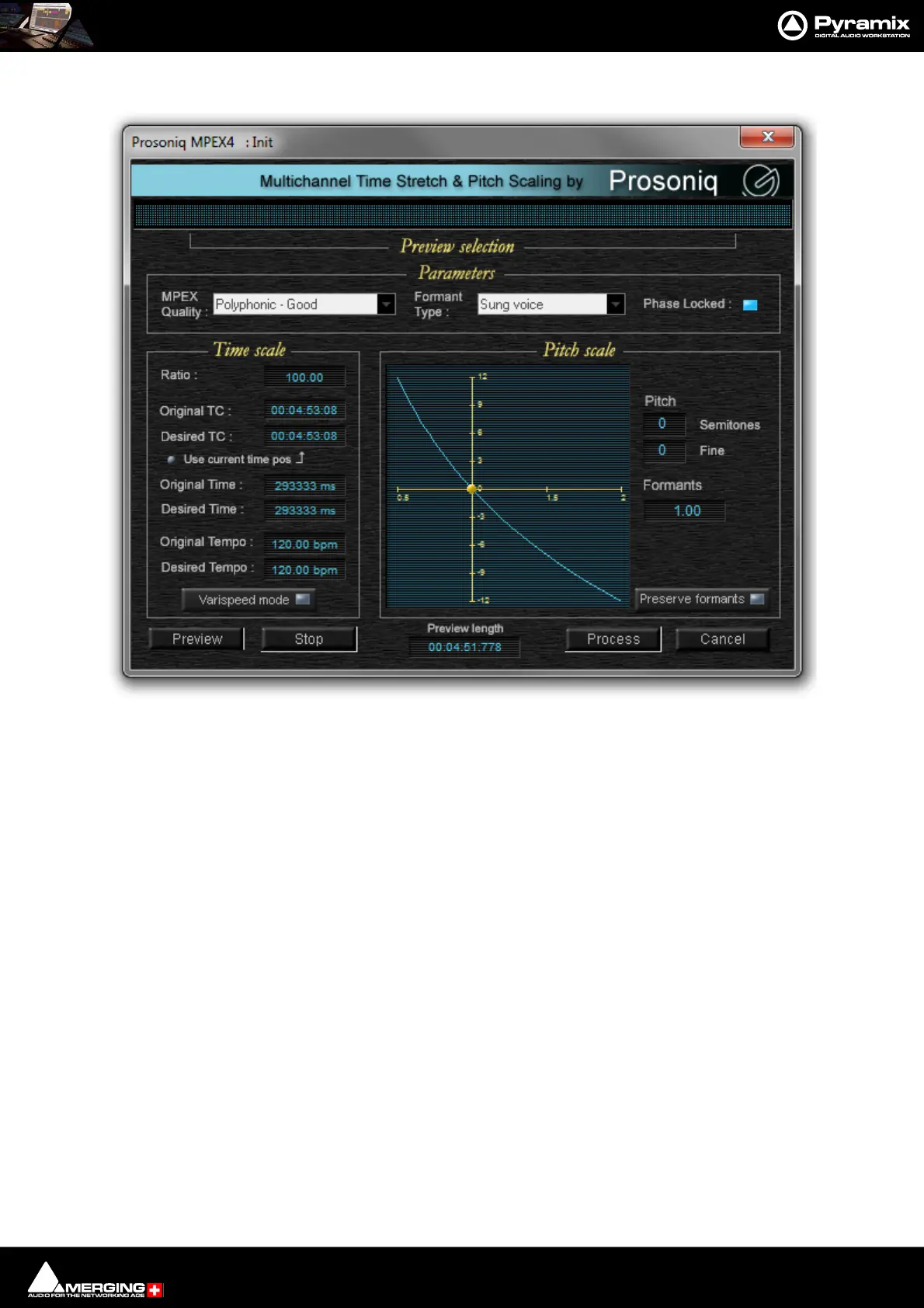
A comprehensive interface then enables the time-stretch parameters to be precisely adjusted. In addition to time-
stretching this interface also allows Pitch and Formant adjustments.
Quick Convert
The Prosoniq MPEX4 process can also be accessed by the Quick Convert function (Media Management Tab Win-
dow, Menu Convert > Quick Convert > Prosoniq MPEX4.
Zynaptiq
ZTX Pro
Optional high quality pitch-shift and time-stretch renderer from The Zynaptiq.
Note: Merging Technologies ZTX Pro key is required.
Accessing ZTX Pro
When a valid key is present ZTX Pro replaces Timezone as the Default Time-stretch tool in Editing.
It can also be defined under Settings > Application > Editing > Time Stretch Tool
TimeZone is no longer supported and no longer available.
Configuration
ZTX Pro is configured is in Pyramix Settings under Settings > Application > Time Stretch > ZTX Pro Settings.
Three quality modes are available: Good, Better, Best.



 To Next Page