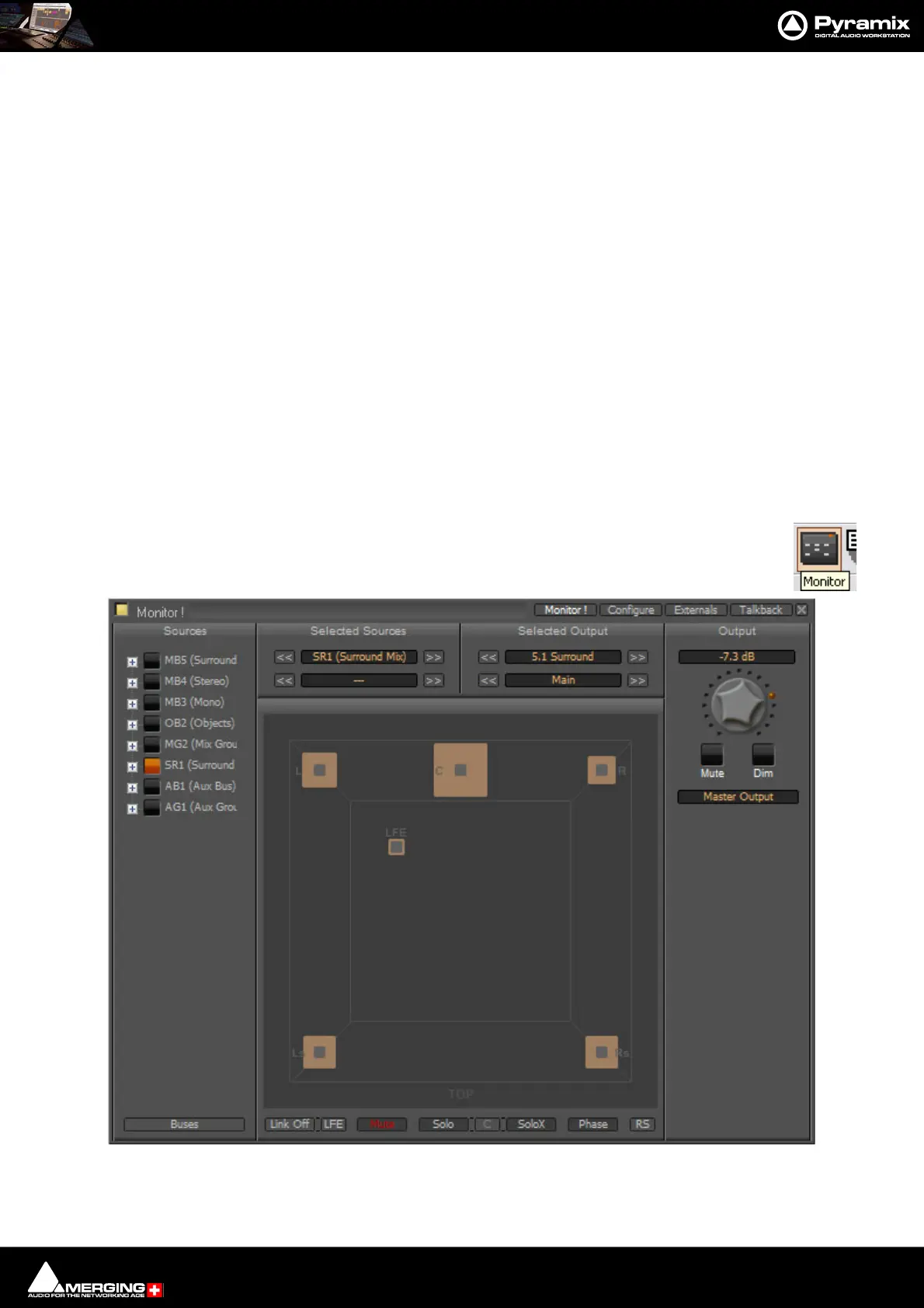
Monitor : Monitor ! Window
11 - 312
Monitor ! Window
Scope
Pyramix has a dedicated Monitor section. This extremely powerful tool offers comprehensive monitoring facilities
including summing and downmixing for all supported formats. External Machine Inputs, comprehensive Talkback,
Foldback and External Metering are also supported depending on your system specification.
The Monitor presents monitor outputs of all buses present in the current Mixer as sources. It is also possible to
configure external sources both for recorder returns and for talkback. Sources can be summed for monitoring
without affecting the Mixer bus outputs. This is useful, for example, when you need to listen to a guide track while
recording.
You do not have to use the Monitor and disabling it will save DSP power but, with complex Mixers and routing,
the Monitor helps to keep things logical.
The monitor is also used to output the audio signal from the audition function of the Media Manager and Libraries
as an unformatted input. (I.e. Routed to LRC in a Surround 5.1 Speaker Set and to LR in a Stereo one)
Monitor Hardware Control
Many functions of the Monitor can be mapped to a hardware controller or to the keyboard. To facilitate this, the
commands are available in the Monitor menu. Please see the documentation for your hardware controller,
Remote Control on page 577 and Customizing Keyboard Shortcuts on page 505.
By default the Monitor window is shown. It can be opened with View > Monitor or toggled with the
icon in the View Toolbar.
Monitor Main Monitor ! Window



 To Next Page