Mixer : 3D Panning Control Bus Window
10 - 261
3D Panning Control Bus Window
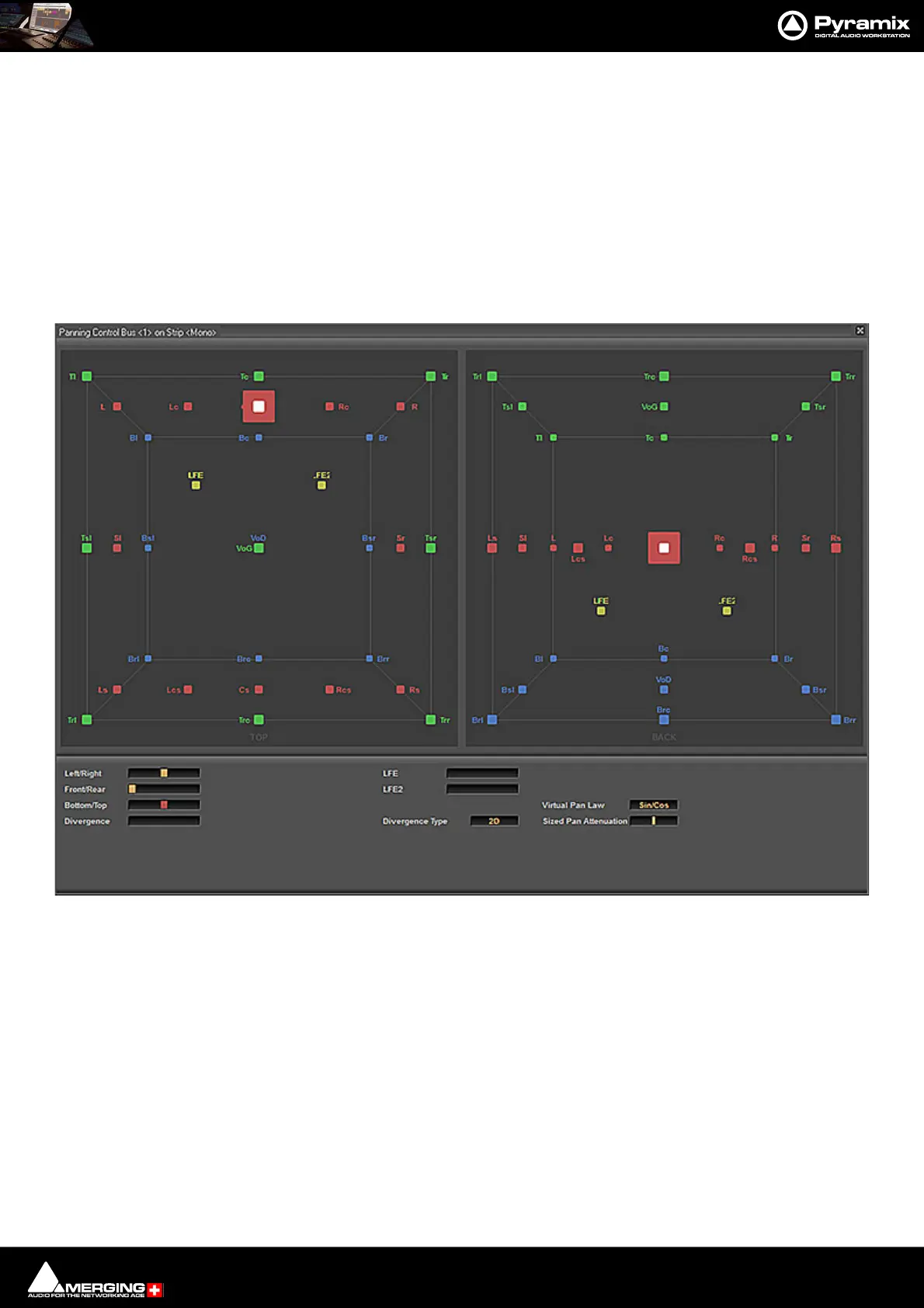
The Panning Control Bus window offers far more information and a greater degree of control over all the 3D pan-
ning parameters than could be shown on an individual Input strip. It is opened from View > Windows / Tools >
Surround Panner or the icon in the View Toolbar.
Views
The left hand pane is the view looking down on the virtual room from above.
The right hand pane is the view looking into the virtual room from the back.
Here is the Panning Control Bus window displaying controlling a Mono strip feeding a 32 Speaker Room/Bus:
Layers
Speakers are grouped in three layers plus LFEs.
Speakers in he “normal” layer are colored red, the top layer green and the bottom layer blue, LFEs are yellow.
Controls
The controls present at the bottom of the window vary depending on the source type.
Mono Source
Left/Right Pans all source channels between left and right.
Front/Rear Pans all source channels between front and rear.
Bottom/Top Pans all source channels between bottom and top.
Divergence Sets the amount of divergence.
Panning Control Bus window - Mono Source



 To Next Page