Mixer : Horus/Hapi Preamp Remote Controls
10 - 239
Effects and Plug-ins
Please see also: Effects and Plug-Ins on page 341
Mixer Strip Controls
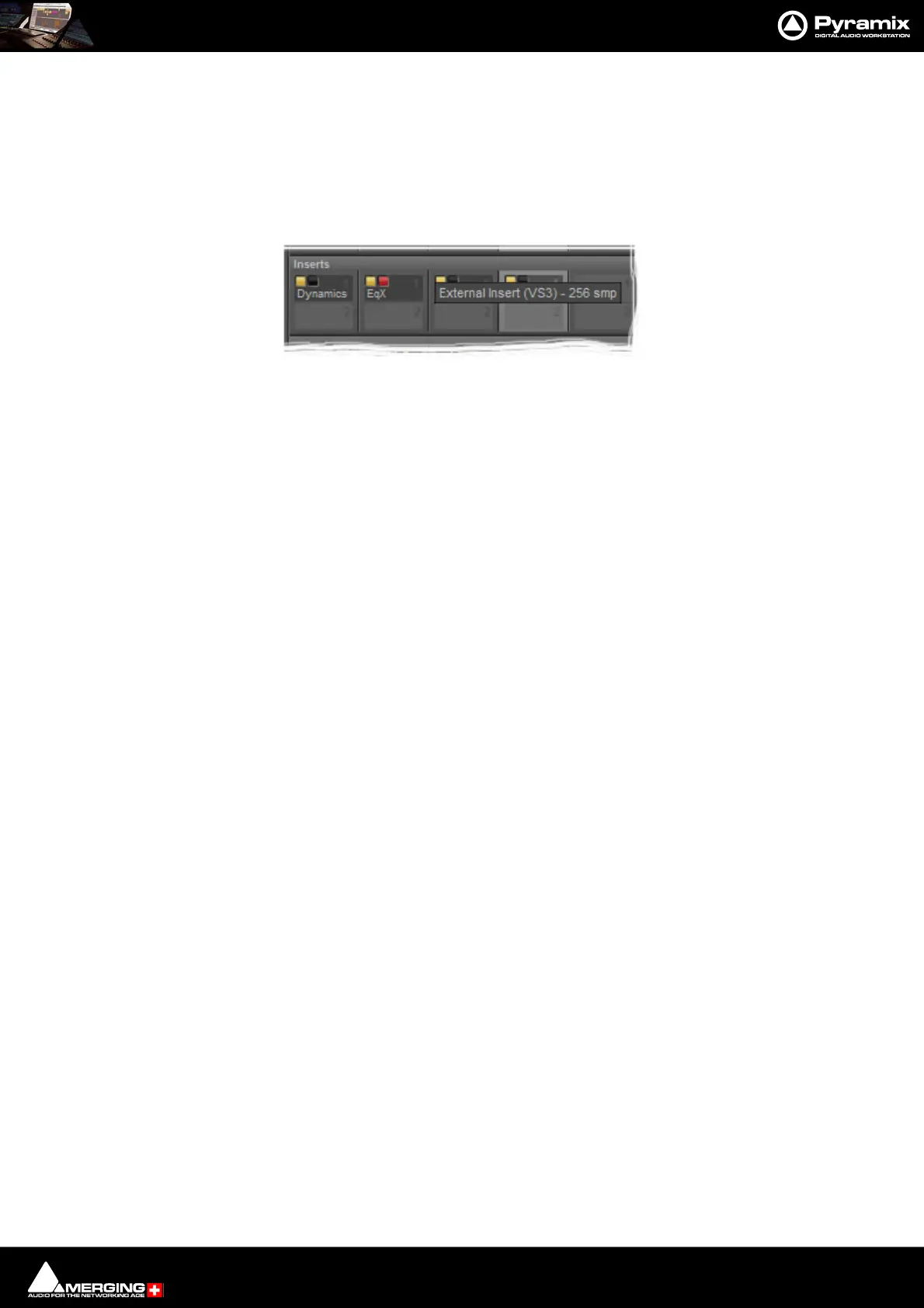
When Native VS3 Effects, VST Plug-ins and External Inserts are instantiated in mixer strips each instance has a
block of one or two buttons. The full Effect name, Plug-in name or External Insert pops-up along with the
required delay compensation when you hover the mouse pointer over each block:
Buttons
Each block has one or two buttons. The left-hand, yellow button is lit when the effect or insert is switched on.
Switching an effect or insert off removes it from the signal chain and this may well be audible.The right-hand, red
button indicates that the effect is Bypassed when lit. Bypassing an effect retains the same delay as when the
effect is active. Further, well behaved effects will continue to calculate internal parameters when bypassed making
seamless switching possible.
When Full Delay Compensation is selected, Effects and Plug-ins that correctly report their latency will have their
delay compensated. This delay is maintained when the Effect or Plug-In is in bypass mode.
Please see also Mixer Delay Compensation on page 268
Mixer Strip Plug-in Controls with Name and Delay pop-up



 To Next Page