Mixer : Horus/Hapi Preamp Remote Controls
10 - 240
Native VS3 Plug-ins
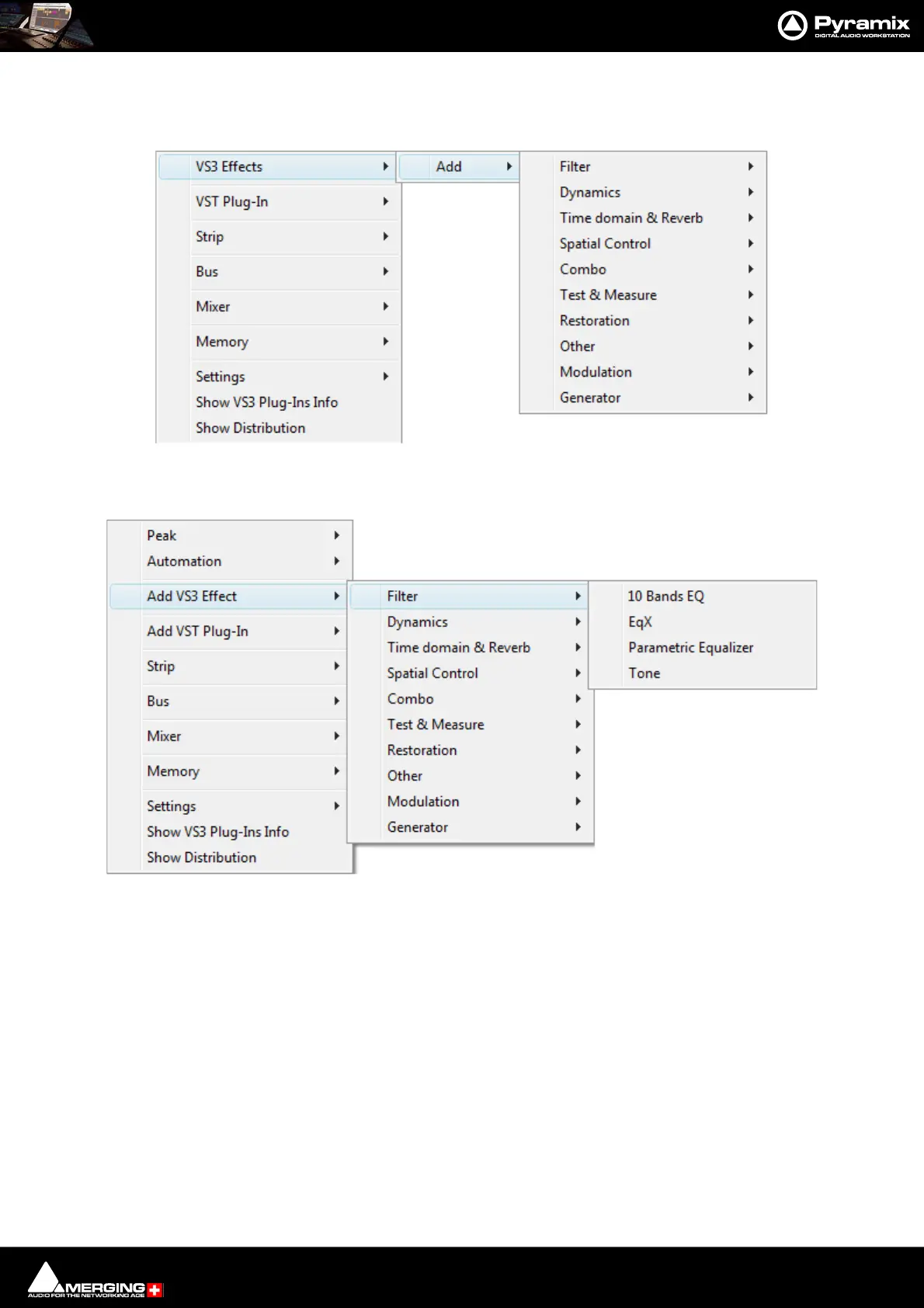
These include the eq and dynamics found on a conventional hardware mixer’s channel strip. To add a native plug-
in when in Mix ! mode, right-click with the mouse cursor over the strip where the plug-in is to be added.
If you right-clicked in the effects area of the strip select VS3 Effects > Add.
If you clicked somewhere else, select Add VS3 Effect. Select an effect from the sub-menu. It will appear in the
strip.
VST Plug-Ins
To add a VST plug-in the procedure is the same except select VST Plug-In > Add or Add VST Plug-In.
Note: Although VS3 and VST Plug-ins can be added at any time, even during playback, without
rebuilding the mixer, if the plug-in reports a Delay Compensation Value, the mixer must be
rebuilt before this is compensated for.



 To Next Page