Mixer : Horus/Hapi Preamp Remote Controls
10 - 241
Ghost Effects and Plug-ins
Essentially, Ghost Effects or Plug-ins mean that if you load a project containing an effect or plug-in which is
unavailable on your machine, this plug-in will appear in the mixer strip as a Ghost plug-in. Subsequently saving
the project will not trash the missing Plug-in’s state information. When a plug-in is a Ghost its name appears
crossed out in the mixer :
Removing, Copying or Moving VS3 Effects and VST Plug-Ins
VS3
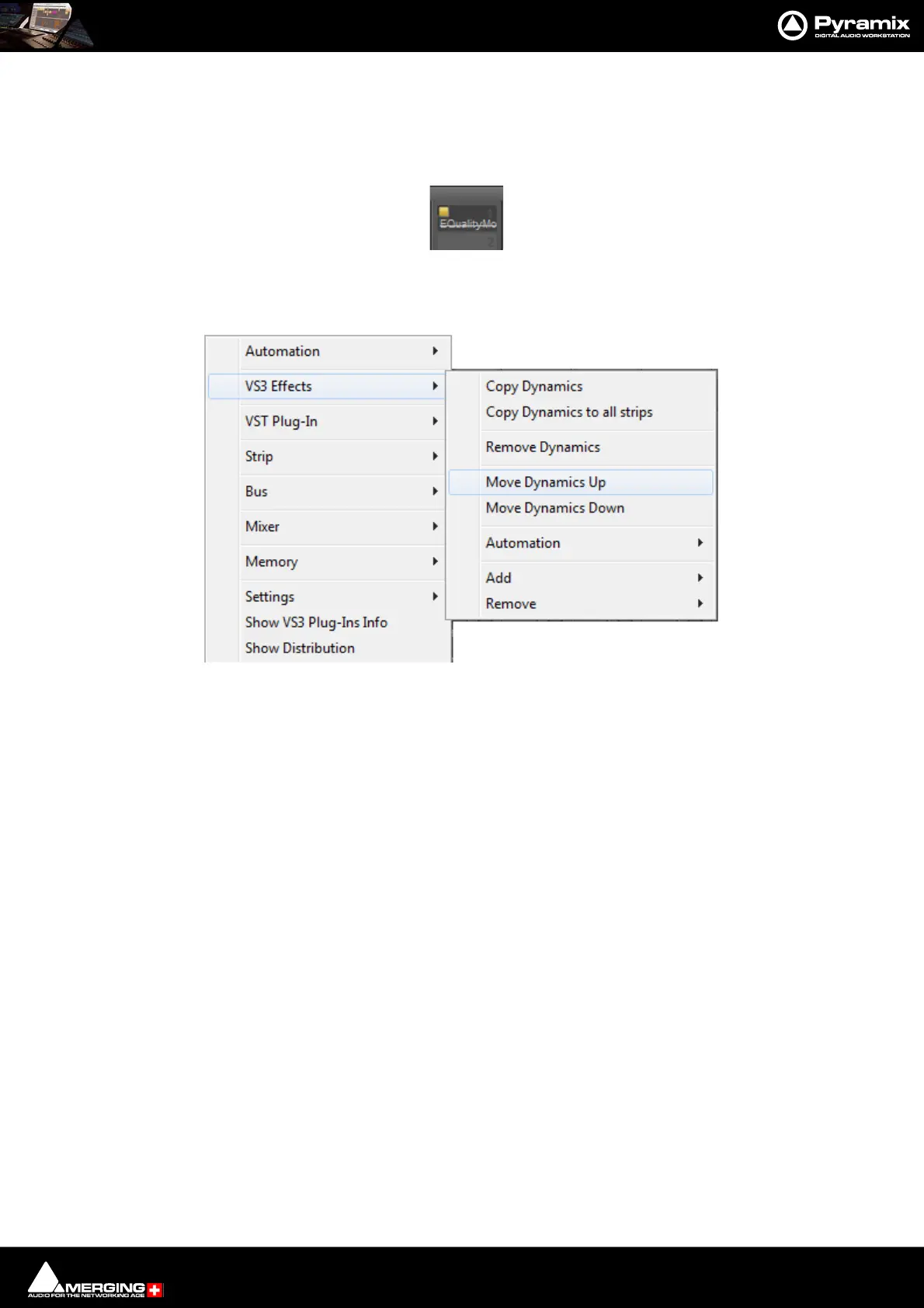
Right-click on an Effect in a Strip to open the context menu and hover the cursor over VS3 Effects. Here you can
make a number of changes to the Effects
Copy “Effect Name” Copies the effect for pasting into another Strip (Copy the Effect then right-click in
the target Strip and select Paste).
Copy “Effect Name” to all strips Copies the Effect you right-clicked on to all Input Strips, but not to any Buses,
regardless of whether the original effect is instantiated in an Input Strip or Bus.
Remove “Effect Name” Removes the Effect you right-clicked on.
Remove Accesses a list of all effects currently instantiated in the strip. You can select any of
them for removal.
Move “Effect Name” Up Moves the effect you right-clicked on Up the list.
Move “Effect Name” Down Moves the effect you right-clicked on Down the list.
Note: The Up and Down options are only shown when a move is possible.
Automation Enables the Automation mode to be set for the entire Effect.
Remove “Effect Name” Removes the Effect you right-clicked on.
Add Accesses the Effects list to add a further Effect to the Strip.
Remove Accesses a list of all effects currently instantiated in the strip. You can select any of
them for removal.



 To Next Page