Mixer : Configuring a Blank or Existing Mixer
10 - 278
Further Mixer Configuration Options
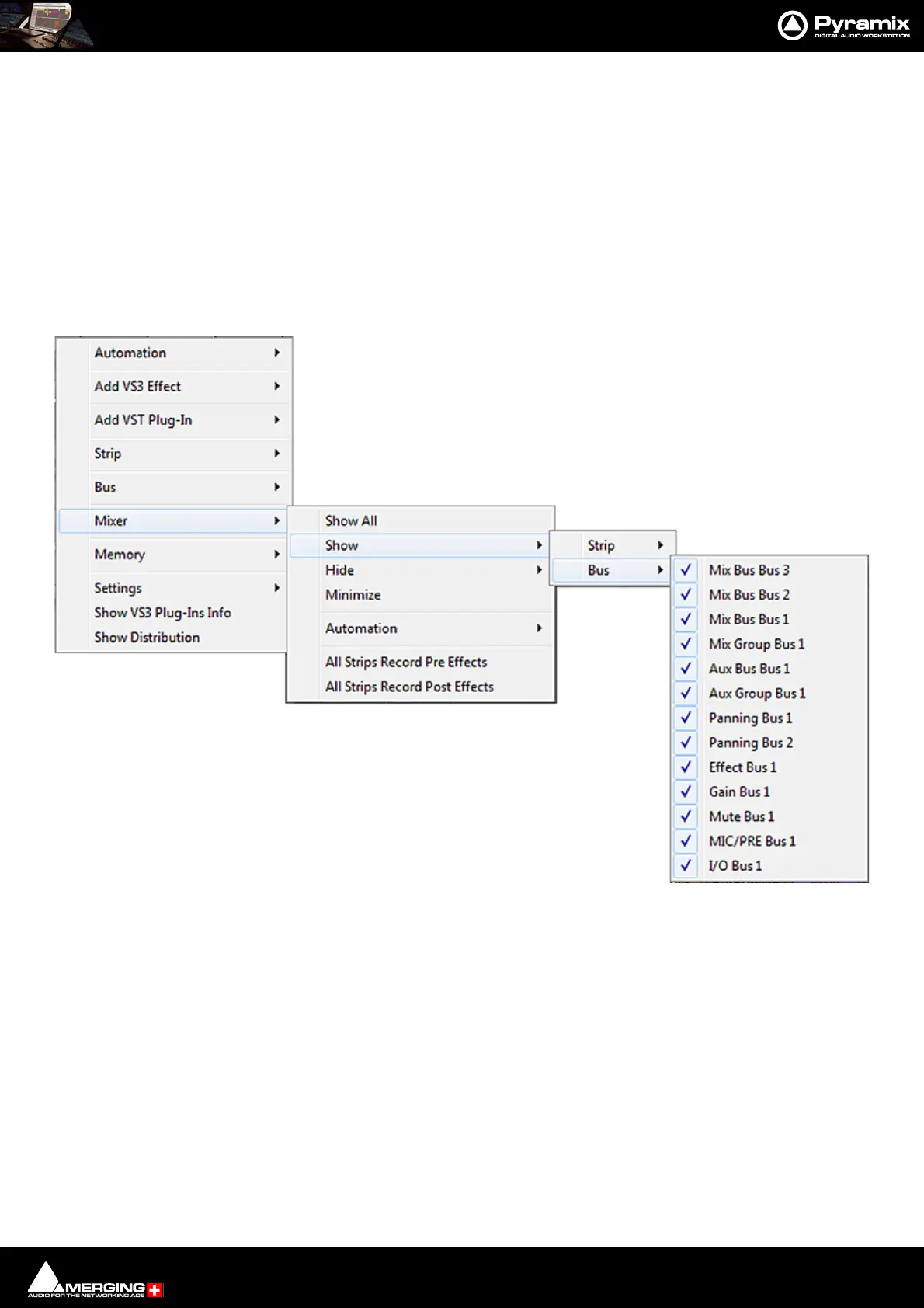
Mixer Context Pop-up menu
The entries on this menu vary according to where you right-click on the mixer surface. At the top of the menu the
entries concern the specific mixer component under the mouse cursor when you right click. The next section of
the menu has entries which affect the Strip. Entries from Mixer to the end of the menu affect the entire mixer and
are available wherever the mouse is right-clicked.
Mixer > Show
Show All Makes all input strips and buses visible
Show / Hide > Selects Strips and Buses to be shown or hidden. When checked, the Buses or
strips are visible on the console surface. Both Show and Hide access the same lists.
Minimize When checked, Mixer window is minimized
Automation > These menu choices toggle the Automation mode for the entire mixer.
Follow Strip Mode
Isolate
Play Please see: Dynamic Automation Transport Modes on page 400
Record
Memory > The choices here enable mixer presets to be saved loaded and managed.
Please see: Mixer Presets on page 281
Settings >
General... Opens the Mixer Settings window at the All Settings > Hardware > Hardware > For-
mats & Sync page. Please see: Formats and Sync on page 706
Mixer Show / Hide context menu



 To Next Page