File and Project Interchange : Import / Export
18 - 478
Import / Export
Import
Note: For most Import types it is not necessary to have a Project open in order to use the Import
function since a Project can be created on Import. The exception is Akai DD/DR
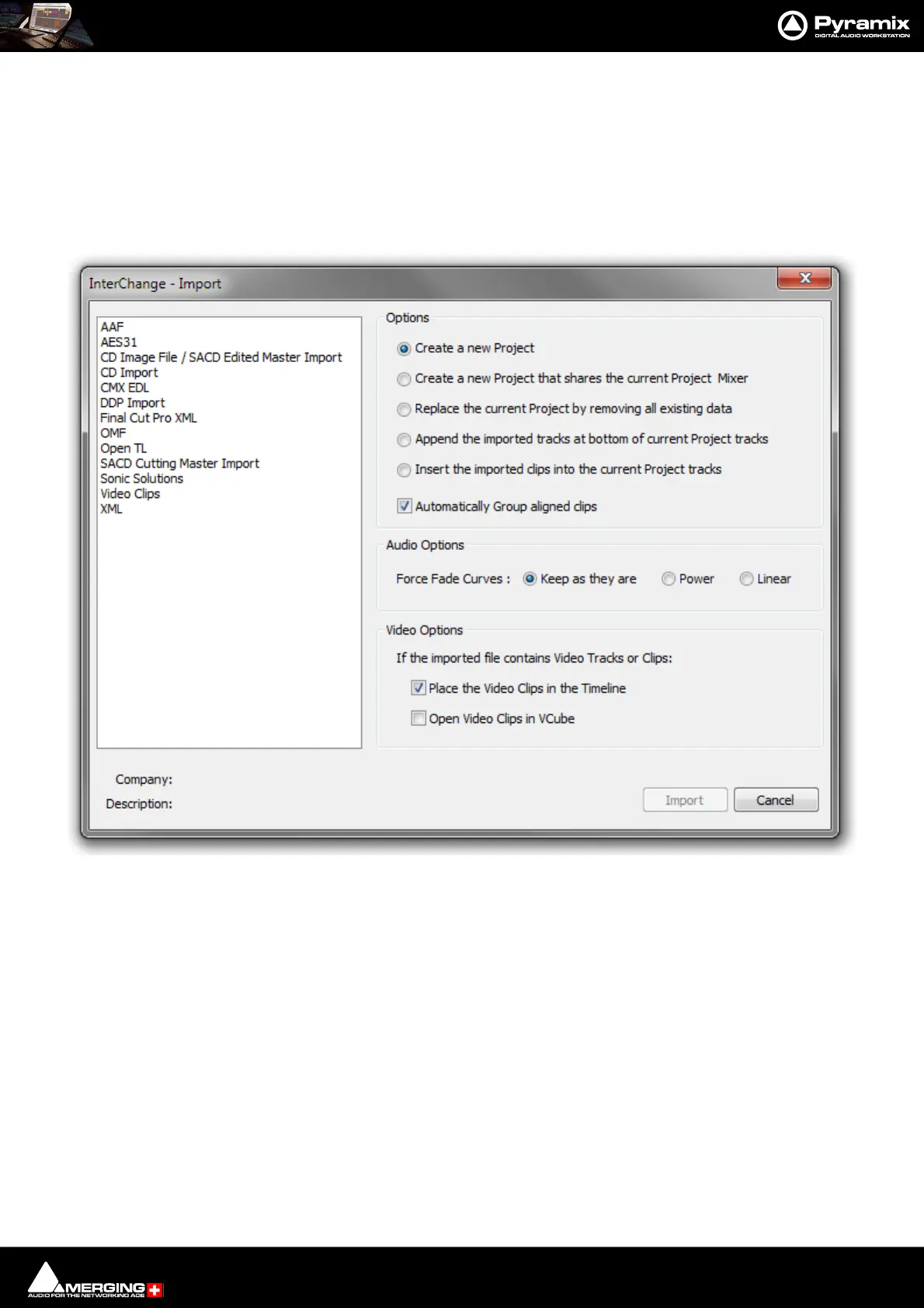
Project > Import opens this window:
The Options radio buttons determine how the imported material will affect the current project.
Options
• Create a new Project - creates a new Project from scratch using the Default Mixer
• Create a new Project that shares the current Project Mixer. (Mixer Sharing is turned on automatically in
the current project when this option is selected and Import is clicked.)
• Replace the current Project by removing all existing data - Replaces the current project Tracks, Track
Groups and Markers then creates new Tracks, Track Groups and Markers from the imported Composition
• Append the imported tracks at bottom of current Project tracks
• Insert the imported clips into the current Project tracks
• Automatically Group aligned clips - When this option is chosen with one of the above, stereo and other
multi-channel Clips will be grouped automatically.
Project Interchange - Import dialog



 To Next Page