Troubleshooting : General Troubleshooting
30 - 777
General Troubleshooting
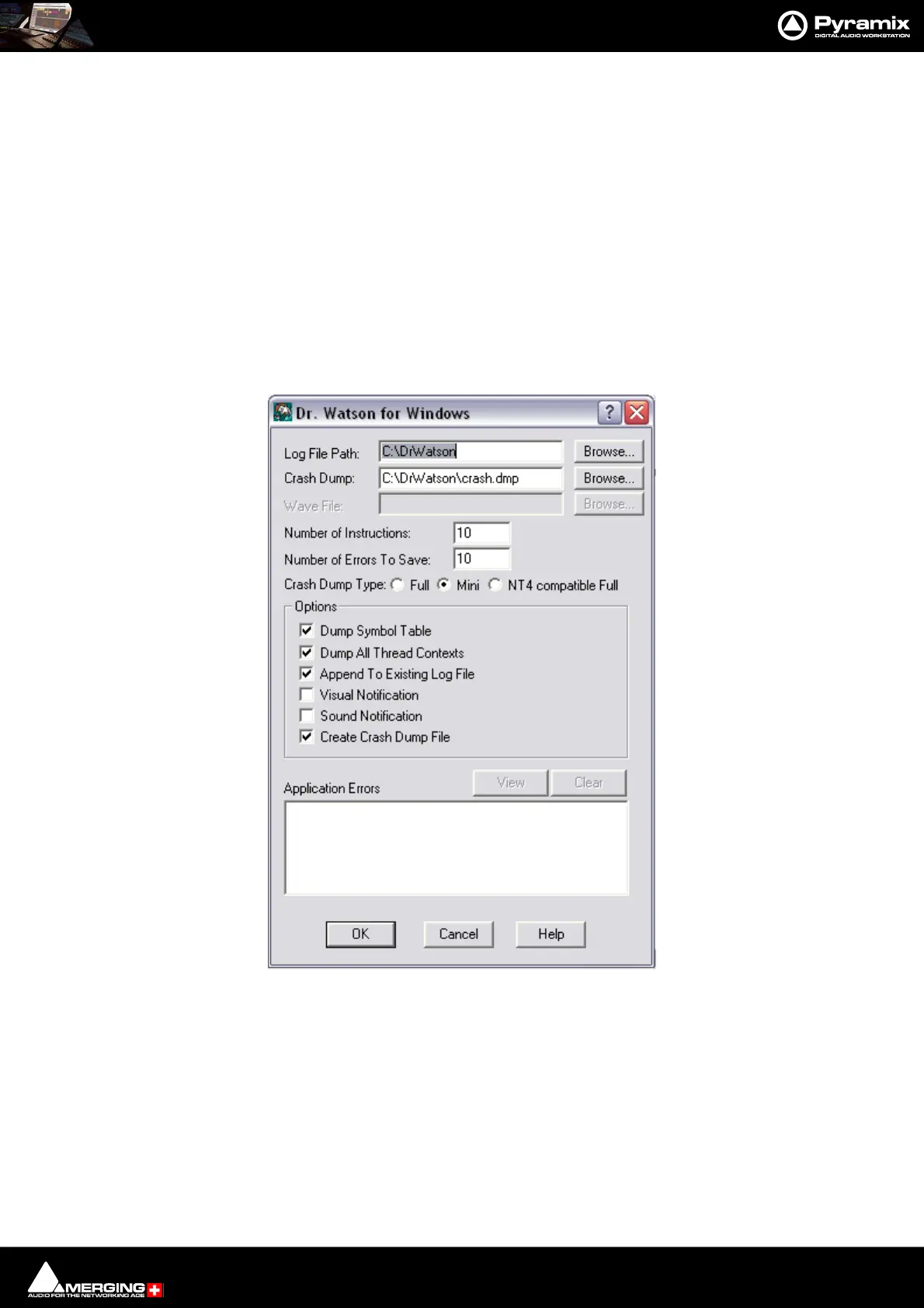
DrWatson, Crash Log Activation:
Note: You will need to download DrWatson first, since it is no longer included in the Windows
distribution.
http://download.merging.com/beta/SupportTools/DrWatson.zip
1. Create a new folder named DrWatson at the root of C drive
2. Launch DrWatson 32bit exe, found in: C:\WINDOWS\system32\drwtsn32.exe
3. Set-it up as shown in ScreenShot 1 below
4. Activate DrWatson as the default debugger tool, as shown in ScreenShot 2 below



 To Next Page