CD/SACD Mastering and Album Production : CD/SACD Tab Window
26 - 597
• Label CD Production Label
• Date CD Date
• Customer Name The company the Disc is being made for.
• Customer Contact Customer Contact (name).
• Customer Phone Customer contact phone number.
• Master ID Code CD Identifying code (if one is required)
• Ref Code CD Reference Code (if one is required)
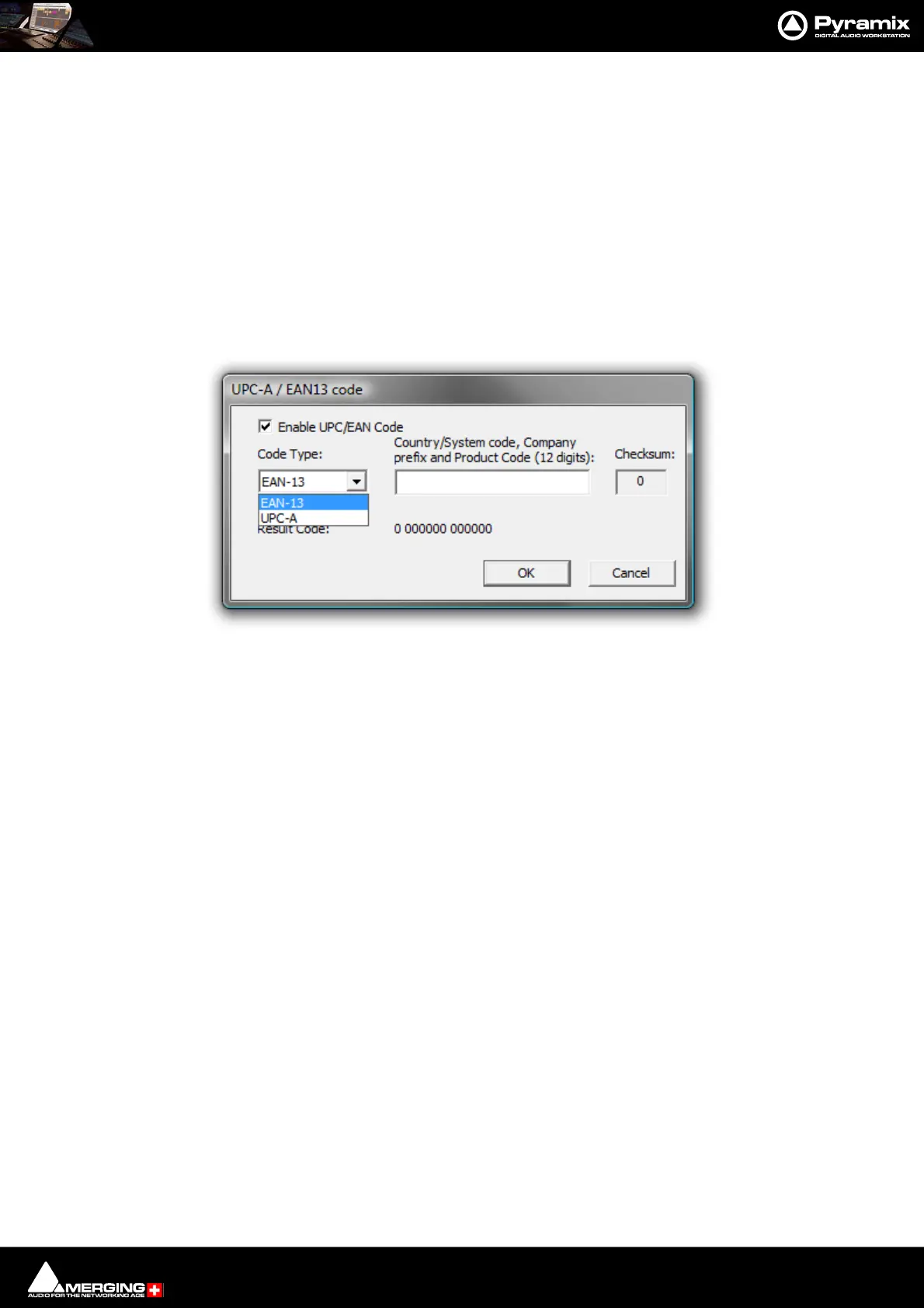
• UPCEAN Code Clicking in this field opens the UPC-A / EAN13 code dialog box.
UPC/EAN capture for CD/SACD Albums, Discs and Areas is handled via this dialog box.
Enable UPC/EAN Code: When ticked UPC/EAN Code is enabled.
Code Type: offers a choice of UPC-A or EAN-13 barcode formats. Enter the 11 or 12 digit Company prefix and
Product Code. The Checksum is calculated automatically and the resulting code displayed. Click OK to enter the
result in the field.
The number of digits is checked according the type of code and the CheckSum: digit (the last one) is automati-
cally calculated (to ensure its validity).
Moreover, the TOC information part of a Pyramix generated CDImage file (PMI) will always contain a 13 digits
UPCEAN code (left 0-padded if UPC-A type code) or no UPCEAN code at all if the field is left blank.
• Catalog Number Free text field.
•Artwork Section heading
•Front Cover Click in the field to open a browser window to select a picture (PNG or
JPEG) for Cover Art.
Note: Recommended size is 300 x300. (iTunes up to 600 x 600) High resolution (e.g. 1600 x1200)
pictures may fail to display on some media players and are not recommended.
• CD Disk info
• CD Text Character Set
•CD Text Genre
•CD Text Title
•CD Text Performer CD General Performer
•CD Text SongWriter CD General Song Writer
•CD Text Composer CD General Composer
UPC-A / EAN-13 code dialog



 To Next Page