Mixer : Buses
10 - 228
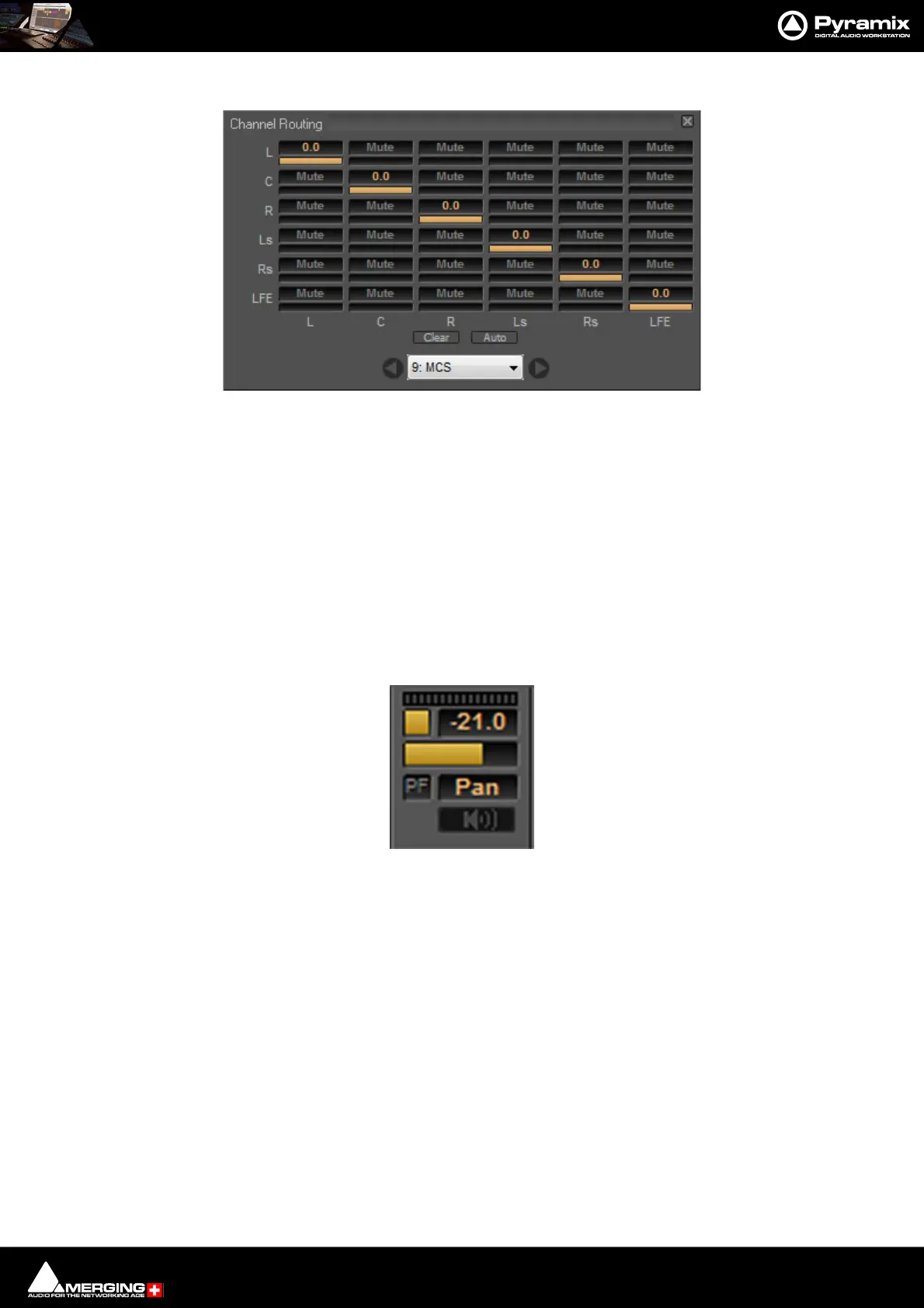
Channel Routing Grid:
Click in a crosspoint field and type a level value (or mute) to route individual Strip Outputs to the bus. Strip Out-
puts run vertically.
Clear Clears all routing assignments.
Auto Routes the Strip Outputs automatically. Where the destination bus is not
the same configuration as the Strip only Channels with matching designa-
tions are routed.
9: MCS The box shows the Bus being routed to. the down arrow drops-down a list
of all Buses available in the Mixer.
<> The left and right arrows step along the buses according to their positions
in the Mixer.
Aux Bus & Aux Group Send:
Send peak meter Clicking on the meter collapses/expands the bus send.
An On/Off button When lit the Bus send is active.
Send Level box Shows the current Send Level. Click in the field to enter a precise value manually.
An horizontal Send Level display and control Click and drag the bar to set the Send gain.
PF button When lit (as here) the Bus Send is Pre-fader.
Panning/Routing option box
Clicking in the box pops up the Routing context menu. This lists all Panning Control Buses present in the mixer
and Channel Router .
When Panner is selected (or Panner 1, Panner 2, etc.) the Bus send follows the selected Panning Control Bus
parameters to pan/mix the signal in its channels. Please see: Panning Control Group Buses on page 232.
Bus Trim Only present when Bus Send is set to Pan. Clicking on the button opens the Bus
Trim pop-up. Please see: Bus Trim on page 227



 To Next Page