Mixer : Legacy Mixer
10 - 305
M&S Stereo Strips
What is M&S?
M&S stands for Middle and Side. M&S is a microphone technique which outputs Sum and Differ-
ence signals instead of Left and Right (also known as LR, AB or XY). These Sum and Difference sig-
nals are often known as M&S although this nomenclature is often a source of confusion...
Sum and Difference signals can be created from a conventional Left, Right source. For example, by
using the Pyramix MS Encoder plug-in.(Please see: MS Encoder on page 353).
Decoding M&S
A Sum and Difference or M&S decoder reconstitutes Left and Right by adding the Difference (S)
signal to the Sum (M) signal to produce Left and adding the phase-reversed Difference (S) signal
to the Sum (M) signal to produce Right. This is often represented as:
L = M + S and R = M - S
Benefit of M&S
In mixing as opposed to recording, the main practical benefit of manipulating a signal in the Sum
and Difference domain is true control over the width of the image. Pyramix can handle these sig-
nals directly thanks to the provision of M&S Stereo strips.
M&S Strip controls
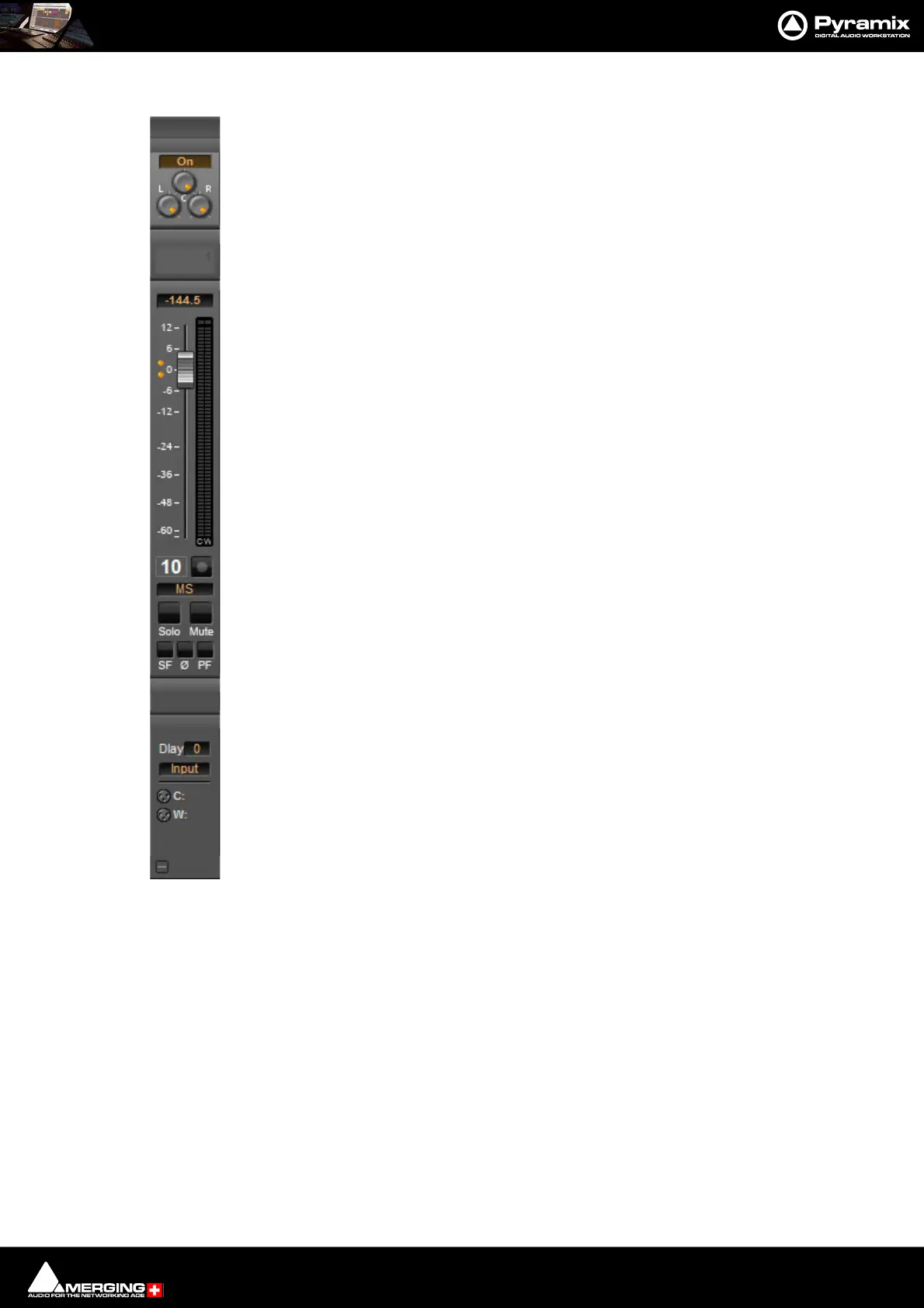
An M&S strip stereo bus send has three controls. The center knob determines the Sum (M) contri-
bution to the Left and Right outputs. The L knob determines the in-phase Difference (S) contribu-
tion to the Left output and the R knob determines the out-of-phase Difference (S) contribution to
the Right output. The L&R knobs are ganged by default. To move them independently click and
drag with the Ctrl key held down.
The Phase of both the Sum and Difference channels can be reversed. The single Ø button has four
possible states:
Black: No phase inversion
White: Sum (M) channel inverted
Red: Difference (S) channel inverted
Blue: Both channels inverted
Inverting either Sum or Difference results in the image being reversed left to right.



 To Next Page