Project Processes : Mixing Down Projects
16 - 443
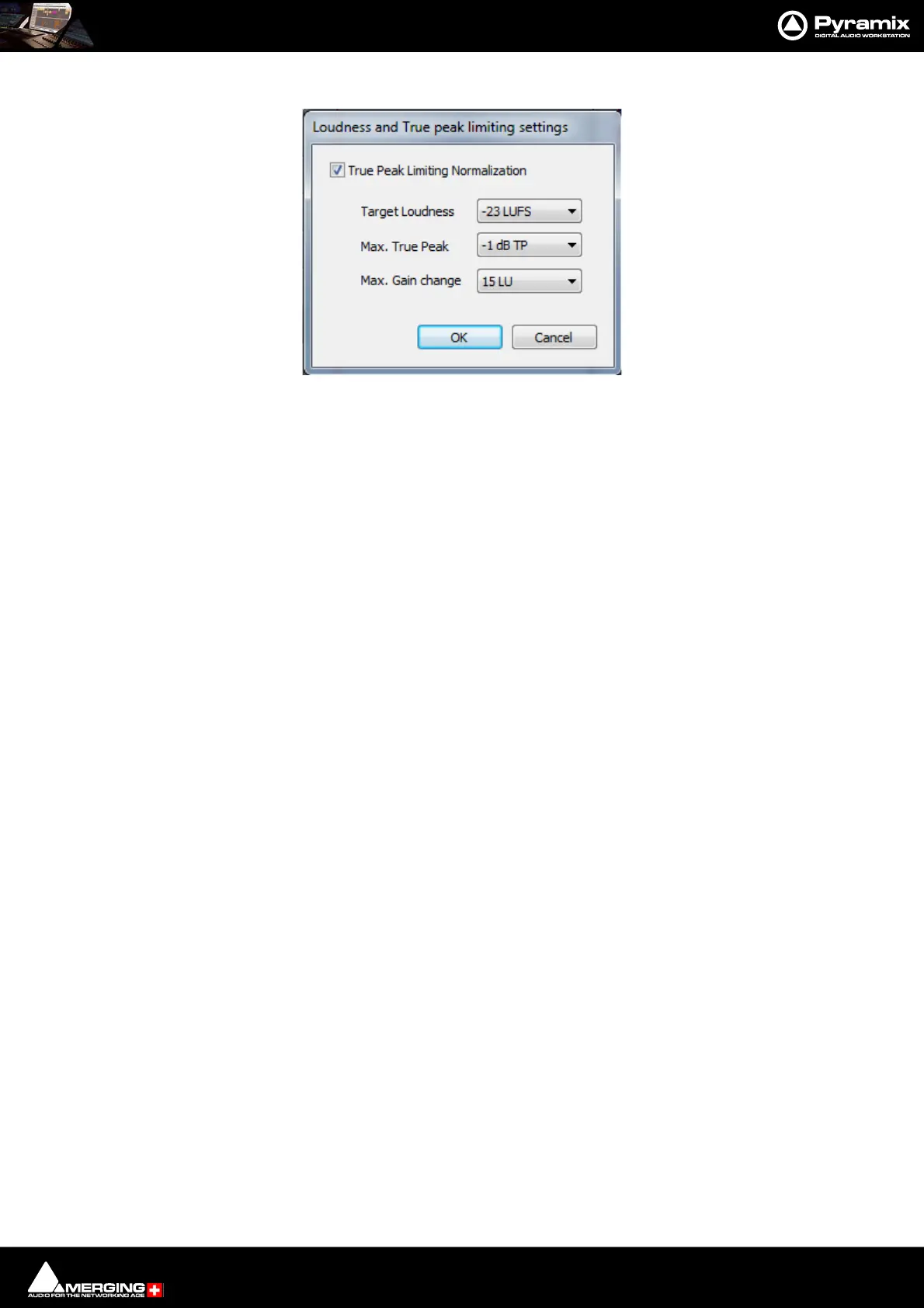
Settings Click on Settingsto open the Loudness and True peak limiting settings dialog:
True Peak Limiting Normalization Check the box to enable.
Target Loudness The drop-down list offers a choice of target loudness levels.
Max. True Peak The drop-down list offers a choice of maximum peak levels.
Max. Gain change The drop-down list offers a choice of maximum allowable gain change to be applied
by the processing.
A measurement report will be displayed after the Mixdown process.
The measurement report is available in a Log file in the same location as the Mixdown media file(s).
Post-Processing
Keep in default library When checked the resultant mixed down file(s) will be placed in the Default Library
Place in VCube When checked the resultant mixed down file(s) will be placed in new Tracks in the
VCube Timeline automatically. All pre-existing audio Tracks are removed. See also
note below.
Wrap in Video When checked, once the Mixdown is complete, the resultant file will be “wrapped”
into a destination Video file. The Settings button opens a Settings dialog for this.
Please see: Wrap in Video on page 525
Controllers
Offline Controllers When checked Hardware Controllers will be switched Offline automatically for the
duration of the Mix Down. If the box is left unchecked it is possible to use the Hard-
ware Controller for changing Monitor volume etc. or to fade out.
Archiving Metadata
Insert Archiving Metadata if target is BWF When checked Archiving Metadata is inserted in the resultant
file(s).
Generate Archiving Metadata XML along mixdown files When checked an XML Metadata file is generated
in the same location as the output audio file(s).
Please see: Archiving Metadata on page 437
Notes on ‘Place in VCube’
The following notes apply when VCube is running on a different machine running on the same local network.
Important! If using the Post-Processing Place in VCube function with separate standalone machines.
I.e. a Pyramix and a VCube the Mix Down Destination Folder must be mounted as a network path, e.g.
\\server\sharedisk\folder\file.pmf. The files must be accessible from both machines using the same net-
work name.
Typically the share name of a disk can be seen differently from both machines if not set correctly, e.g. one
can see e:\media\file and the other see \\machine\shared\media\file in such case Pyramix cannot trans-
late the name for the VCube.
Loudness and True peak limiting settings dialog



 To Next Page