Remote Control : Control by External Device
24 - 580
•In the Port section click on the Serial (RS-422) radio button
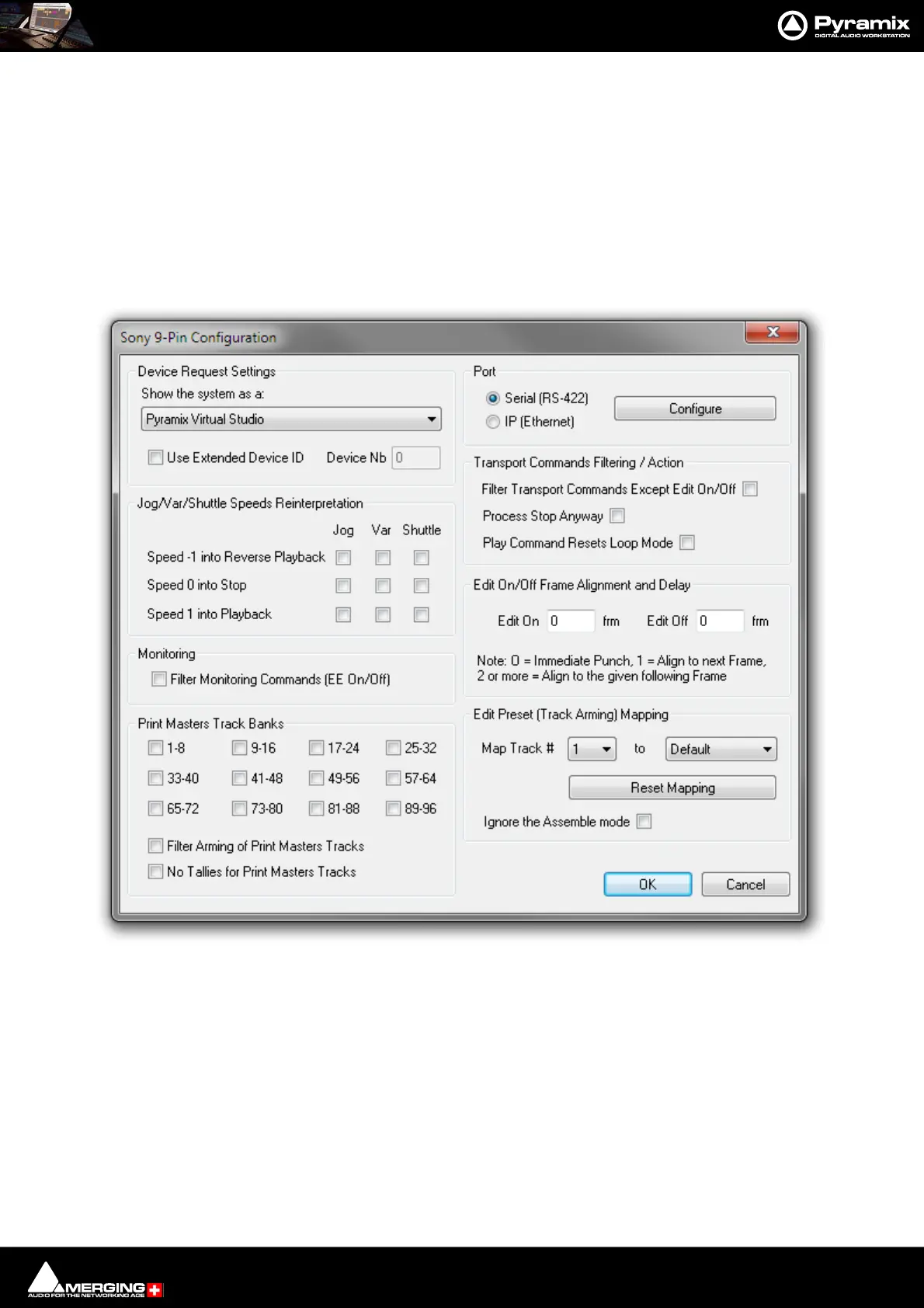
•Click on Configure to open the
• Make any other changes you need in the Sony 9-Pin Configuration. Please see subsequent pages for a
detailed description of the options.)
•Click on OK to close the Sony 9-Pin Configuration dialog.
•Check that Enable is ticked in the Controller Properties dialog.
•Click on OK to close the Controller Properties dialog.
Sony 9 - Pin Protocol Configuration (Pyramix controlled by external device)
Device Request Settings
The Sony 9-pin P2 protocol transmits a code to identify the machine. Some machine controllers will do nothing or
exhibit aberrant behavior if they do not recognize the identifier code. Therefore, Pyramix can masquerade as
another device. The device identifier can be selected from a long list in the Show the system as a: combo box.
Jog/Var/Shuttle Speeds Reinterpretation
The radio buttons determine Pyramix behavior when specific Jog/Var or Shuttle commands are received.
• Speed -1 into Reverse Playback
• Speed 0 into Stop
Sony 9-Pin Configuration dialog



 To Next Page