CD/SACD Mastering and Album Production : Exporting Projects to CD Image Files
26 - 607
Moreover, the TOC information part of a Pyramix generated CDImage file (PMI) will always contain a 13 digits
UPCEAN code (left 0-padded if UPC-A type code) or no UPCEAN code at all if the field is left blank.Choose Project
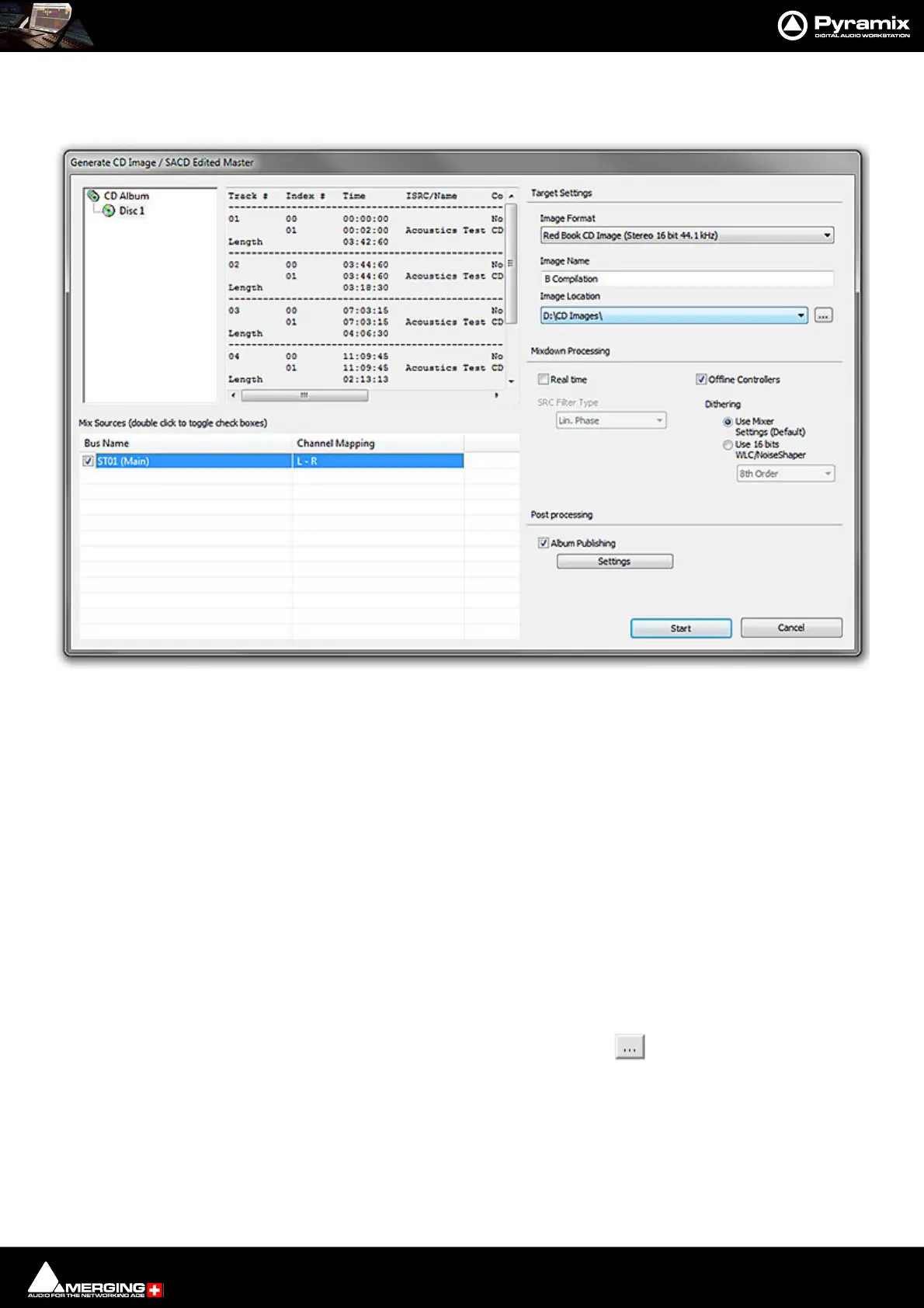
> Generate CD Image / SACD Edited Master. This opens the Generate CD Image dialog.
Select a CD-Disc from the left-hand pane.
Target Settings
Image Format
Choose the required format from the drop-down list. Options available are:
CD Image (Red Book) Produces a disk image compliant with the CD ‘Red Book’ standard.
Digital Release Improves quality for Album Publishing formats since no intermediate
44.1kHz 16bit step is involved. Please see: Album Publishing on
page 610
SACD Edited Master - Render Mode (Only for DSD or DXD Mixing Projects)
SACD Edited Master - Mixing Mode
Image Name
Type a suitable name for the image.
Image Location
The combo box has a list of all mounted media folders or you can use the button to open the Choose a
media folder to mount dialog.
Mix Sources
Double clicking the box on a Mix Source toggles it active or inactive.
Note: Only one bus can be selected. Inappropriate choices are hidden. E.g. a multichannel bus
when Red Book CD is selected as the Image Format.
Generate CD Image / SACD Edited Master



 To Next Page