CD/SACD Mastering and Album Production : Album Publishing
26 - 615
The settings on the right of the dialog are specific to each instance of each format and reflect the format instance
highlighted in the Output Formats list. (In the above screenshot FLAC is highlighted and the settings are specific
to this.
Note: Double-clicking an entry in the Outputs Formats list opens the Modify Output Format
dialog which is functionally identical to the Add Output Format dialog.
Add - Adding Output Formats
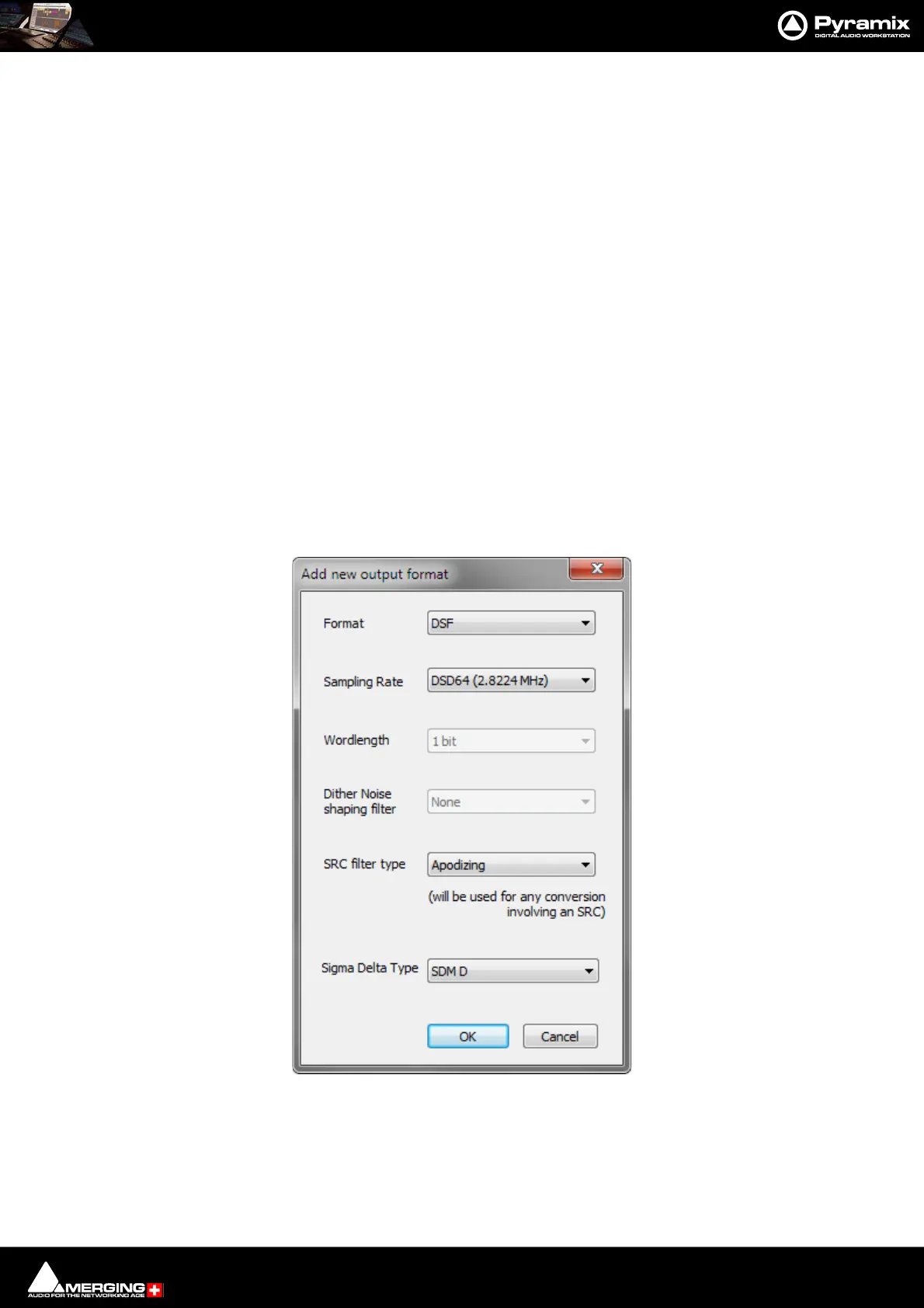
Clicking on Add opens the Add new output format dialog. (See below)
The formats available currently are:
• FLAC (lossless compression),
• Ogg Vorbis (lossy compression),
• WAVE (uncompressed)
• AIFF (uncompressed)
•PMI CD Image
• MTFF (uncompressed or lossless compression. Merging Technologies File Format)
• LC-AAC (lossy compression. Low Complexity Advanced Audio Coding.)
• MP3-ABR (lossy compression. MP3 Average Bit-Rate compression. This is less aggressive than VBR)
Click on the Add button to open the Add New Output Format dialog.
Format Choose the format required from the drop-down list.
Sampling Rate The default is No Change in which case the Project sampling rate will be used.
Otherwise, choose the required sampling rate from the drop-down list.
Wordlength The default is No Change in which case the Project Wordlength will be used. Other
wise choose the required Wordlength from the drop-down list.
Add new output format dialog



 To Next Page