Network eManager®
Manage Stand-Alone SES Systems
2-70 Strata CIX Programming Vol.1 12/09
Manage Stand-Alone SES Systems
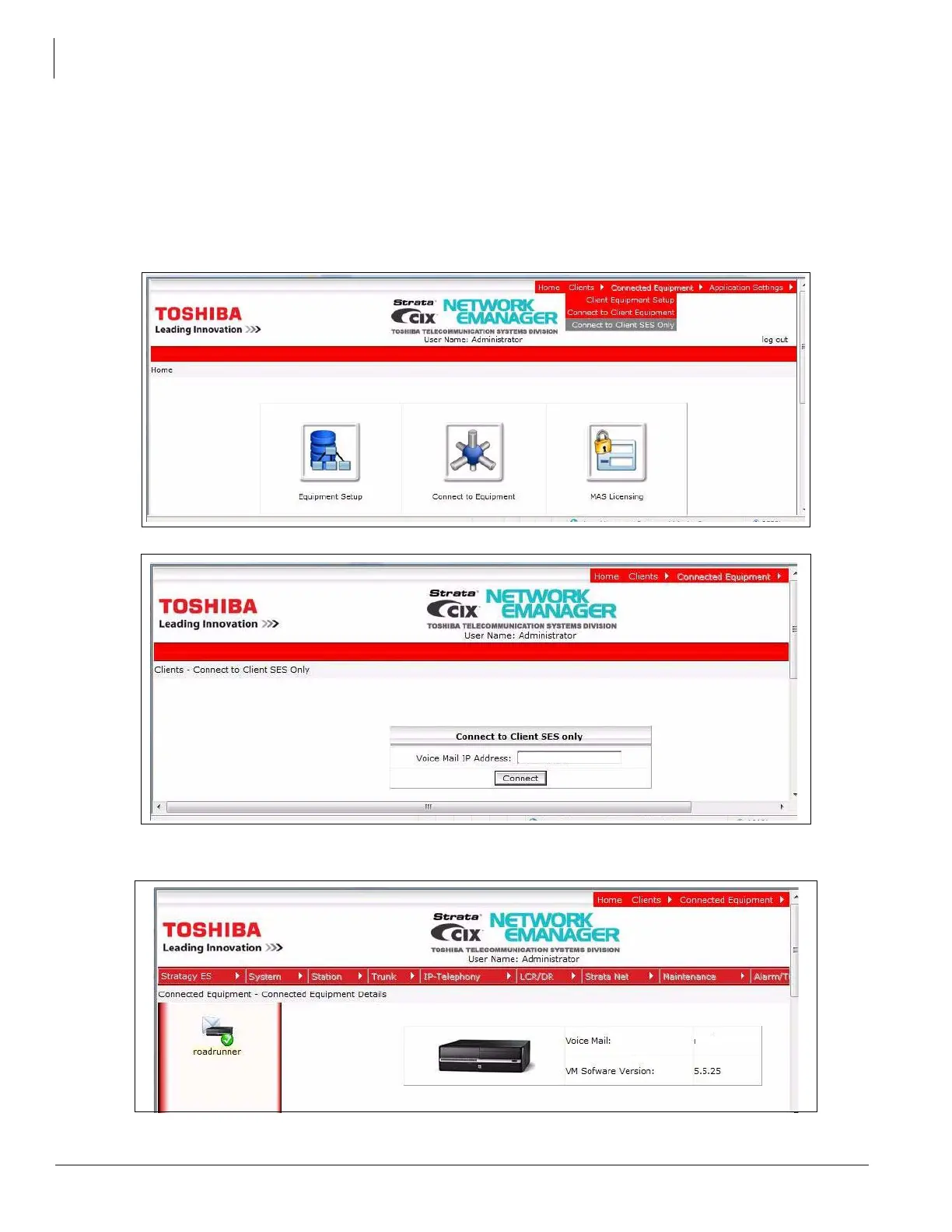
Network eManager provides a sparate menu item to select an SES system for administration. NeM
connection to a stand-alone SES sytem is different from connection to an SES with Strata CIX system in
that only voice mail menus are available.
1. To connect to a stand-alone SES select Connect to Client SES Only from the NeM home page Client
menu.
2. Click on Connect to Client SES Only.
3. Enter the IP addreess or the host name of the SES system then, lick on the Connect button.
4. The Stratagy ES menu will appear when the connection is made.



 To Next Page