Network eManager®
Network eManager Main Menu
2-12 Strata CIX Programming Vol.1 12/09
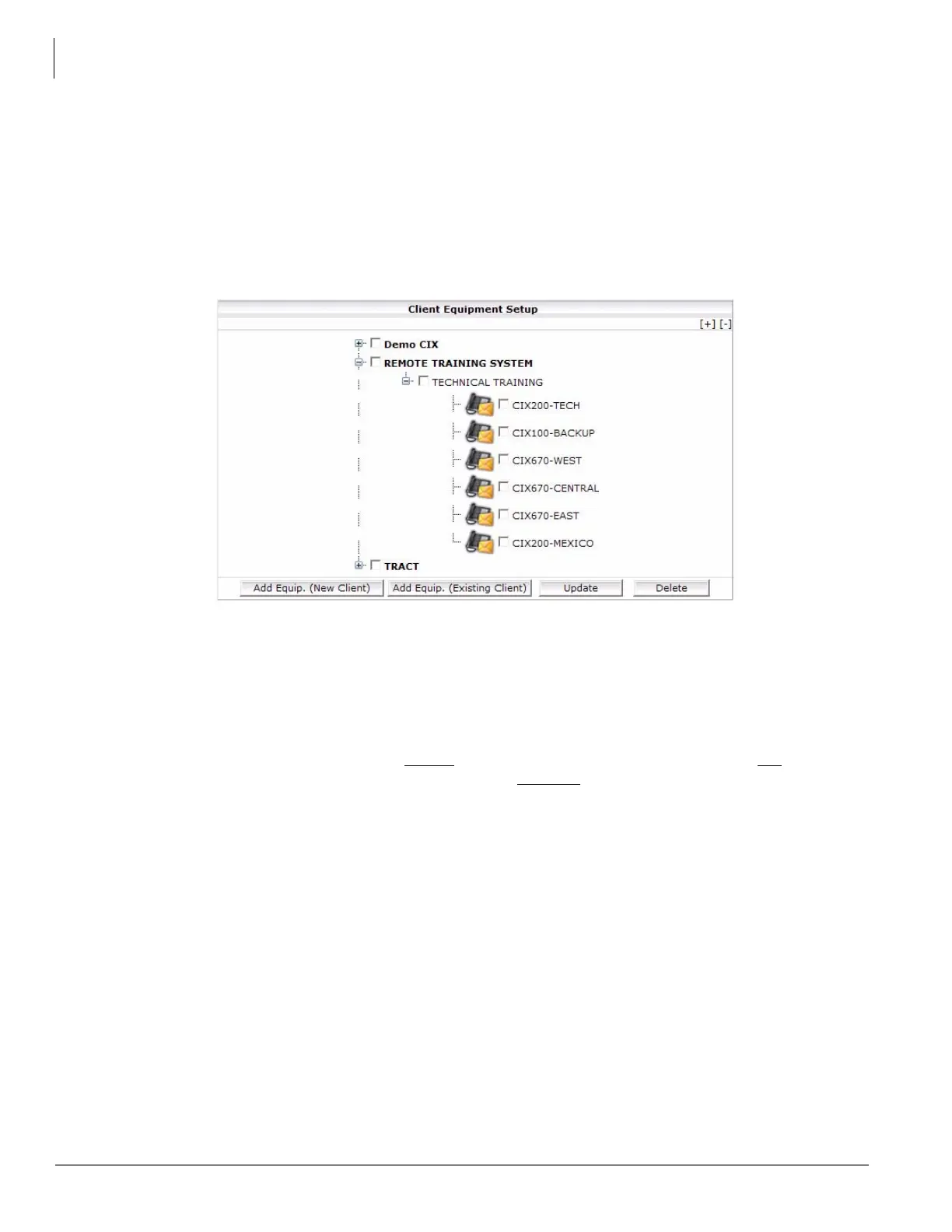
Equipment Setup
The Client Equipment Setup is used to build new equipment groups, add equipment to existing groups, update
equipment, and delete equipment. The Equipment is setup in a three-tier format:
• Company
•Site
• Equipment
In the example, Toshiba Training is a company with a site - Remote Training System. At that site are seven
systems. The buttons at the bottom of the screen are:
– Add Equipment (New Client) – Add a new company, a site, and the first system (Equipment) at that site.
– Add Equip. (Existing Client) – Add a site to a company or a system to a site.
– Update – Change a company name, site name, system name, or any information about the system.
– Delete – Delete the checked item. If a system
is checked, only that system is deleted. If a site is checked,
all of the equipment assigned to that site is deleted. If a company
is checked, all of the sites and equipment
is deleted.



 To Next Page