Network eManager®
Network eManager Data Import/Export Features
Strata CIX Programming Vol.1 12/09 2-49
Network eManager®
Network eManager Data Import/Export Features
The enhancements listed below can be used with all Releases of CTX/CIX systems.
These new features can save significant time and effort by exporting data such as station speed dial lists or DID
assignments to a file and then importing the file for assignment.
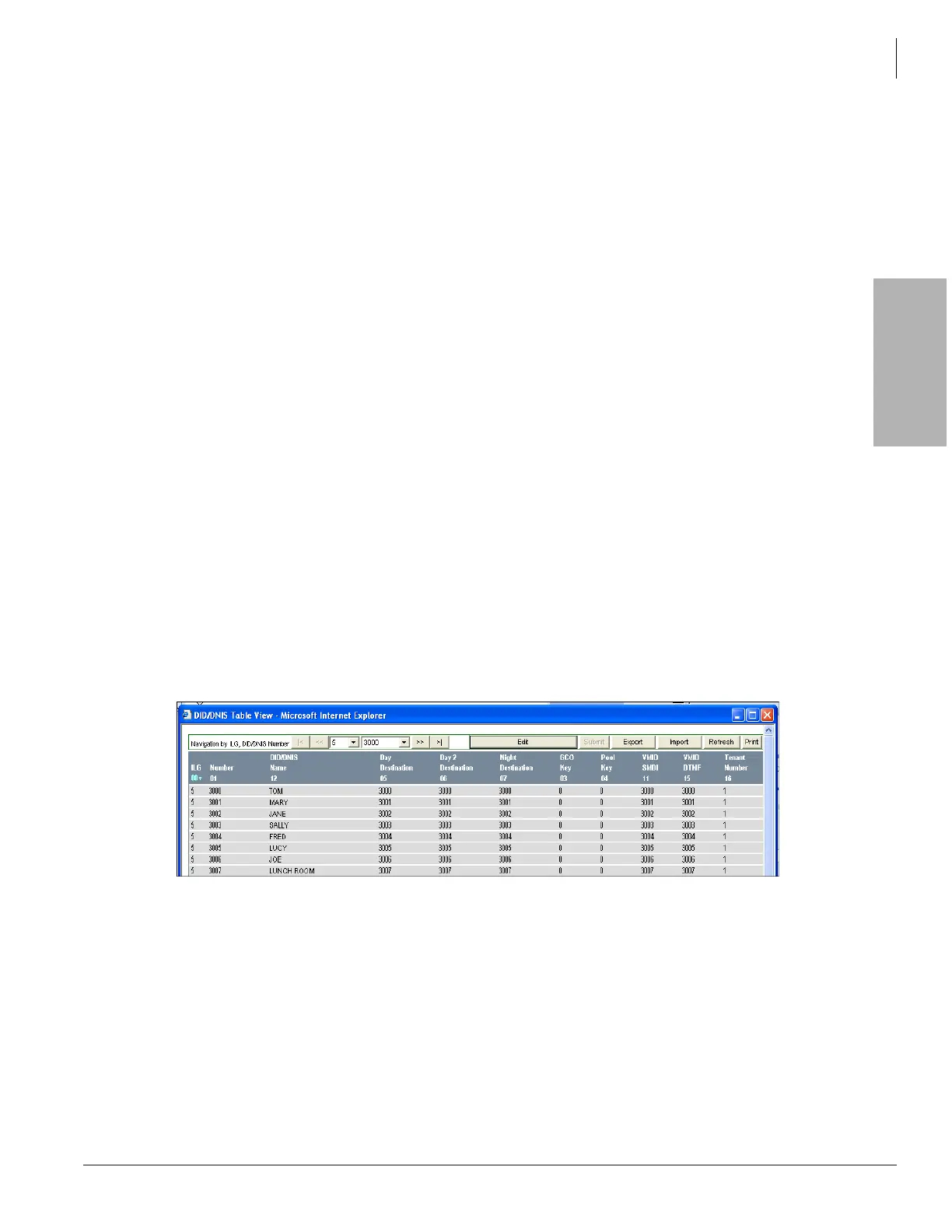
Network eManager DID/DNIS Assignments - Import/Export
This feature allows all DID/DNIS numbers and parameters assigned to one or more Incoming Line Groups (ILG) to
be exported as a comma separated value (CSV) file and saved on the Network eManager PC. This file can then be
imported and automatically uploaded to another ILG in the same CIX or to a different CIX system.
Download
The system will create a text file. The text is the CSV data.To download DID/DNIS assignments:
1. Display the DID/DNIS Table by clicking Trunk > DID/DNIS Table View.
2. Click Yes in the popup.
3. Click on the Export button.
4. A dialog box will open. Select the location to save the file and assign a file name.
Example
The following is an example of using this process to copy the DID/DNIS numbers from ILG #5 to ILG #7 in the
same CIX system. After the DID/DNIS numbers and parameters have been assigned to ILG #5 perform the
following:
1. Create DID/DNIS numbers and parameters, etc. for ILG Group 5 using the DID/DNIS wizard.
2. Open the DID/DNIS Table View located under Trunk > DID/DNID Table View. All assignments for DID
ILG Group 5 are displayed.
3. At the top of the DID/DNID Table View screen click on the Export button.



 To Next Page